Home Assistant
Home Assistant
Controller & Devices
Cameras
Components
Lighting
Interfaces and Expansion
Applications
Media Playback
Dashboard
Unit Scroll ESPHome Component
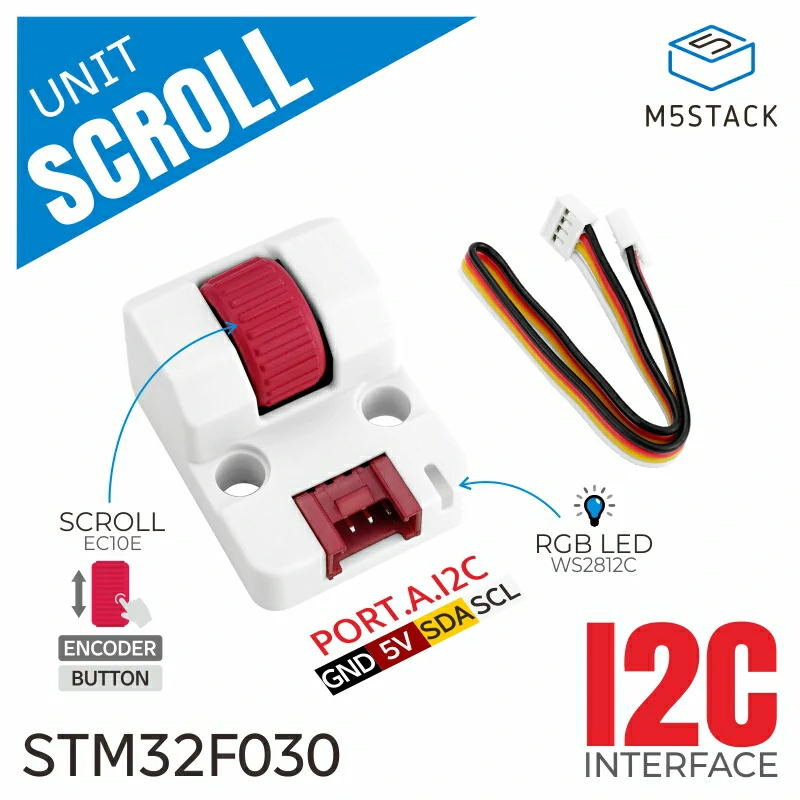
The Unit Scroll provides scroll-wheel value readings and RGB lighting control over I2C.
1. Component Overview
| Item | Information |
|---|---|
| Product name | Unit Scroll |
| SKU | U186 |
| Main functions | Scroll-wheel value reading and RGB lighting control |
| Communication interface | I2C |
| Default I2C address | 0x40 |
| ESPHome component | unit_scroll (external component) |
| ESPHome version requirement | / |
2. Component Details
Include the External Component
Add the External Components configuration to load the custom Unit Scroll component:
external_components:
  - source: github://m5stack/esphome-yaml/components
    components: [unit_scroll]
    refresh: 0s

unit_scroll:
  id: my_scroll
  i2c_id: grove_i2c
  address: 0x40
  direction: true
  rgb_red: 0
  rgb_green: 255
rgb_blue: 0direction controls the count direction and defaults to false. rgb_red, rgb_green, and rgb_blue set the initial power-on color; each ranges from 0 to 255.
Sensor: Scroll Value
Add a Sensor to publish the encoder value to Home Assistant.
sensor:
  - platform: unit_scroll
    unit_scroll_id: my_scroll
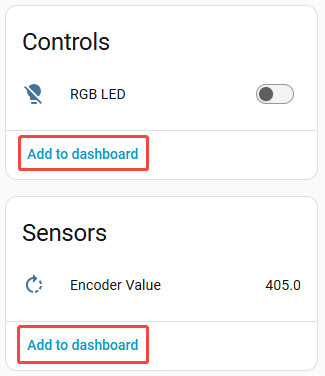
    name: "Encoder Value"
update_interval: 100msThe default update interval is 60s. For interactive applications, shorten update_interval as needed; an interval that is too short increases I2C traffic.
Output: RGB Channels
Add an Output for the three Unit Scroll RGB channels.
output:
  - platform: unit_scroll
    id: scroll_rgb_red_output
    unit_scroll_id: my_scroll
    channel: rgb_red

  - platform: unit_scroll
    id: scroll_rgb_green_output
    unit_scroll_id: my_scroll
    channel: rgb_green

  - platform: unit_scroll
    id: scroll_rgb_blue_output
    unit_scroll_id: my_scroll
channel: rgb_blueLight: RGB Lighting
Add a Light to combine the three RGB outputs into one RGB light entity.
light:
  - platform: rgb
    id: scroll_rgb_led
    name: "RGB LED"
    red: scroll_rgb_red_output
    green: scroll_rgb_green_output
    blue: scroll_rgb_blue_output
    restore_mode: ALWAYS_OFF
default_transition_length: 0s3. Reference Example
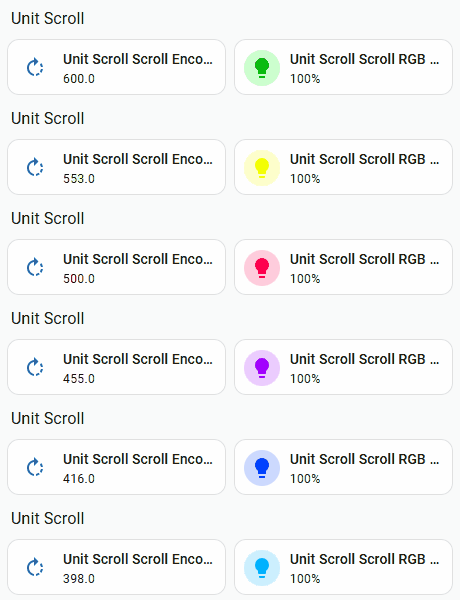
The complete example includes automation that polls the button state and maps the scroll value to an RGB color wheel. Use only the unit_scroll Sensor and Output platforms above for a basic configuration.