

Product Guides
AI & Voice
AI Agents
AI Voice Assistants
Volcengine
Offline Speech Recognition
Unit ASR
Module ASR
Audio & Voice Input
Voice Pyramid
Cameras & Vision
Camera Features
M5Camera
PoECAM
Unit CamS3 / CamS3-5MP
Connectivity & IoT
Industrial Control & Measurement
Air Quality
PowerHub
StamPLC
VAMeter
T-Lite
Module13.2 PPS
Unit RollerCAN
Display & Interaction
Paper
PaperColor
StopWatch
Tab5 Keyboard
Chain DualKey
Robotics & Maker Projects
Atom Printer
Bala
Bala2
BalaC Plus
Faces Kit Gameboy
RoverC & JoyC
StampFly & Atom Joystick
Firmware & Device Maintenance
Firmware Upgrade
Hardware Configuration
Design & Selection References
Flashing NES Games
This document will guide you through flashing a game emulator and your desired classic games so that you can use the FACES Kit to play GameBoy games.
Download Firmware
Gameboy emulator firmware can be downloaded from: Github.
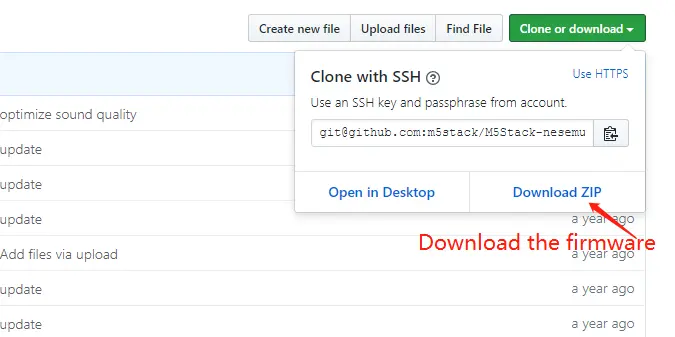
Flashing Firmware and Game Files
Windows OS
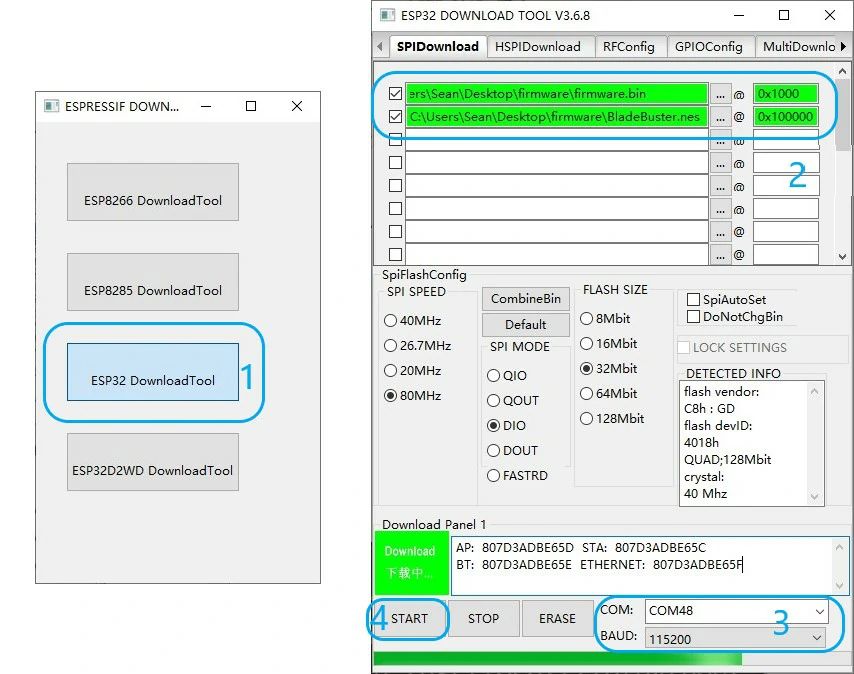
Click here to download the ESPTool flashing tool. After launching the tool, select the ESP32 DownloadTool option. Import the 2 bin files from the firmware folder and set their corresponding burning addresses (firmware.bin:0x1000, BladeBuster.nes:0x100000). Refer to the image below to configure the port and baud rate for device connection. Click "Start" to begin flashing.
Mac OS
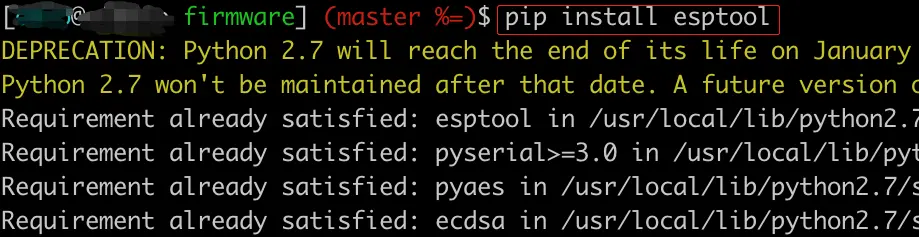
(1) Install esptool
Open Terminal and execute pip install esptool.
(2) Flash Firmware
In Terminal, navigate to the path where firmware.zip is located and execute the following commands:
unzip firmware.zip
cd firmware
esptool.py erase_flash
sh flash.sh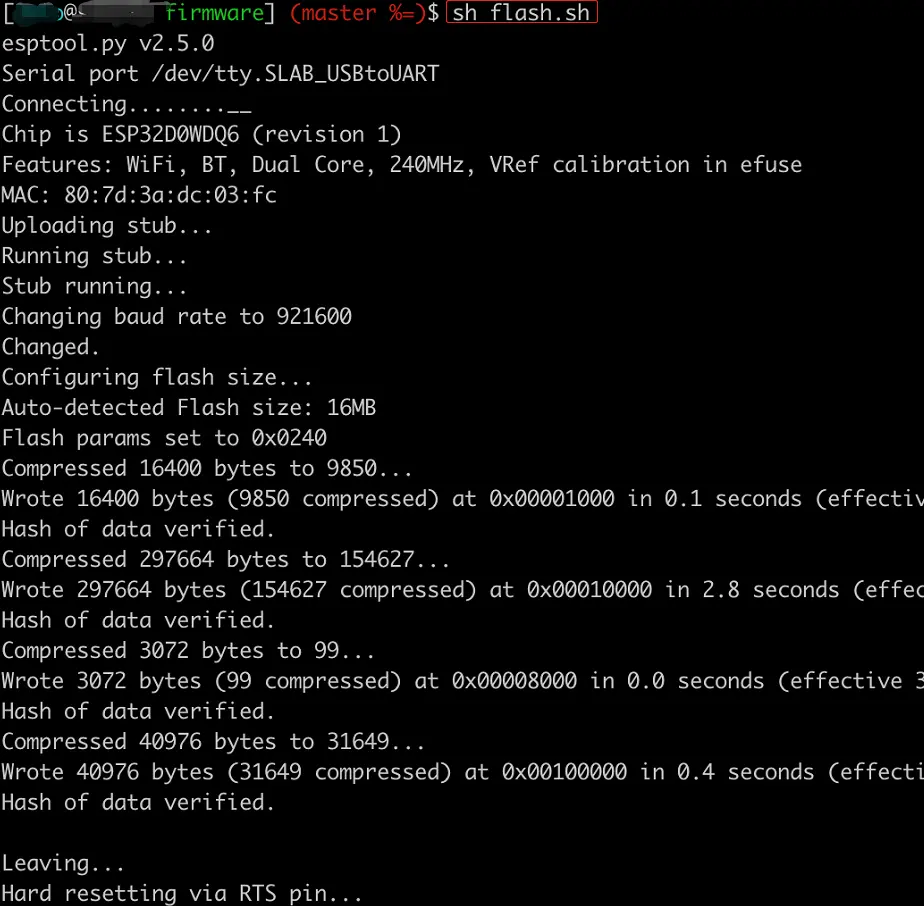
Restart FACES
After restarting FACES, you can start playing games.
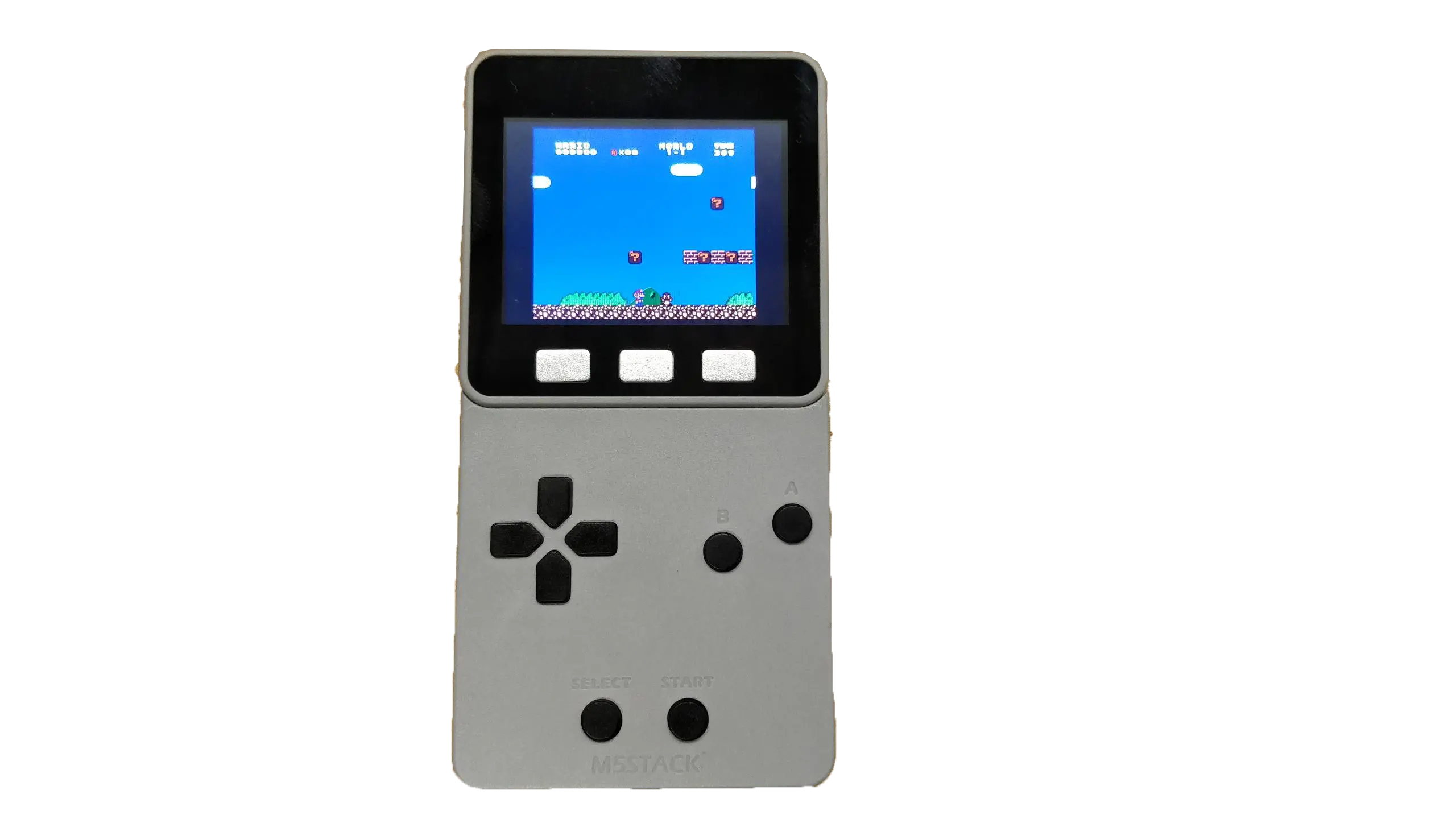
If you want to switch to another game, simply replace the game file and flash it using the above tools. Note that you should use NES format game files.