

Product Guides
AI & Voice
AI Agents
AI Voice Assistants
Volcengine
Offline Speech Recognition
Unit ASR
Module ASR
Audio & Voice Input
Voice Pyramid
Cameras & Vision
Camera Features
M5Camera
PoECAM
Unit CamS3 / CamS3-5MP
Connectivity & IoT
Industrial Control & Measurement
Air Quality
PowerHub
StamPLC
VAMeter
T-Lite
Module13.2 PPS
Unit RollerCAN
Display & Interaction
Paper
PaperColor
StopWatch
Tab5 Keyboard
Chain DualKey
Robotics & Maker Projects
Atom Printer
Bala
Bala2
BalaC Plus
Faces Kit Gameboy
RoverC & JoyC
StampFly & Atom Joystick
Firmware & Device Maintenance
Firmware Upgrade
Hardware Configuration
Design & Selection References
Tab5 ESP32-C6 Wi-Fi Module Restore Factory Firmware
Wi-Fi Module Factory Firmware
The ESP32-C6 module built into Tab5 comes preloaded with Wi-Fi SDIO firmware by default. If the Wi-Fi malfunctions or other programs have been flashed, you can restore the Wi-Fi firmware by following the steps below.
1. Preparations
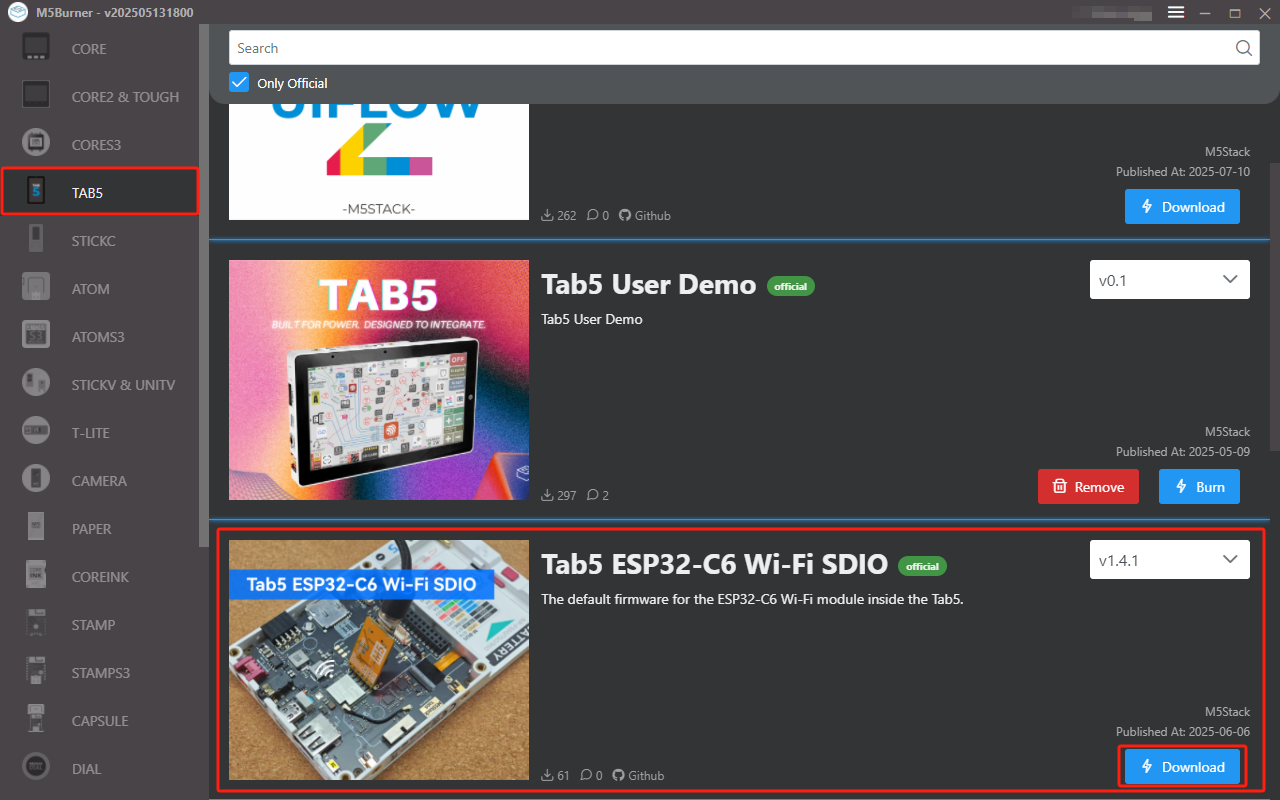
- Refer to the M5Burner tutorial to download the flashing tool, and download the corresponding firmware as shown in the image below.
2. Flashing Tool
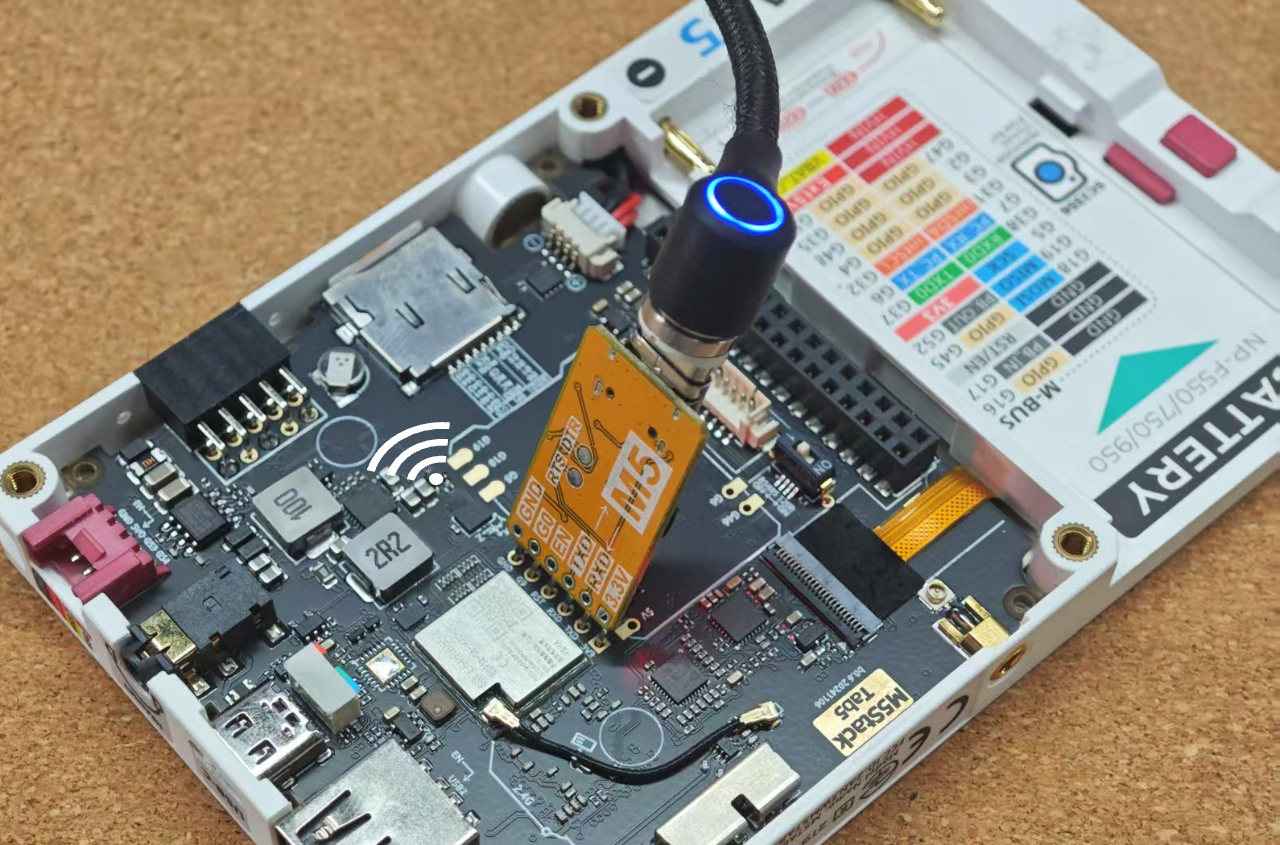
The Tab5 PCB board has a reserved download interface for the ESP32-C6 module. Users can flash the firmware using a USB-TTL converter. This tutorial uses the official M5Stack ESP32 Downloader, which matches the interface pinout for easy connection and flashing. The connection method is shown below.
3. Port Selection
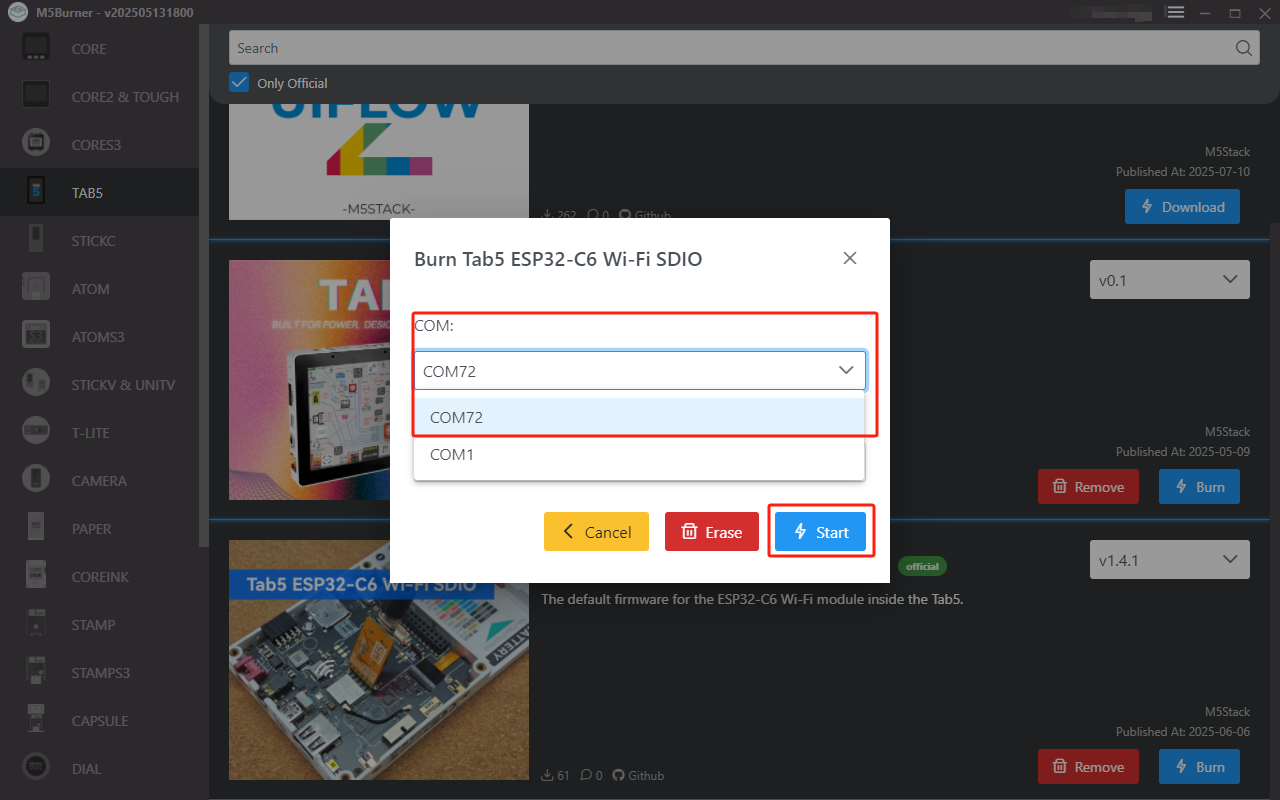
Connect the device to the computer via USB. After the device enters download mode, select the corresponding port in M5Burner.
4. Firmware Flashing
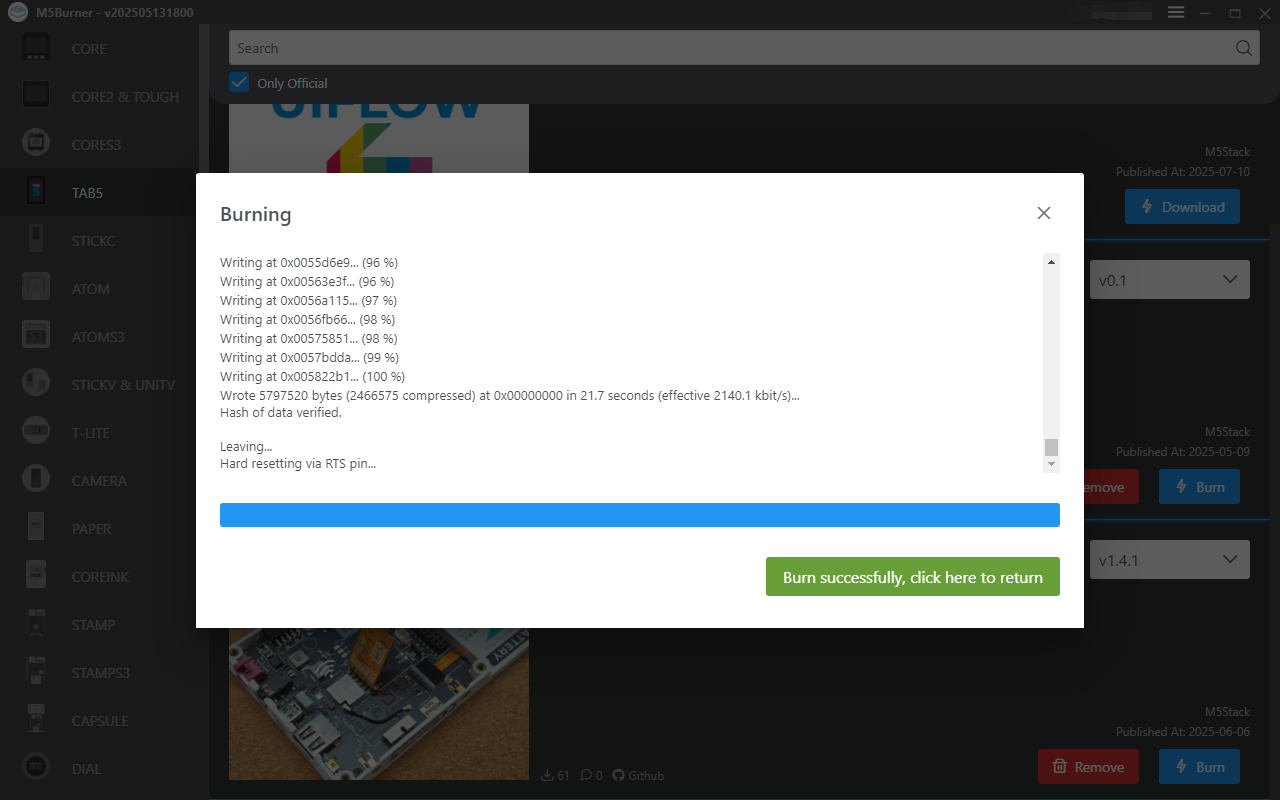
Click Burn to start flashing.
Page Tools