

Product Guides
AI & Voice
AI Agents
AI Voice Assistants
Volcengine
Offline Speech Recognition
Unit ASR
Module ASR
Audio & Voice Input
Voice Pyramid
Cameras & Vision
Camera Features
M5Camera
PoECAM
Unit CamS3 / CamS3-5MP
Connectivity & IoT
Industrial Control & Measurement
Air Quality
PowerHub
StamPLC
VAMeter
T-Lite
Module13.2 PPS
Unit RollerCAN
Display & Interaction
Paper
PaperColor
StopWatch
Tab5 Keyboard
Chain DualKey
Robotics & Maker Projects
Atom Printer
Bala
Bala2
BalaC Plus
Faces Kit Gameboy
RoverC & JoyC
StampFly & Atom Joystick
Firmware & Device Maintenance
Firmware Upgrade
Hardware Configuration
Design & Selection References
Unit PoE-P4 Restore Factory Firmware
Factory Firmware
When the device works abnormally, you can try reflashing the factory firmware to check whether there is a hardware fault. Refer to the following tutorial. Use the M5Burner firmware flashing tool to flash the factory firmware to the device.
1. Preparation
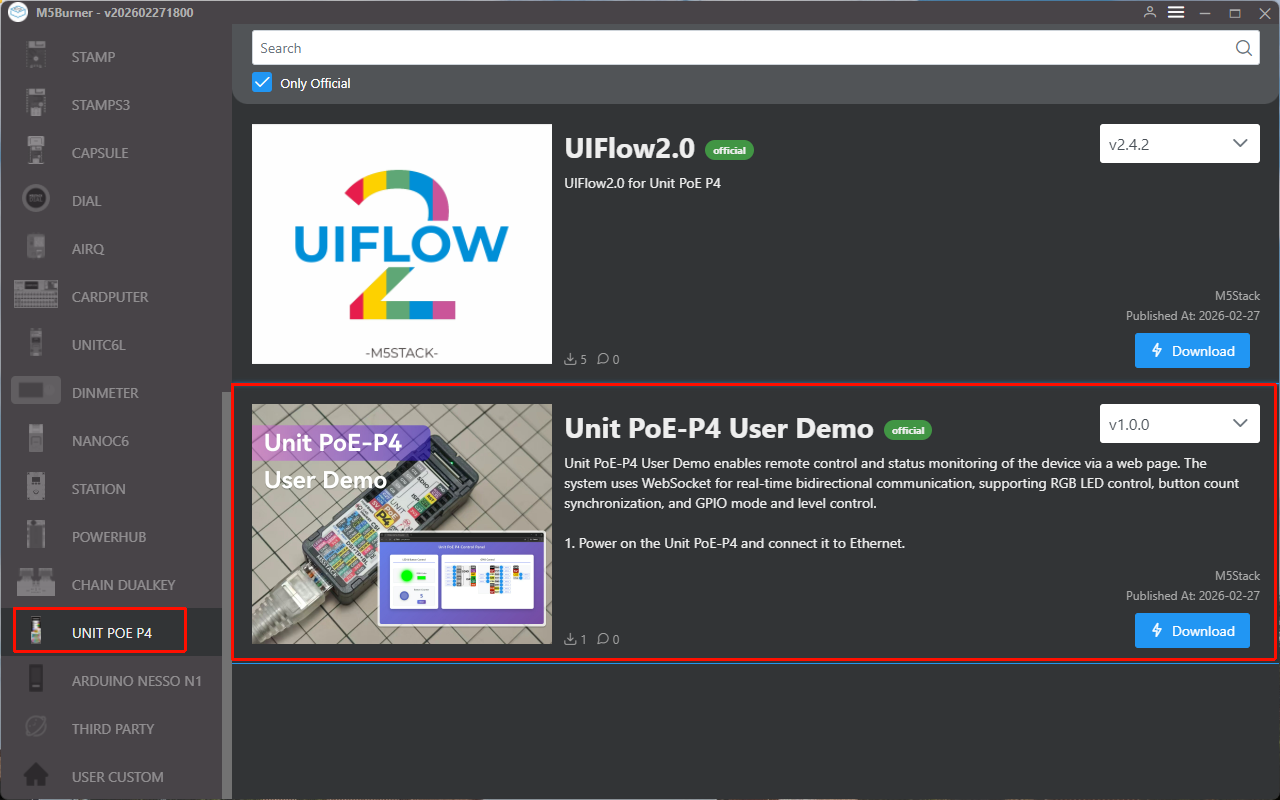
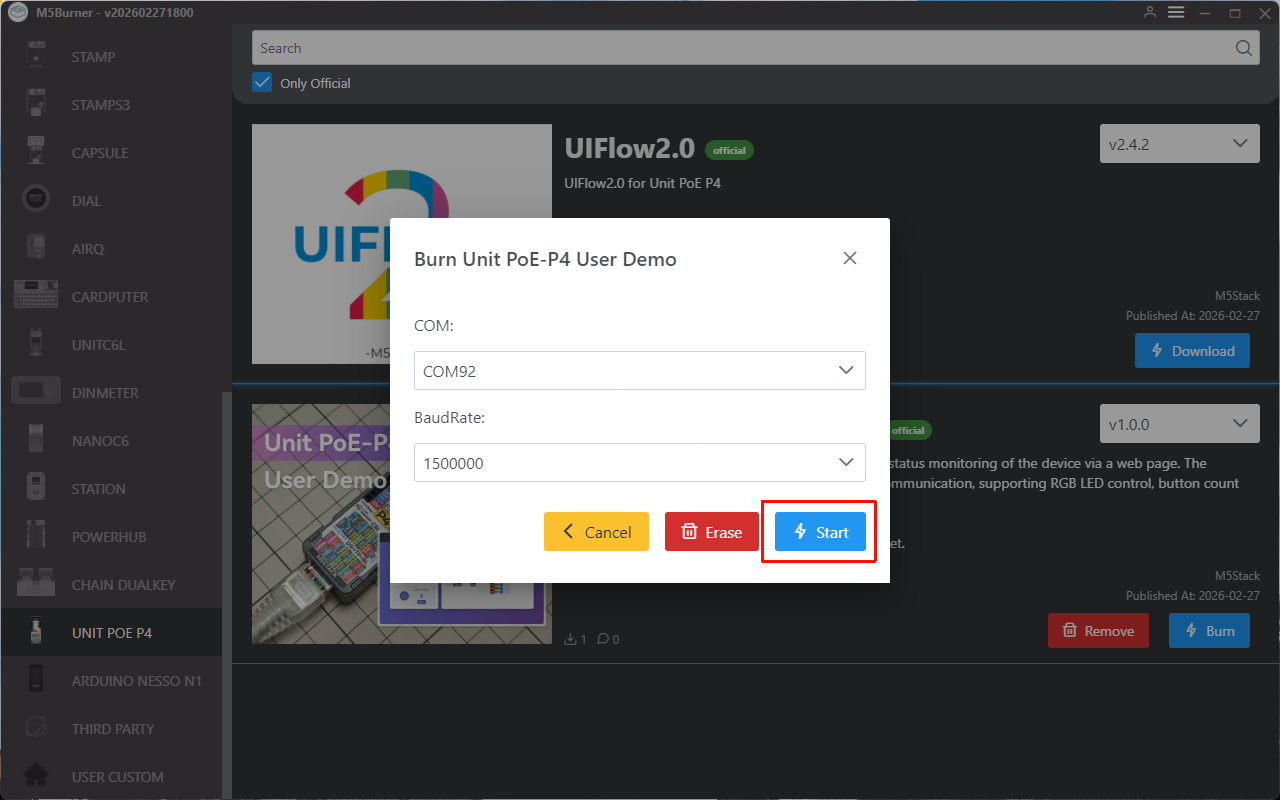
- Refer to the M5Burner tutorial to complete the download of the flashing tool, and refer to the image below to download the corresponding firmware.
2. Download Mode
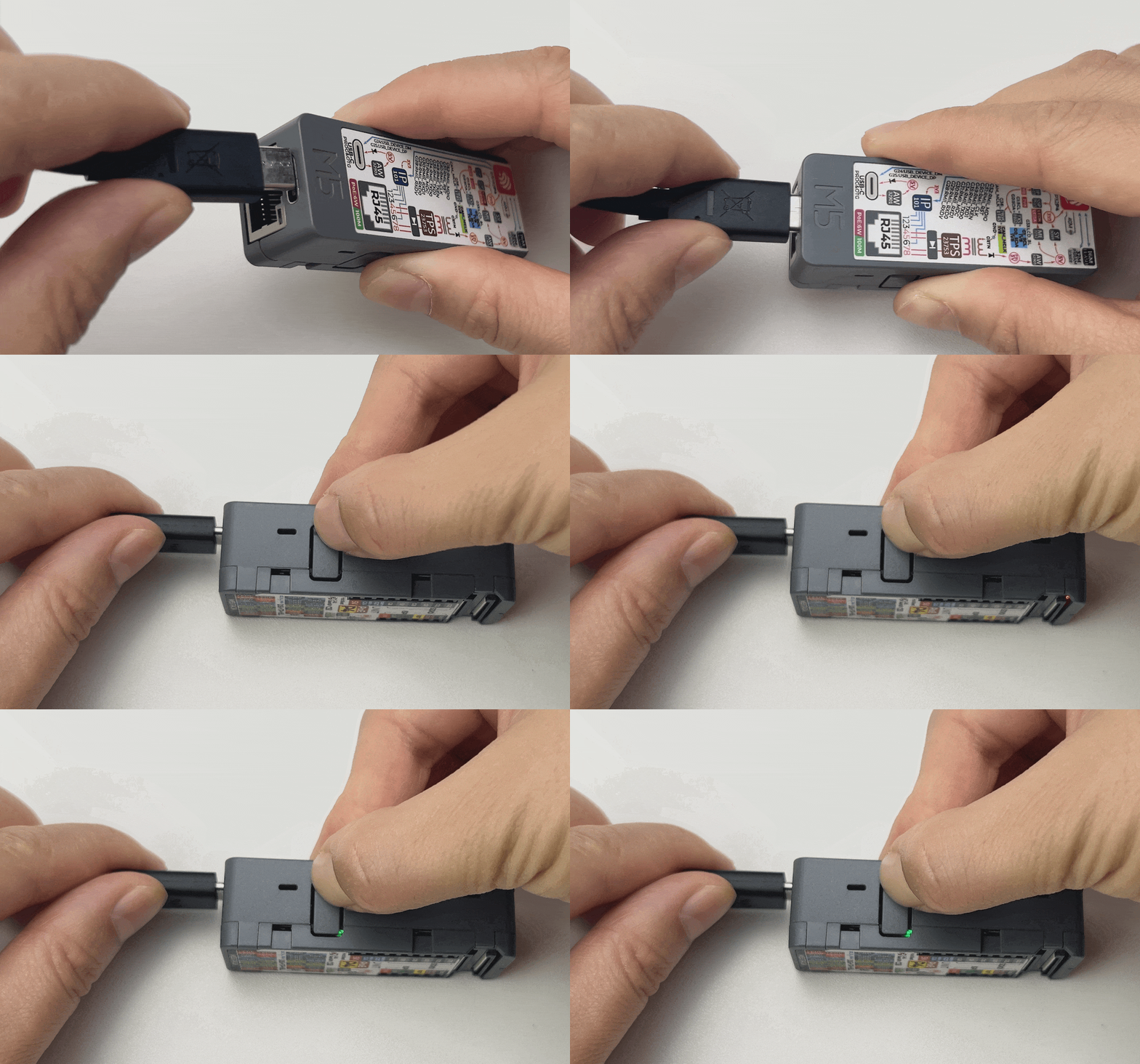
- Press and hold the reset button (about 2 seconds) until the internal green LED lights up, then release it. The device will enter download mode and wait for flashing.
3. Port Selection
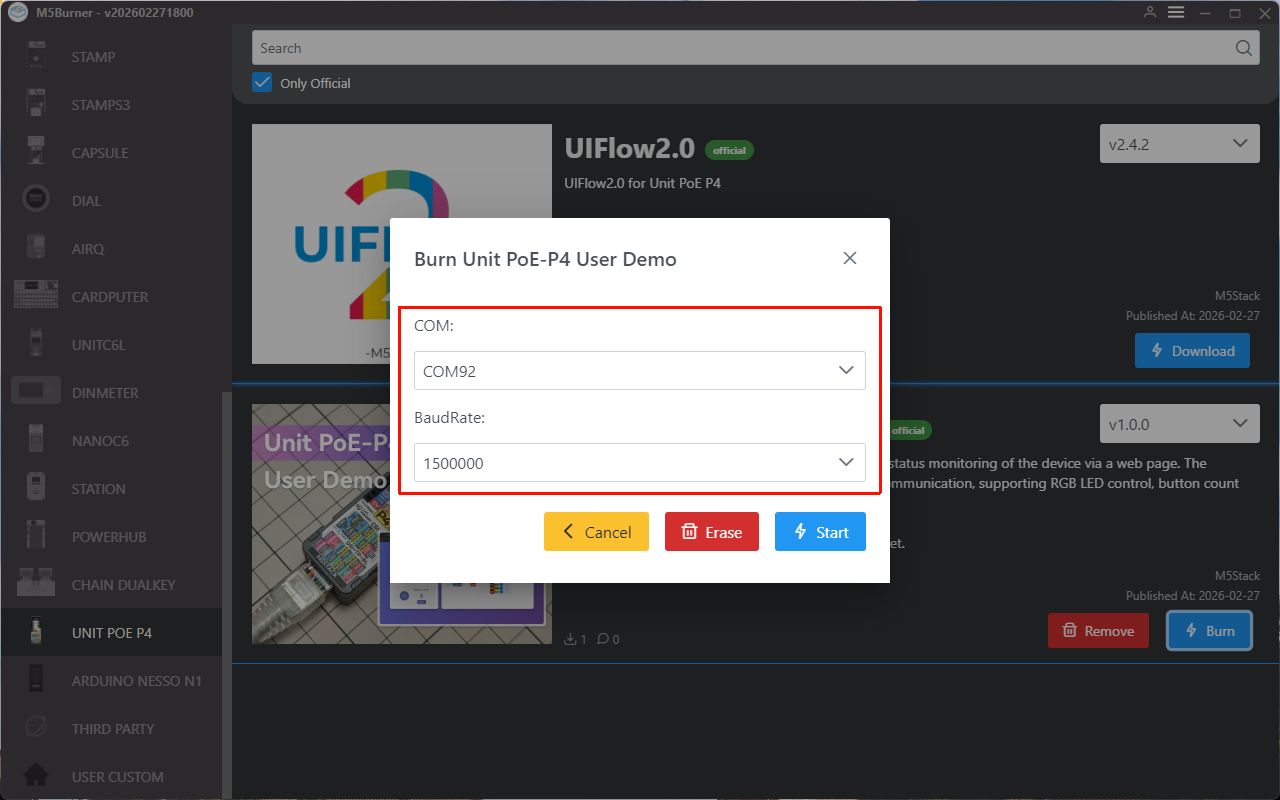
Connect the device to the computer via a USB cable. After the device enters download mode, you can select the corresponding device port in M5Burner.
4. Firmware Flashing
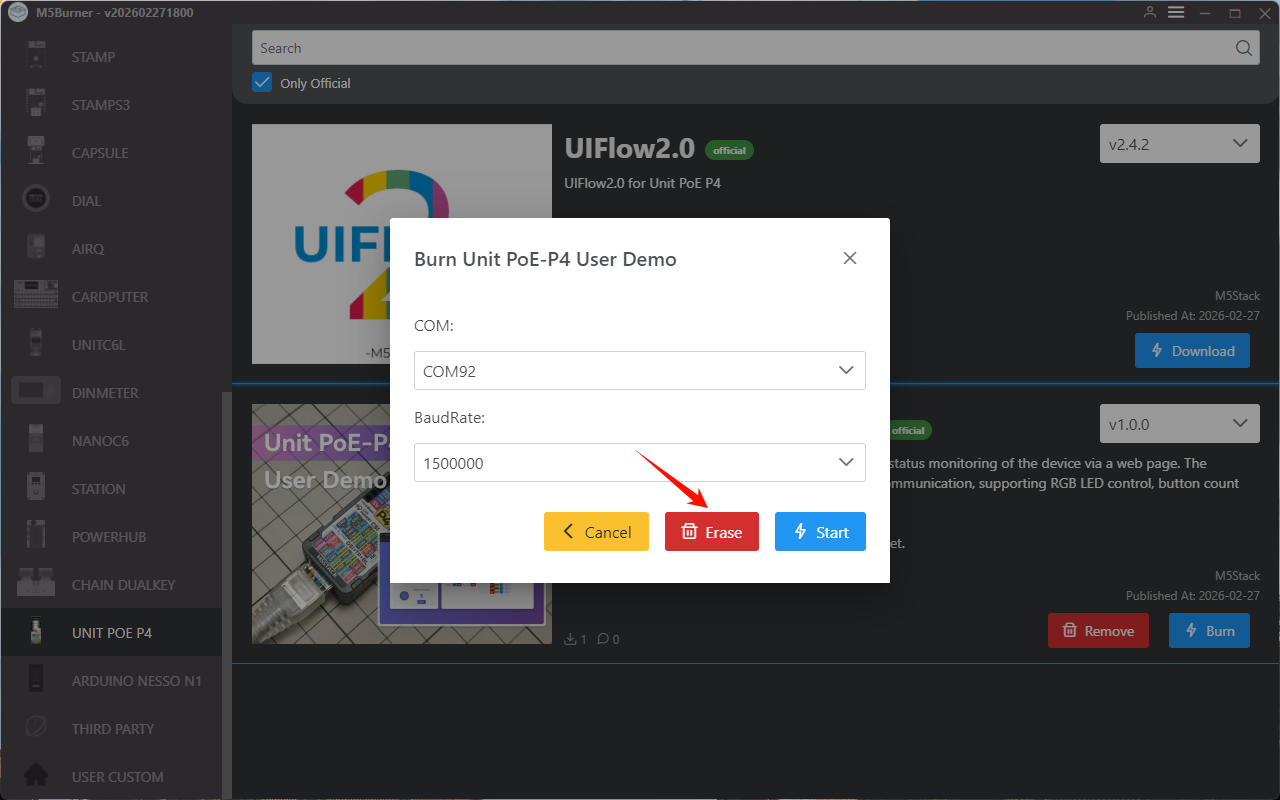
- Click
Eraseto erase old data.
- Click
Startto begin flashing.
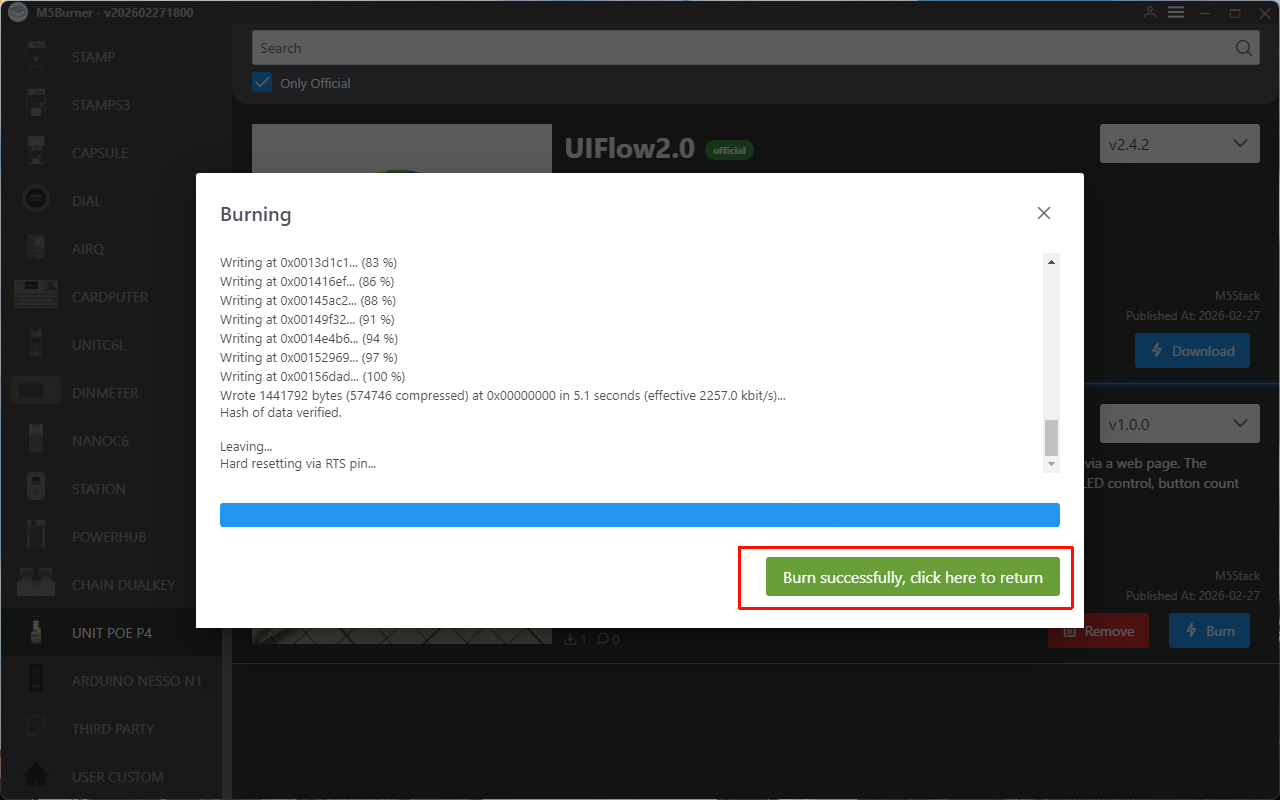
After flashing is completed, the following message will be displayed:
Page Tools