

Product Guides
AI & Voice
AI Voice Assistants
Volcengine
Offline Speech Recognition
Unit ASR
Module ASR
Audio & Voice Input
Voice Pyramid
Cameras & Vision
Camera Features
M5Camera
PoECAM
Unit CamS3 / CamS3-5MP
Connectivity & IoT
Industrial Control & Measurement
Air Quality
PowerHub
StamPLC
VAMeter
T-Lite
Module13.2 PPS
Unit RollerCAN
Display & Interaction
Paper
PaperColor
StopWatch
Tab5 Keyboard
Chain DualKey
Robotics & Maker Projects
Atom Printer
Bala
Bala2
BalaC Plus
Faces Kit Gameboy
RoverC & JoyC
StampFly & Atom Joystick
Firmware & Device Maintenance
Firmware Upgrade
Hardware Configuration
Design & Selection References
ESP32Cam/M5Camera Quick Start
:clapper: Video Tutorial :memo: Text Tutorial
Text Tutorial
With preloaded firmware, your ESP32Cam/M5Camera would run right after power on.
- Power on the cable into ESP32Cam/M5Camera by USB cable.

- After waiting for a few seconds, scan for an access point named "
M5CAM" with your computer (or mobile phone), and connect it.
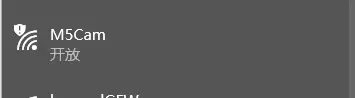
- Open up the browser on the computer(or mobile phone), visit the URL
http://192.168.4.1. At the moment, your can see the real-time transmission of video by ESP32Cam/M5Camera on the browser.

Note:
ESP32Cam/M5Camera AP can only connect with one device at a time.
Video Tutorial
Example
Firmware
Code
Serial communication-M5Core(The serial communication routine is the communication between the camera and the M5Core.)
MPU6050(Gyro Example after soldering MPU6050)
Source Code
Page Tools