

Product Guide
Linux PC
AI Accelerator Card
LLM-8850 Card
Large Language Models
AI & Agent
Real-Time AI Voice Assistant
XiaoZhi Voice Assistant
AtomS3R-M12 Volcengine Kit
Offline Voice Recognition
Industrial Control
IoT Measuring Instruments
Air Quality
PowerHub
Module13.2 PPS
VAMeter
T-Lite
Input & Output Devices
Ethernet Camera
PoECAM
Wi-Fi Camera
Unit CamS3/-5MP
AI Camera
LoRa & LoRaWAN
Motor Control
Restore Factory Firmware
DIP Switch Usage Guide
CoreS3 Thread BR Restore Factory Firmware
Factory Firmware
When the device works abnormally, you can try reflashing the factory firmware to check whether there is a hardware fault. Refer to the following tutorial. Use the M5Burner firmware flashing tool to flash the factory firmware to the device.
1. Preparation
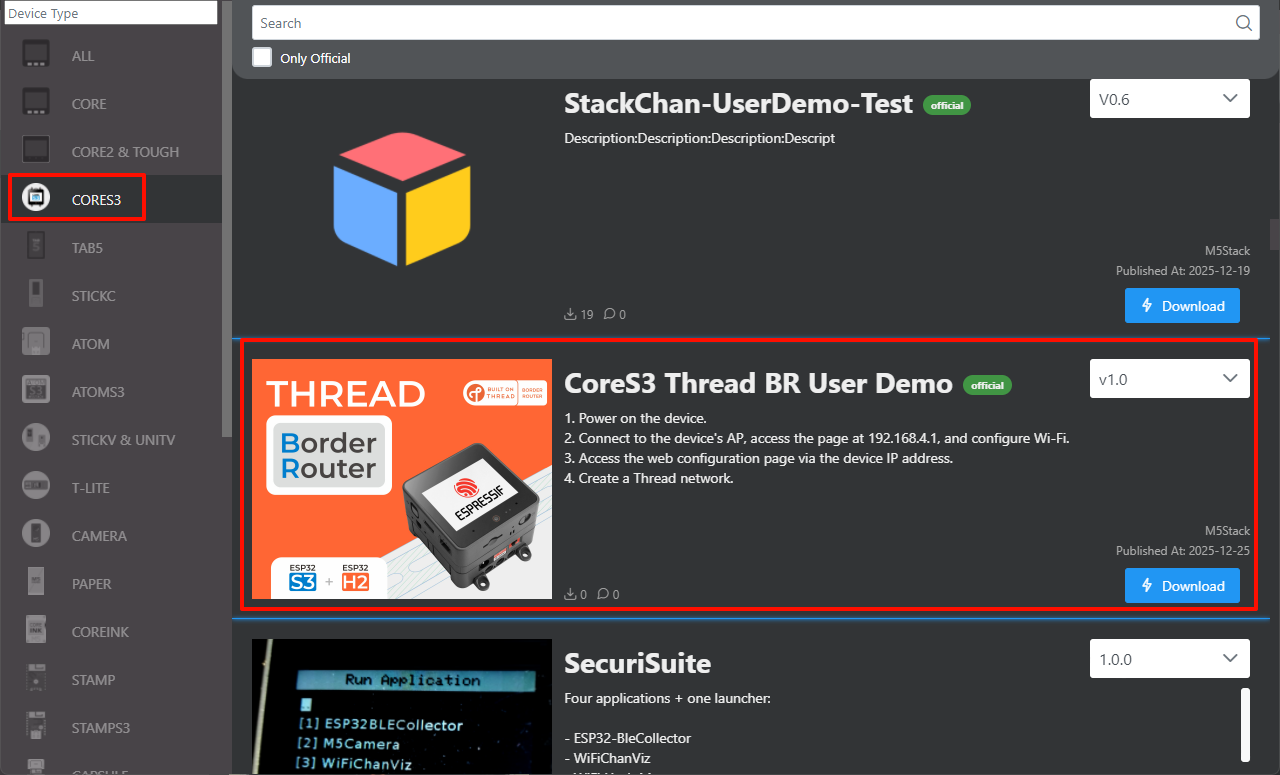
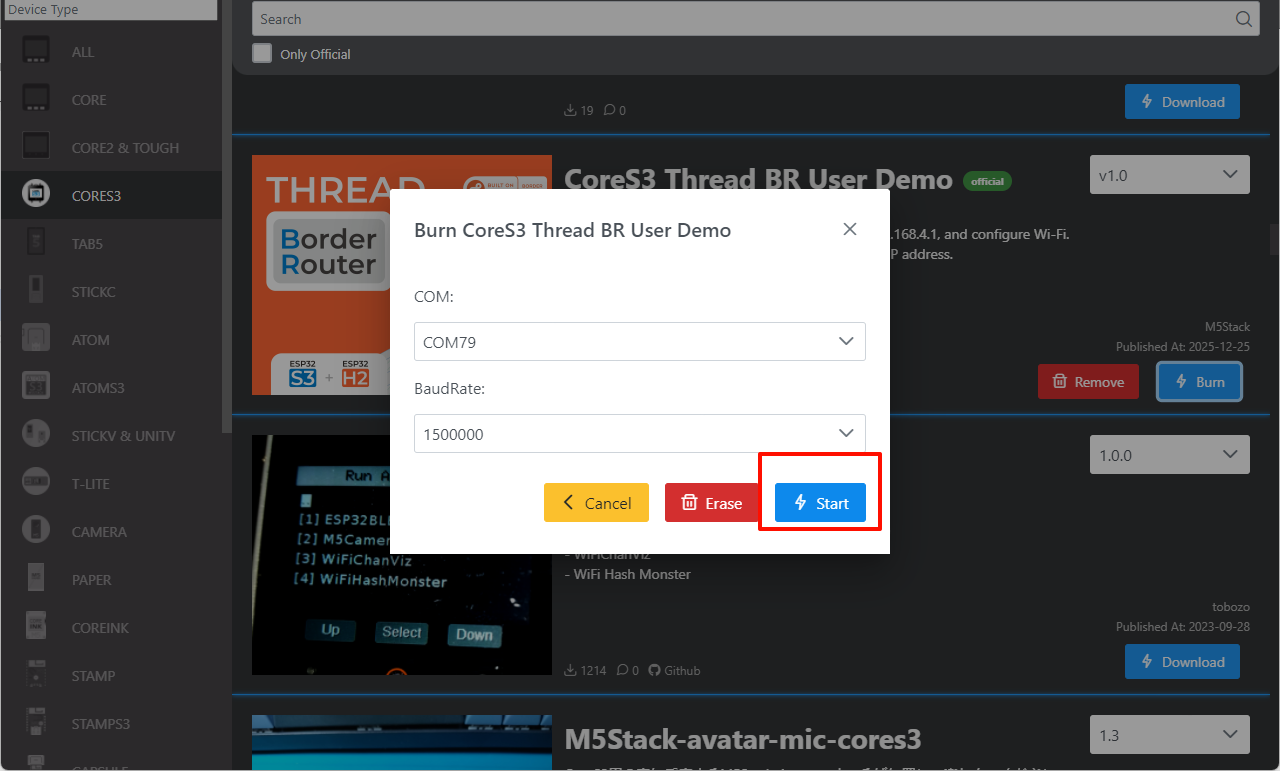
- Refer to the M5Burner tutorial to complete the download of the flashing tool, and refer to the figure below to download the corresponding firmware.
2. Download Mode
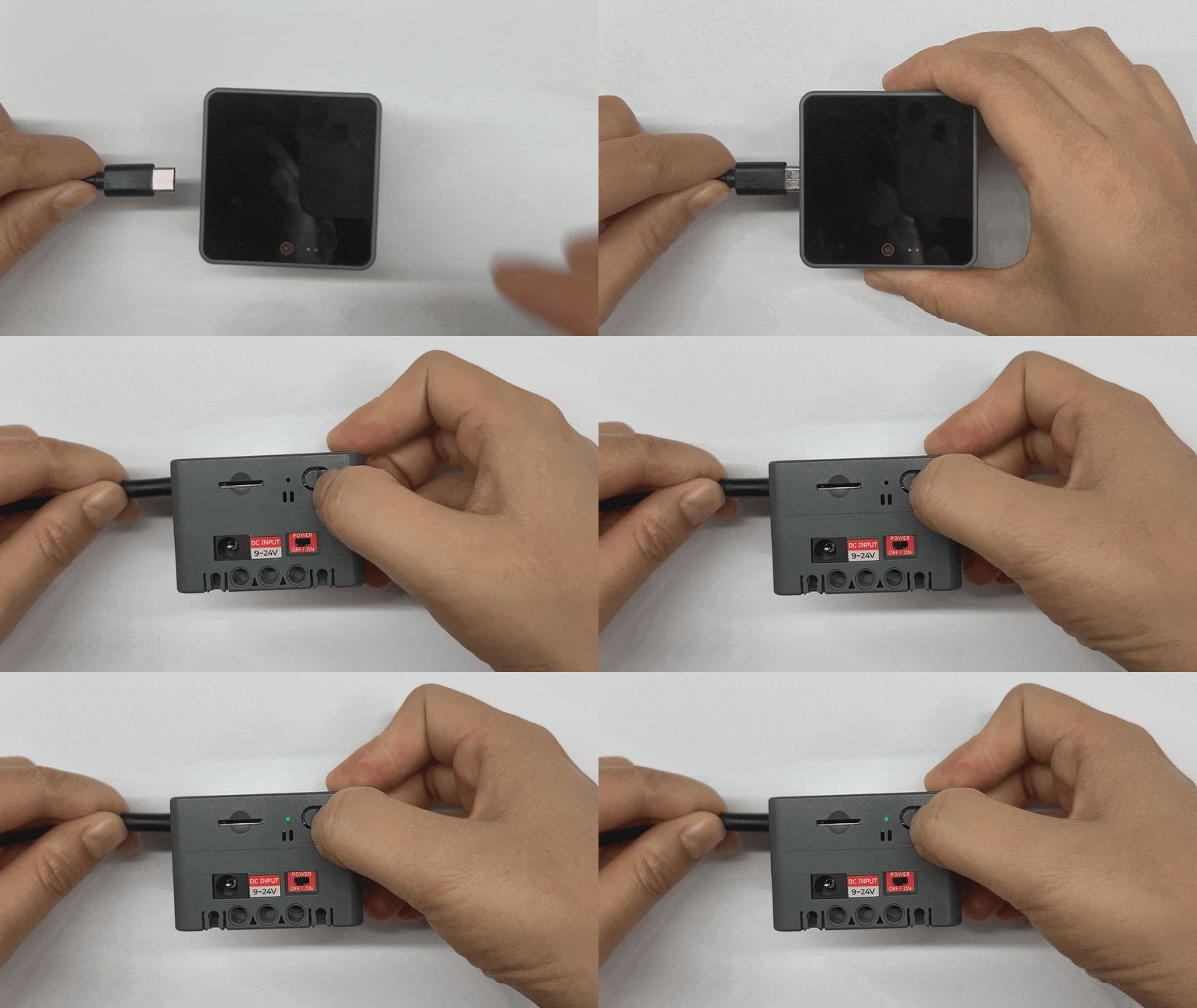
- Press and hold the reset button (about 2 seconds) until the internal green LED lights up, then release it. At this point, the device has entered download mode and is ready for flashing. The red indicator turns off after the button is released, confirming that the device is in download mode.
3. Port Selection
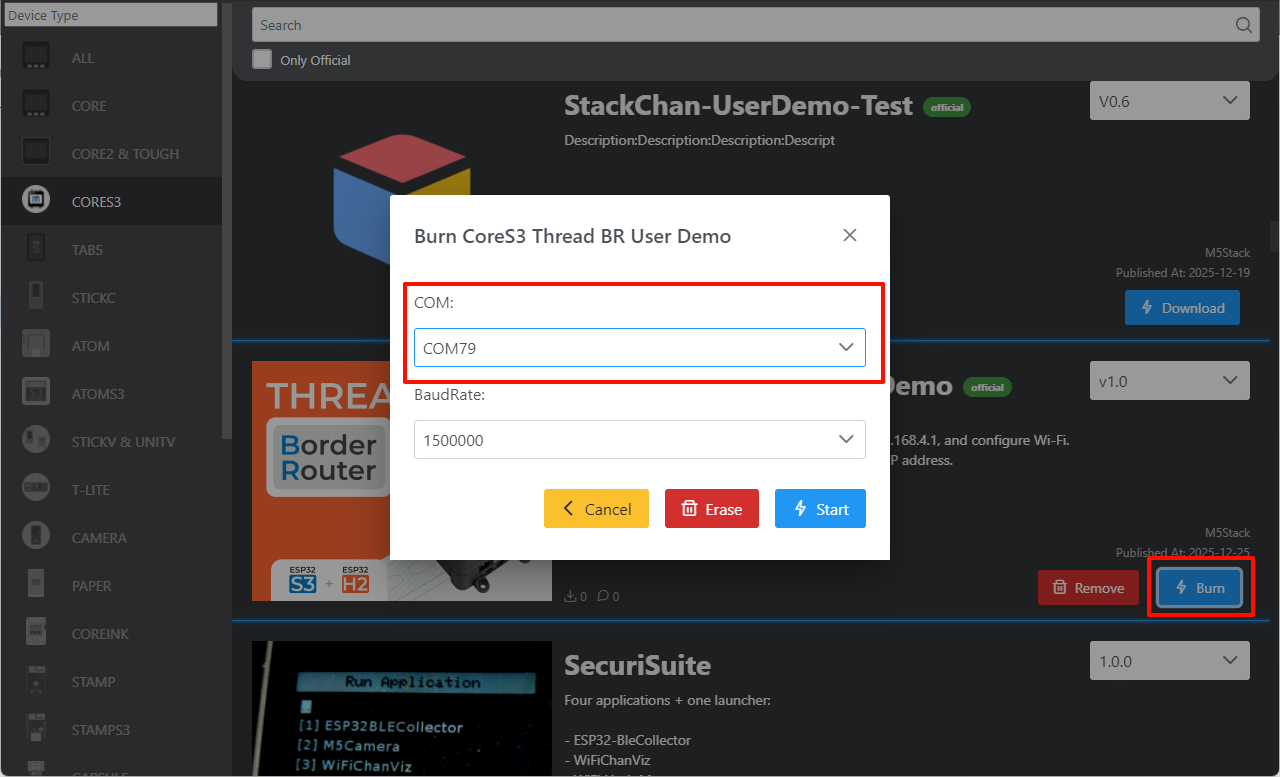
Connect the device to the computer via a USB cable. After the device enters download mode, select the corresponding device port in M5Burner.
4. Firmware Flashing
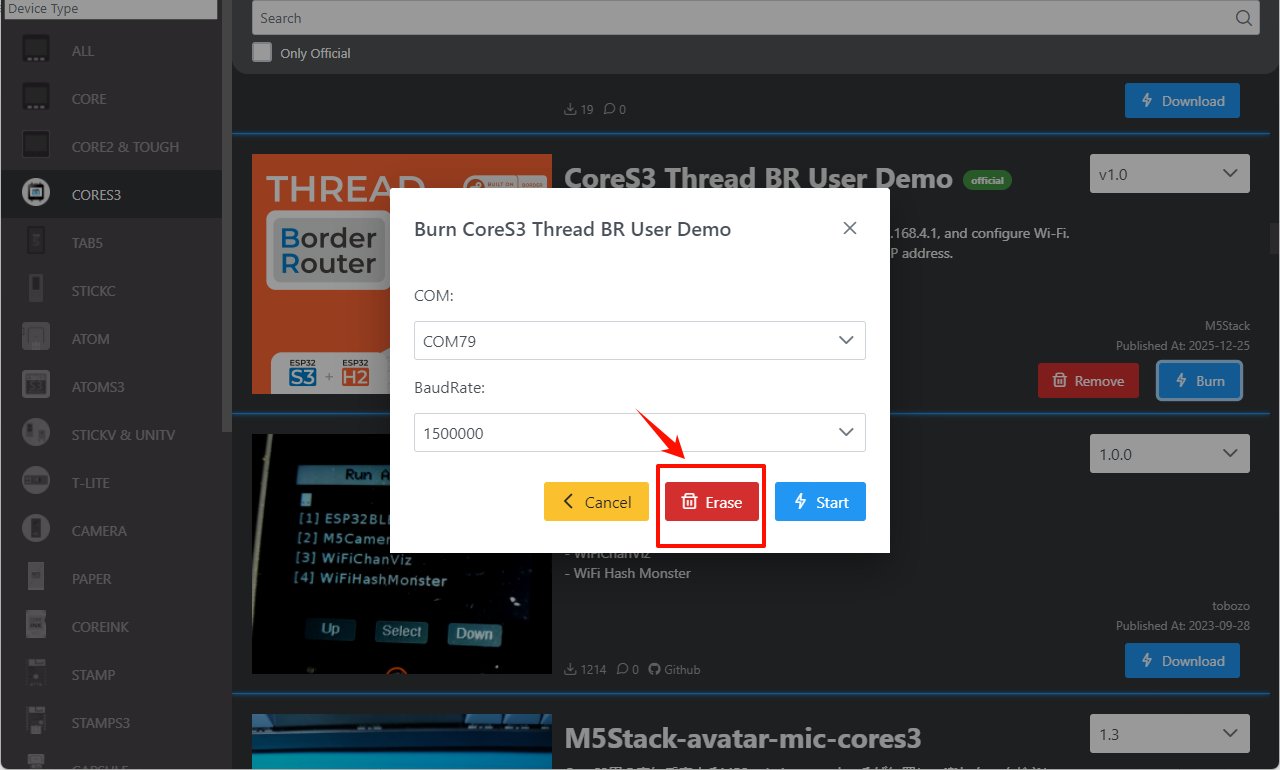
- Click
Eraseto erase old data.
- Click
Startto begin flashing.
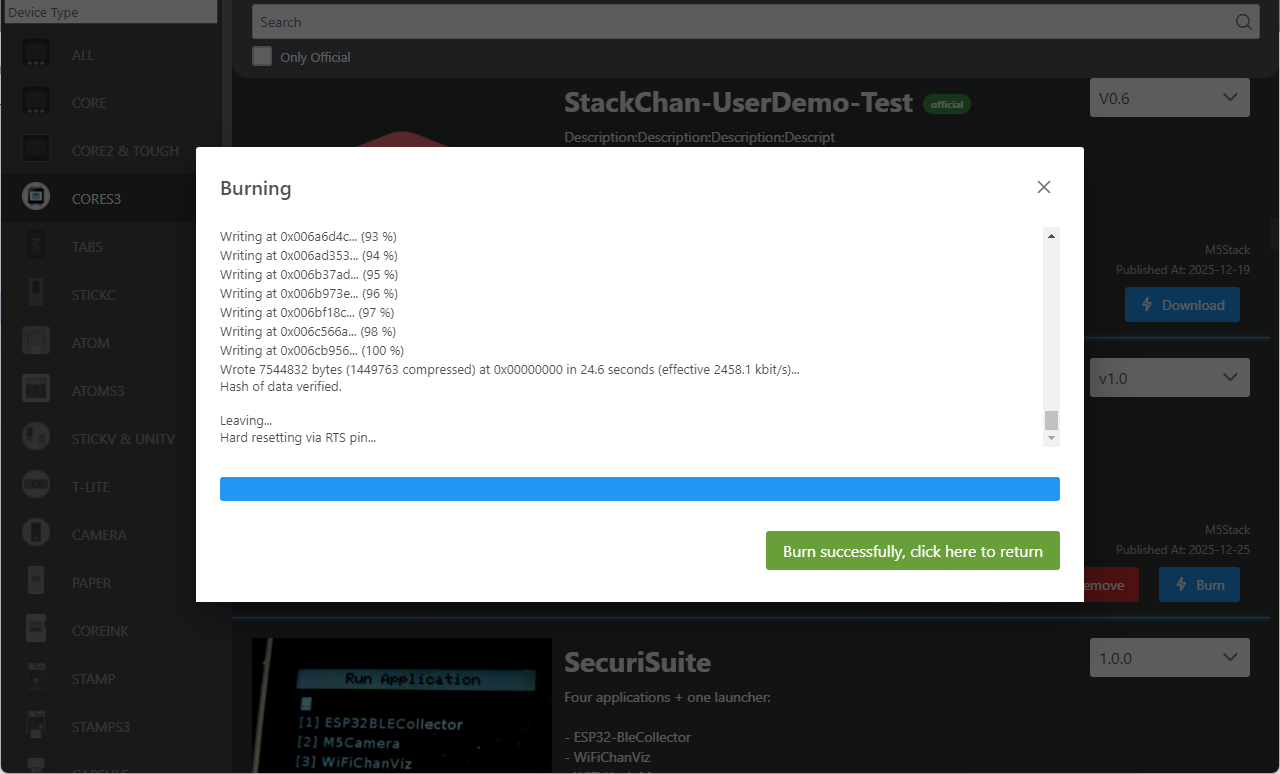
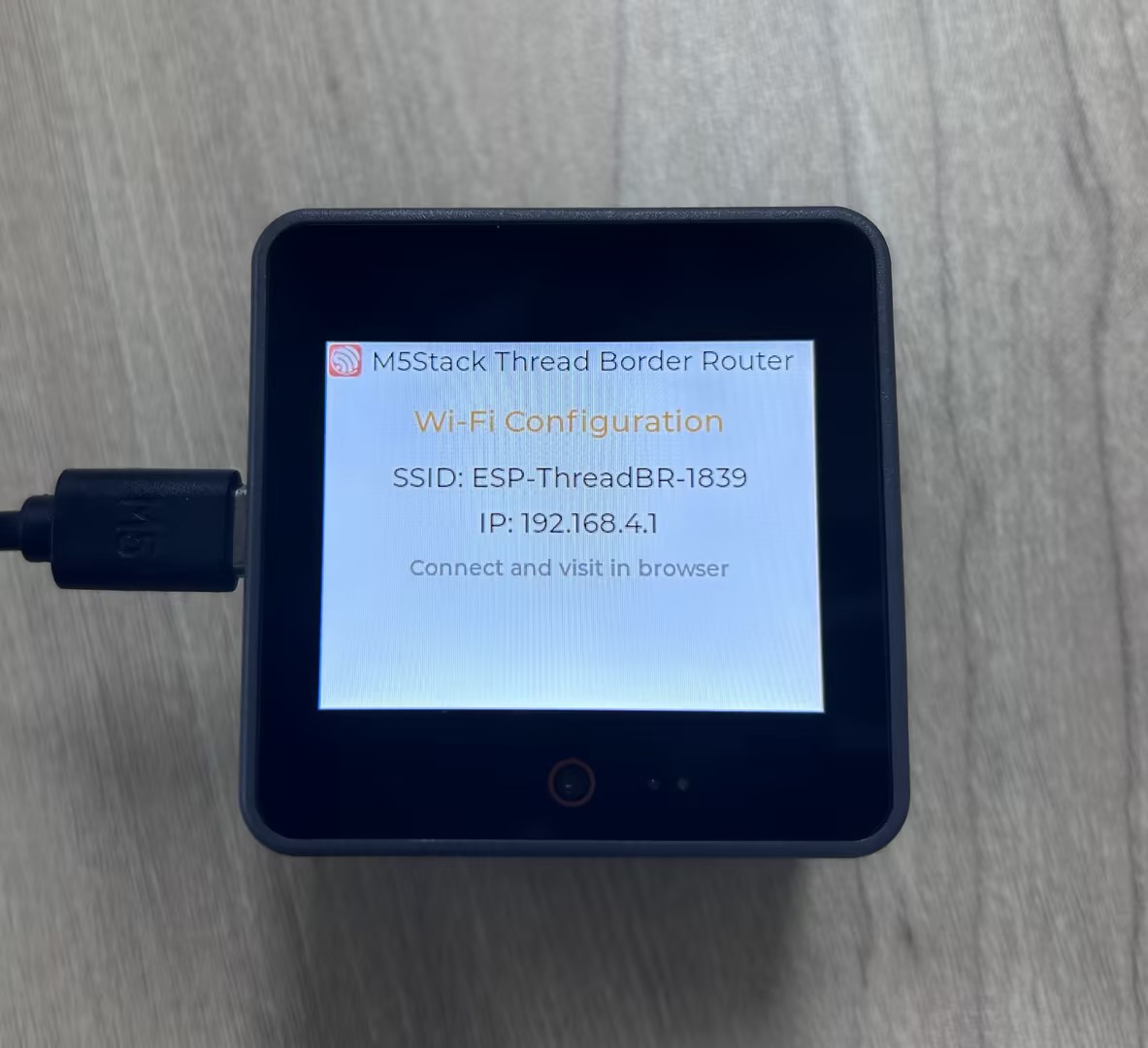
The result is shown below:
Page Tools