

Arduino Quick Start
2. Devices & Examples
3. M5Unified
4. M5GFX
5. Extensions
Unit
Module
Atomic
Tab5
IoT
Accessories
NanoH2 Arduino Program Compilation & Upload
1. Preparation
- Arduino IDE Installation: Refer to the Arduino IDE Installation Guide to complete the IDE installation.
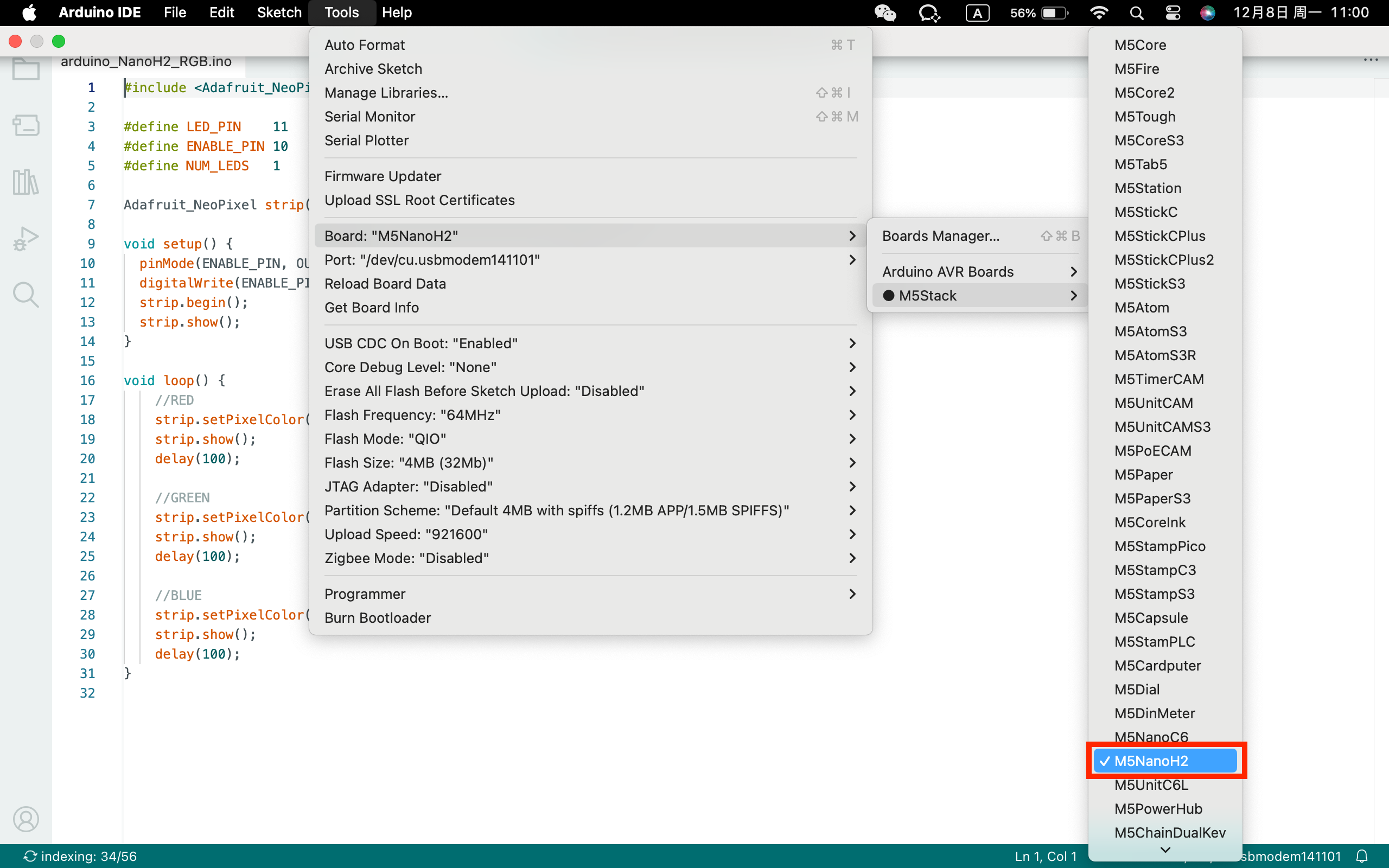
- Board Manager Installation: Refer to the Basic Environment Setup Guide to complete the M5Stack board manager installation and select the development board
M5NanoH2.
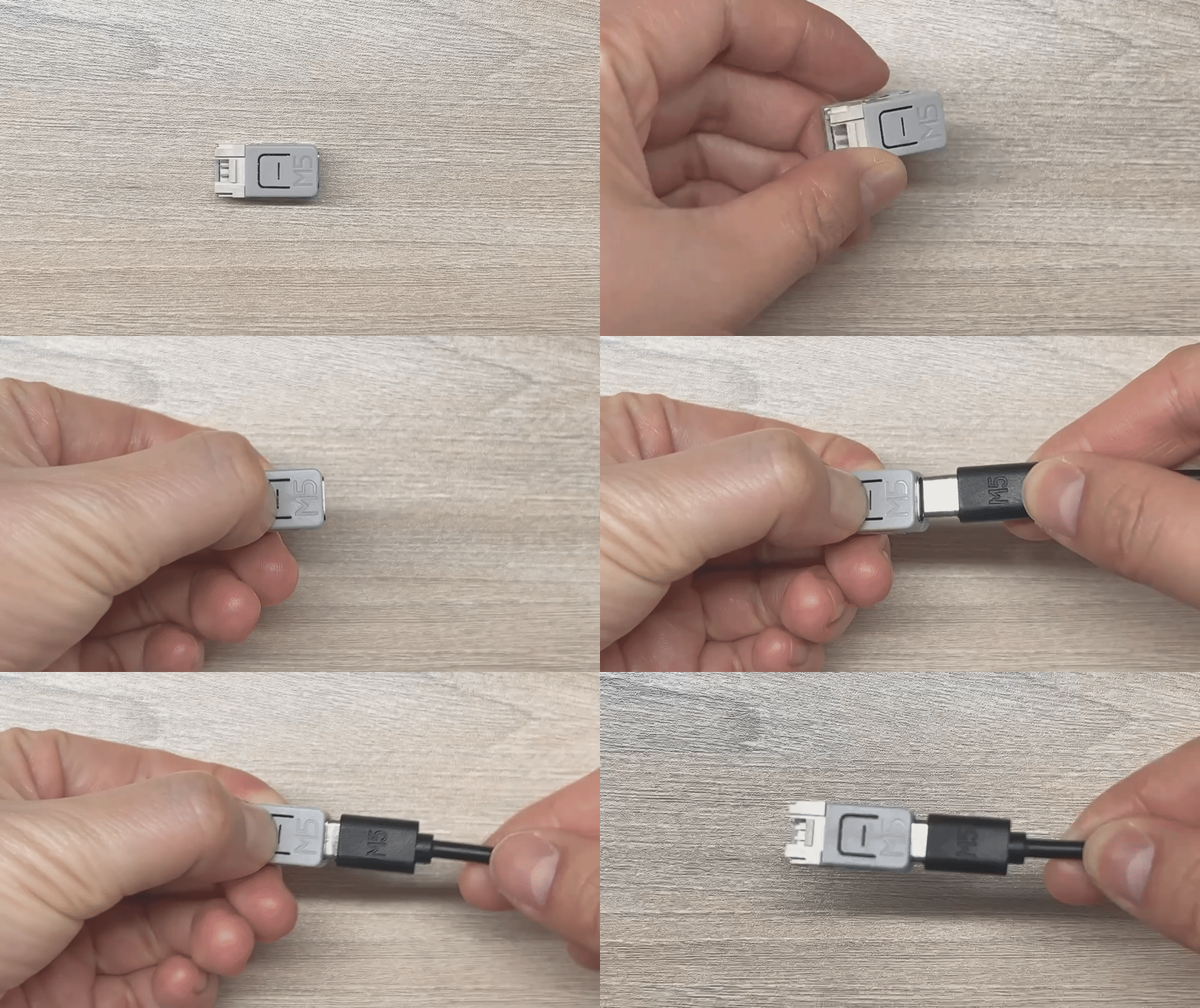
2. Download Mode
Before powering on, press and hold the input button on the front of M5NanoH2, then connect the USB cable to supply power to enter download mode.
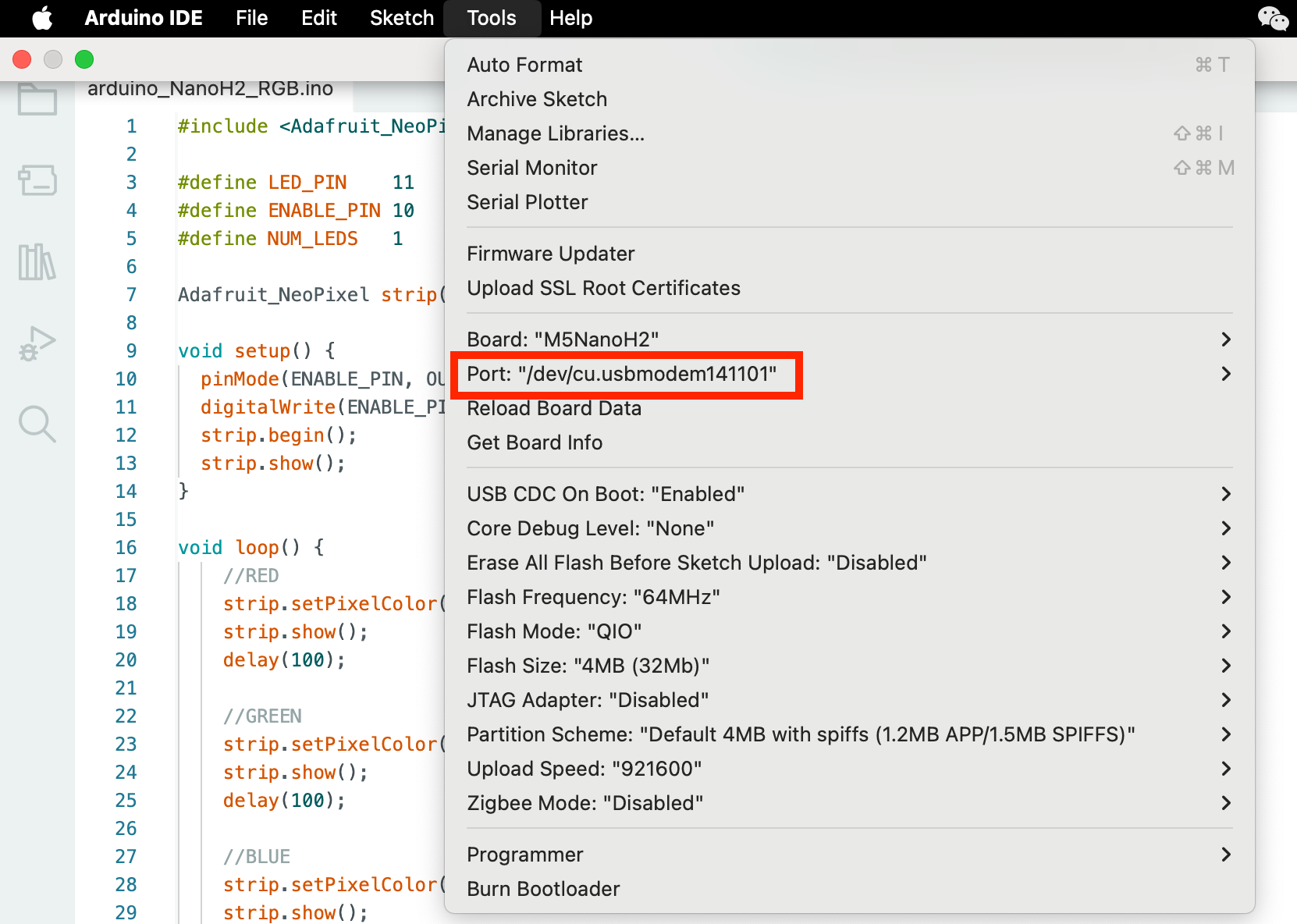
3. Port Selection
Connect the device to the computer via USB cable, then select the corresponding device port in the Arduino IDE.
4. Program Compilation & Flashing
Enter the following code in the Arduino IDE workspace and click the upload button. The program will be compiled and flashed automatically.
Description:
1. This example is implemented based on the Adafruit NeoPixel library. Before use, please install the Adafruit NeoPixel dependency via the Library Manager.
2. To control standby power consumption, the M5NanoH2 RGB LED requires enabling the LED, which means the
ENABLE_PIN in the code below must be driven to a HIGH level.cpp
1 2 3 4 5 6 7 8 9 10 11 12 13 14 15 16 17 18 19 20 21 22 23 24 25 26 27 28 29 30 31
#include <Adafruit_NeoPixel.h>

#define RGB_LED_PIN 11
#define ENABLE_PIN 10
#define NUM_LEDS   1

Adafruit_NeoPixel strip(NUM_LEDS, RGB_LED_PIN, NEO_GRB + NEO_KHZ800);

void setup() {
  pinMode(ENABLE_PIN, OUTPUT);
  digitalWrite(ENABLE_PIN, HIGH);
  strip.begin();
  strip.show();
}

void loop() {
    //RED
    strip.setPixelColor(0, strip.Color(255, 0, 0));
    strip.show();
    delay(100);

    //GREEN
    strip.setPixelColor(0, strip.Color(0, 255, 0));
    strip.show();
    delay(100);

    //BLUE
    strip.setPixelColor(0, strip.Color(0, 0, 255));
    strip.show();
    delay(100);
}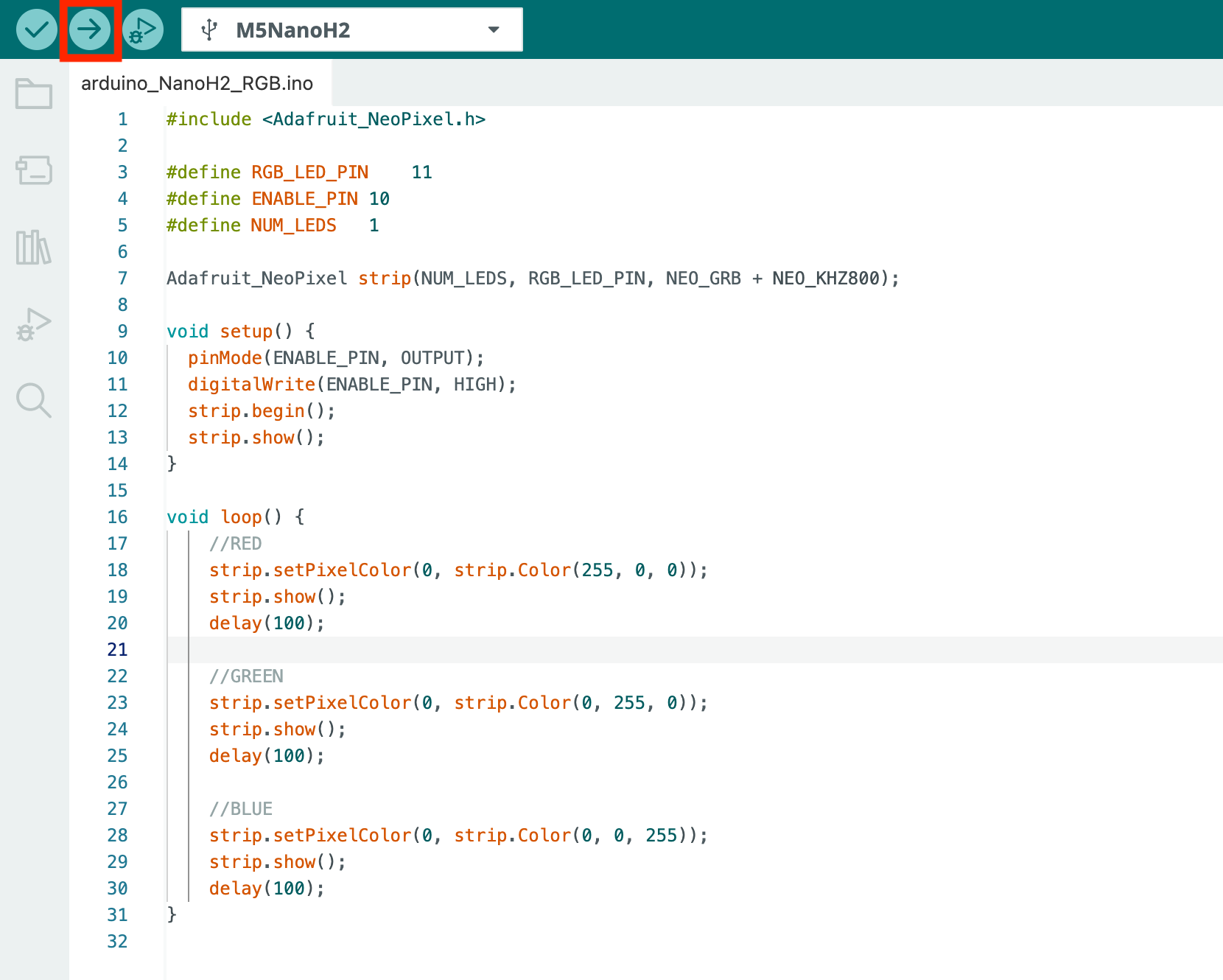
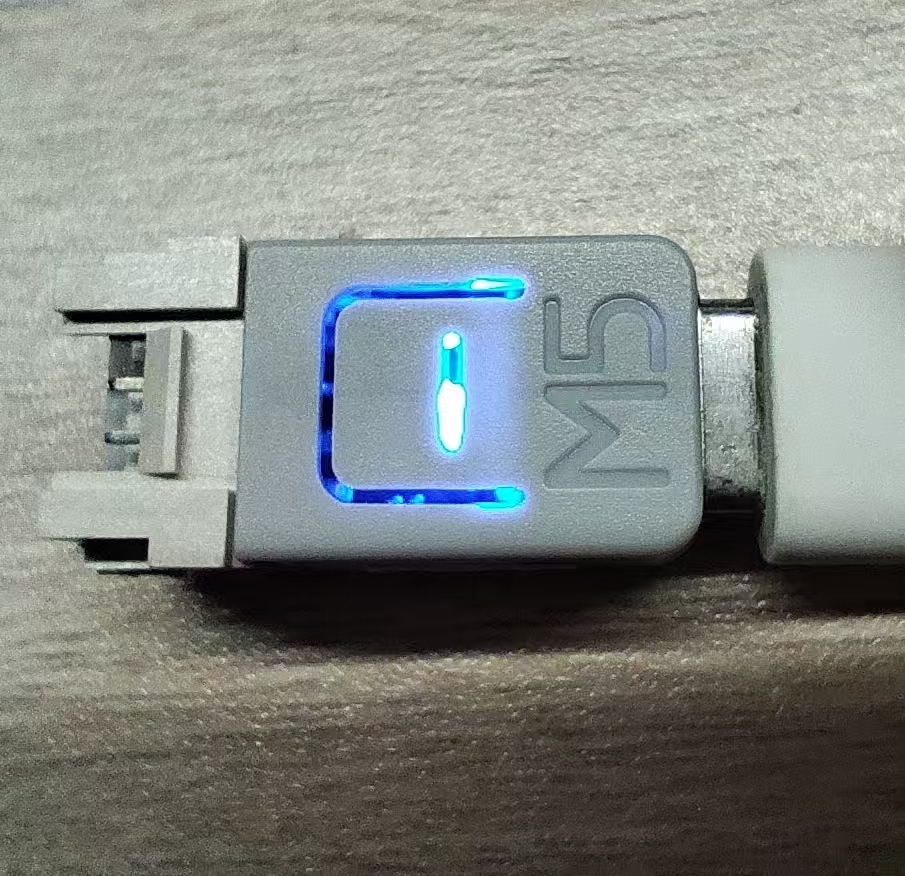
After uploading the code, the RGB LED on the M5NanoH2 device will cycle through red, green, and blue. Once flashing is complete, please disconnect the device and power it on again for normal operation.
5. Related Resources
Page Tools