

Arduino Quick Start
2. Devices & Examples
3. M5Unified
4. M5GFX
5. Extensions
Unit
Module
Atomic
Tab5
IoT
Accessories
Hat Thermal Arduino Tutorial
1. Preparation
Environment setup: Refer to the Arduino IDE Getting Started Guide to install the IDE, and install the board package and required driver libraries for the target development board.
Required libraries:
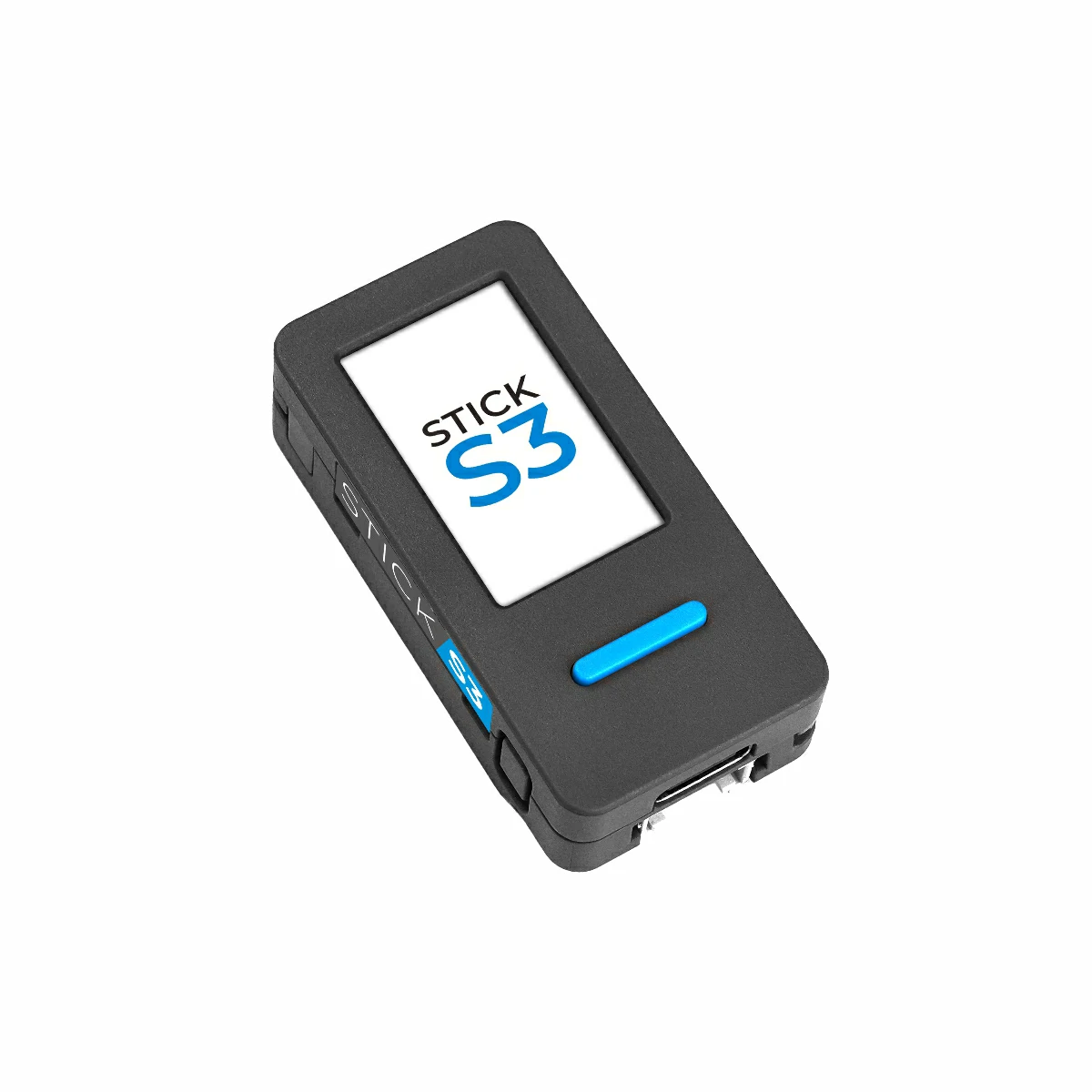
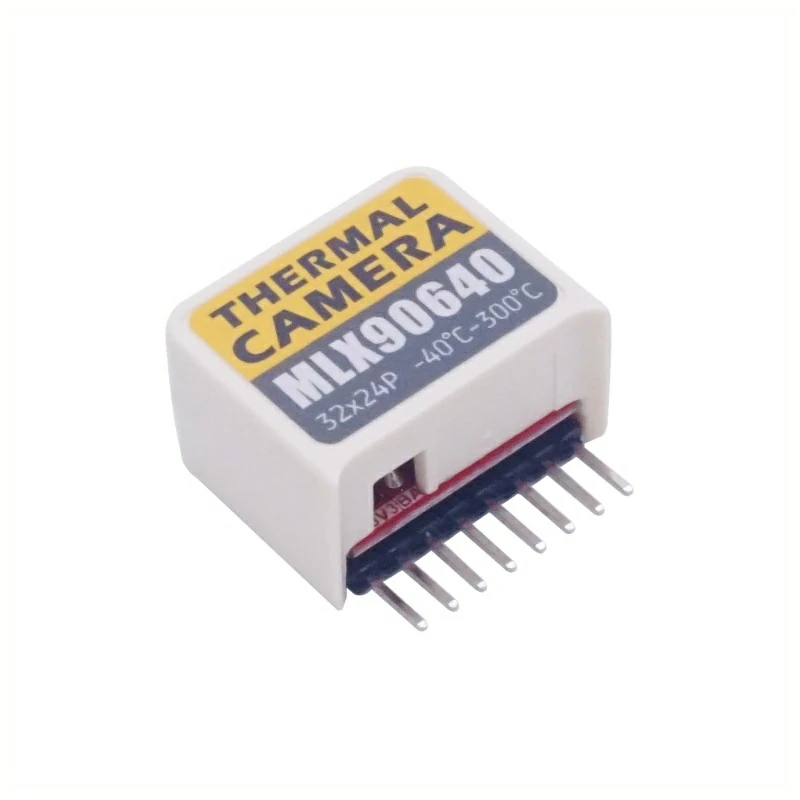
Hardware used:
2. Notes
Pin compatibility
Because each host has different pin assignments, please check the product document's pin compatibility table before use and adjust the example code according to your actual wiring.
3. Example program
- This tutorial uses StickS3 as the main controller together with the Hat Thermal module. The thermal imaging module communicates via I2C; modify the pin definitions in the example according to your wiring. When stacked onto the host, the corresponding I2C pins are
G0 (SCL)andG8 (SDA).
cpp
1 2 3 4 5 6 7 8 9 10 11 12 13 14 15 16 17 18 19 20 21 22 23 24 25 26 27 28 29 30 31 32 33 34 35 36 37 38 39 40 41 42 43 44 45 46 47 48 49 50 51 52 53 54 55 56 57 58 59 60 61 62 63 64 65 66 67 68 69 70 71 72 73 74 75 76 77 78 79 80 81 82 83 84 85 86 87 88 89 90 91 92 93 94 95 96 97 98 99 100 101 102 103 104 105 106 107 108 109 110 111 112 113 114 115 116 117 118 119 120 121 122 123 124 125 126 127 128 129 130 131 132 133 134 135 136 137 138 139 140 141 142 143 144 145 146 147 148 149 150 151 152 153 154 155 156 157 158 159 160 161 162 163 164 165 166 167 168 169 170 171 172 173 174 175 176 177 178 179 180 181 182 183 184 185 186 187 188 189 190 191 192 193 194 195 196 197 198 199 200 201 202 203 204 205 206 207 208 209 210 211 212 213 214 215 216 217 218 219 220 221 222
#include <Arduino.h>
#include <Wire.h>
#include <M5Unified.h>
#include <M5PM1.h>
#include <Adafruit_MLX90640.h>

M5PM1 pm1;

Adafruit_MLX90640 mlx;   // MLX90640 driver object
#define COLS 32          // MLX90640 horizontal resolution
#define ROWS 24          // MLX90640 vertical resolution

// After 5x interpolation resolution / 5 倍插值后的分辨率
#define COLS_5 (COLS * 5)
#define ROWS_5 (ROWS * 5)

#define pixelsArraySize (COLS * ROWS)

M5Canvas img(&M5.Lcd);   // Main thermal image sprite
M5Canvas msg(&M5.Lcd);   // Info display sprite

float reversePixels[pixelsArraySize]; // Raw data read from MLX90640 (sensor native order)
float pixels[pixelsArraySize];        // Horizontally flipped data for correct display
float pixels_5[COLS_5 * ROWS_5];      // 5x interpolated image buffer

// Convenient pixel access macros
#define get_pixels(x, y)   (pixels[(y)*COLS + (x)])
#define get_pixels_5(x, y) (pixels_5[(y)*COLS_5 + (x)])

float mintemp = 24;   // Lower bound of color mapping
float maxtemp = 35;   // Upper bound of color mapping
float min_v = 24;     // Actual minimum temperature in frame
float max_v = 35;     // Actual maximum temperature in frame

/*
 * camColors:
 * 256-level false color palette for thermal imaging
 * Color format: RGB565
 */
const uint16_t camColors[] = {
    0x480F,0x400F,0x400F,0x400F,0x4010,0x3810,0x3810,0x3810,0x3810,
    0x3010,0x3010,0x3010,0x2810,0x2810,0x2810,0x2810,0x2010,0x2010,
    0x2010,0x1810,0x1810,0x1811,0x1811,0x1011,0x1011,0x1011,0x0811,
    0x0811,0x0811,0x0011,0x0011,0x0011,0x0011,0x0011,0x0031,0x0031,
    0x0051,0x0072,0x0072,0x0092,0x00B2,0x00B2,0x00D2,0x00F2,0x00F2,
    0x0112,0x0132,0x0152,0x0152,0x0172,0x0192,0x0192,0x01B2,0x01D2,
    0x01F3,0x01F3,0x0213,0x0233,0x0253,0x0253,0x0273,0x0293,0x02B3,
    0x02D3,0x02D3,0x02F3,0x0313,0x0333,0x0333,0x0353,0x0373,0x0394,
    0x03B4,0x03D4,0x03D4,0x03F4,0x0414,0x0434,0x0454,0x0474,0x0474,
    0x0494,0x04B4,0x04D4,0x04F4,0x0514,0x0534,0x0534,0x0554,0x0554,
    0x0574,0x0574,0x0573,0x0573,0x0573,0x0572,0x0572,0x0572,0x0571,
    0x0591,0x0591,0x0590,0x0590,0x058F,0x058F,0x058F,0x058E,0x05AE,
    0x05AE,0x05AD,0x05AD,0x05AD,0x05AC,0x05AC,0x05AB,0x05CB,0x05CB,
    0x05CA,0x05CA,0x05CA,0x05C9,0x05C9,0x05C8,0x05E8,0x05E8,0x05E7,
    0x05E7,0x05E6,0x05E6,0x05E6,0x05E5,0x05E5,0x0604,0x0604,0x0604,
    0x0603,0x0603,0x0602,0x0602,0x0601,0x0621,0x0621,0x0620,0x0620,
    0x0620,0x0620,0x0E20,0x0E20,0x0E40,0x1640,0x1640,0x1E40,0x1E40,
    0x2640,0x2640,0x2E40,0x2E60,0x3660,0x3660,0x3E60,0x3E60,0x3E60,
    0x4660,0x4660,0x4E60,0x4E80,0x5680,0x5680,0x5E80,0x5E80,0x6680,
    0x6680,0x6E80,0x6EA0,0x76A0,0x76A0,0x7EA0,0x7EA0,0x86A0,0x86A0,
    0x8EA0,0x8EC0,0x96C0,0x96C0,0x9EC0,0x9EC0,0xA6C0,0xAEC0,0xAEC0,
    0xB6E0,0xB6E0,0xBEE0,0xBEE0,0xC6E0,0xC6E0,0xCEE0,0xCEE0,0xD6E0,
    0xD700,0xDF00,0xDEE0,0xDEC0,0xDEA0,0xDE80,0xDE80,0xE660,0xE640,
    0xE620,0xE600,0xE5E0,0xE5C0,0xE5A0,0xE580,0xE560,0xE540,0xE520,
    0xE500,0xE4E0,0xE4C0,0xE4A0,0xE480,0xE460,0xEC40,0xEC20,0xEC00,
    0xEBE0,0xEBC0,0xEBA0,0xEB80,0xEB60,0xEB40,0xEB20,0xEB00,0xEAE0,
    0xEAC0,0xEAA0,0xEA80,0xEA60,0xEA40,0xF220,0xF200,0xF1E0,0xF1C0,
    0xF1A0,0xF180,0xF160,0xF140,0xF100,0xF0E0,0xF0C0,0xF0A0,0xF080,
    0xF060,0xF040,0xF020,0xF800
};

/**
 * get_point()
 * Safely fetch pixel value with boundary protection
 */
float get_point(float *p, uint8_t rows, uint8_t cols, int16_t x, int16_t y) {
    if (x < 0) x = 0;
    if (x >= cols) x = cols - 1;
    if (y < 0) y = 0;
    if (y >= rows) y = rows - 1;
    return p[y * cols + x];
}

// Bilinear Interpolation: Maps 160x120 pixels back to 32x24 source
void interpolate() {
    for (int y = 0; y < ROWS_5; y++) {
        for (int x = 0; x < COLS_5; x++) {
            // Map dest coordinate (0..159) to source coordinate (0..31)
            float gx = x * (float)(COLS - 1) / (COLS_5 - 1);
            float gy = y * (float)(ROWS - 1) / (ROWS_5 - 1);

            int gxi = (int)gx;
            int gyi = (int)gy;

            // Clamp indices to prevent overflow
            int gxi_next = (gxi + 1) < COLS ? (gxi + 1) : gxi;
            int gyi_next = (gyi + 1) < ROWS ? (gyi + 1) : gyi;

            // Get source values
            float c00 = pixels[gyi * COLS + gxi];
            float c10 = pixels[gyi * COLS + gxi_next];
            float c01 = pixels[gyi_next * COLS + gxi];
            float c11 = pixels[gyi_next * COLS + gxi_next];

            // Calculate weights
            float tx = gx - gxi;
            float ty = gy - gyi;

            // Bilinear interpolation
            float val = (1 - tx) * (1 - ty) * c00 +
                        tx * (1 - ty) * c10 +
                        (1 - tx) * ty * c01 +
                        tx * ty * c11;

            pixels_5[y * COLS_5 + x] = val;
        }
    }
}

void drawpixels(float *p, uint8_t rows, uint8_t cols) {

    // Draw thermal image pixel-by-pixel
    for (int y = 0; y < rows; y++) {
        for (int x = 0; x < cols; x++) {
            float v = get_point(p, rows, cols, x, y);
            v = constrain(v, mintemp, maxtemp);

            // Map temperature to color index
            uint8_t idx = map(v, mintemp, maxtemp, 0, 255);
            img.drawPixel(x, y, camColors[idx]);
        }
    }

    // Draw center crosshair and temperature
    img.drawCircle(cols / 2, rows / 2, 5, TFT_WHITE);
    img.setCursor(cols / 2 + 6, rows / 2 - 10);
    img.setTextColor(TFT_WHITE);
    img.printf("%.2fC", get_point(p, rows, cols, cols / 2, rows / 2));

    img.pushSprite(0, 0);

    // Draw min/max info panel
    msg.fillScreen(TFT_BLACK);
    msg.setTextColor(TFT_YELLOW);

    msg.setCursor(10, 0);
    msg.print("min tmp");
    msg.setCursor(15, 15);
    msg.printf("%.2fC", min_v);

    msg.setCursor(10, 35);
    msg.print("max tmp");
    msg.setCursor(15, 50);
    msg.printf("%.2fC", max_v);

    msg.pushSprite(COLS_5 + 10, 10);
}

void setup() {

    M5.begin();
    Serial.begin(115200);

    auto sda = M5.getPin(m5::pin_name_t::in_i2c_sda);
    auto scl = M5.getPin(m5::pin_name_t::in_i2c_scl);
    Wire1.begin(sda, scl, 100000);
    pm1.begin(&Wire1, M5PM1_DEFAULT_ADDR, sda, scl);
    pm1.setDcdcEnable(true);  // Enable sensor power

    // External I2C for MLX90640
    Wire.begin(8, 0, 400000);

    if (!mlx.begin(MLX90640_I2CADDR_DEFAULT, &Wire)) {
        Serial.println("MLX90640 not found");
        while (1);
    }

    // MLX90640 configuration
    mlx.setMode(MLX90640_CHESS);
    mlx.setResolution(MLX90640_ADC_18BIT);
    mlx.setRefreshRate(MLX90640_16_HZ);

    M5.Lcd.setRotation(1);
    img.createSprite(COLS_5, ROWS_5);
    msg.createSprite(240 - COLS_5, ROWS_5 - 10);

    // Draw color bar
    M5.Lcd.fillScreen(TFT_BLACK);
    for (int icol = 0; icol <= 127; icol++) {
        M5.Lcd.drawRect(icol * 2, 127, 2, 12, camColors[icol * 2]);
    }
}

void loop() {

    M5.update();

    // Read thermal frame
    if (mlx.getFrame(reversePixels) != 0) return;

    // Horizontal flip
    for (int y = 0; y < ROWS; y++) {
        for (int x = 0; x < COLS; x++) {
            pixels[y * COLS + x] =
                reversePixels[y * COLS + (COLS - 1 - x)];
        }
    }

    // Find min/max temperature
    min_v = 1000;
    max_v = -1000;
    for (int i = 0; i < pixelsArraySize; i++) {
        min_v = min(min_v, pixels[i]);
        max_v = max(max_v, pixels[i]);
    }

    // 5x interpolation
    interpolate();

    // Render image
    drawpixels(pixels_5, ROWS_5, COLS_5);
}4. Thermal imaging effect
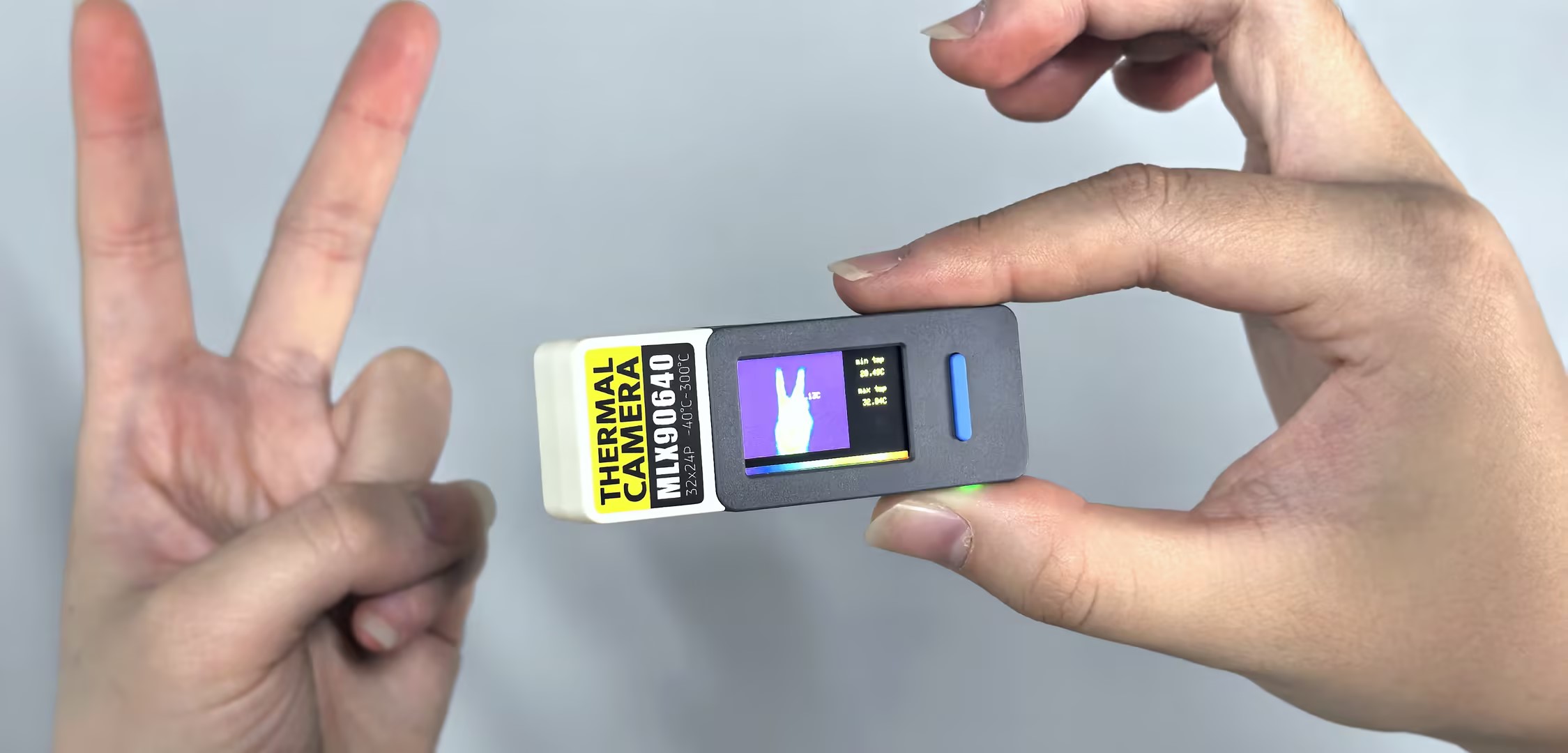
- After power-on, the screen displays the thermal image. The left area shows the thermal map and the right area displays the currently detected maximum and minimum temperatures. Use BtnA and BtnB to adjust the temperature mapping range; long-press BtnA to reset the range to min/max expanded by 1°C from the current detected values.
Page Tools