

Arduino 上手教程
2. 设备开发 & 案例程序
3. M5Unified
4. M5GFX
5. 拓展模块
Unit
Atomic
Tab5
IoT
Unit ChainBus Arduino 使用教程
1. 准备工作
环境配置: 参考 Arduino IDE 上手教程完成 IDE 安装,并根据实际使用的开发板安装对应的板管理,与需要的驱动库。
使用到的驱动库:
使用到的硬件产品:

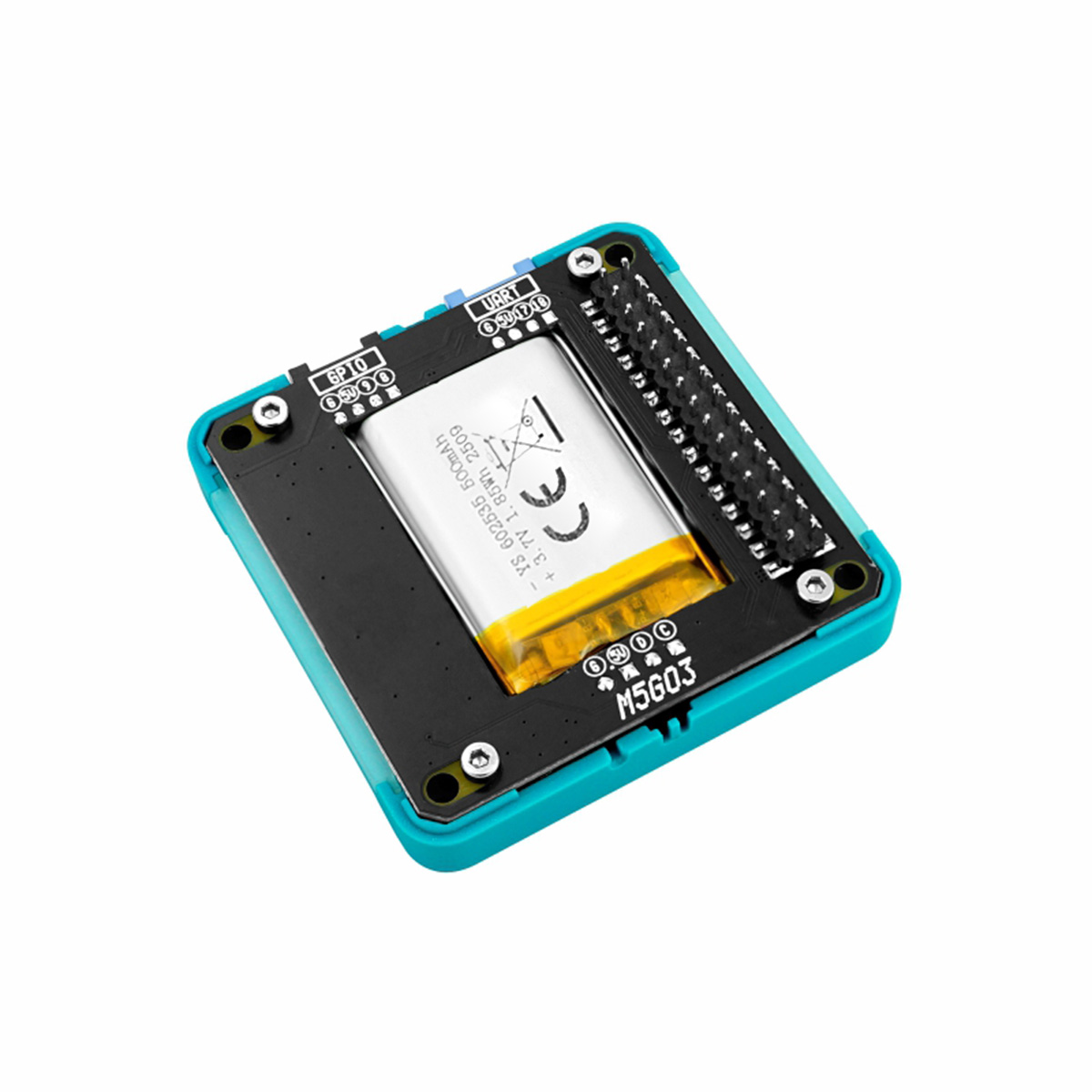
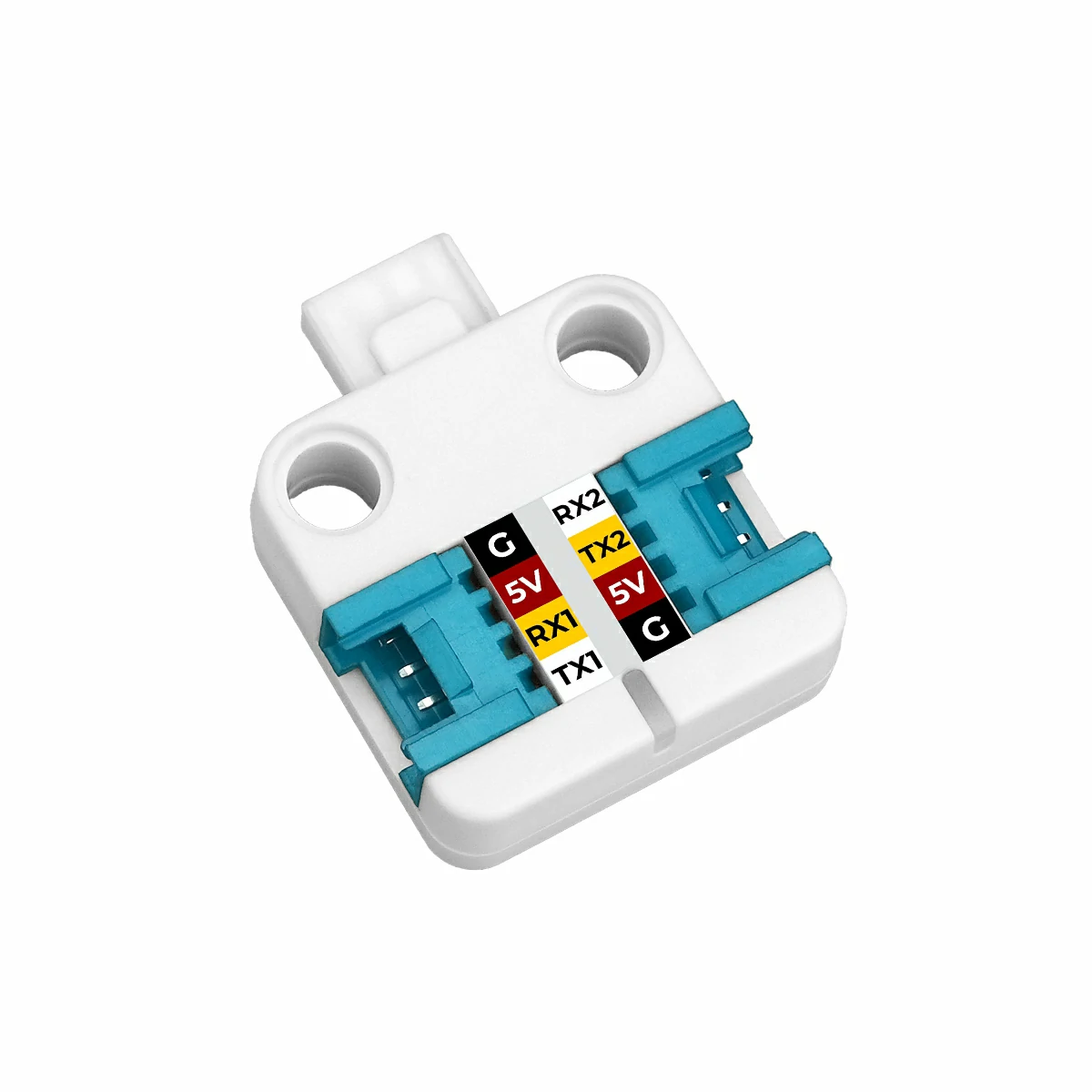

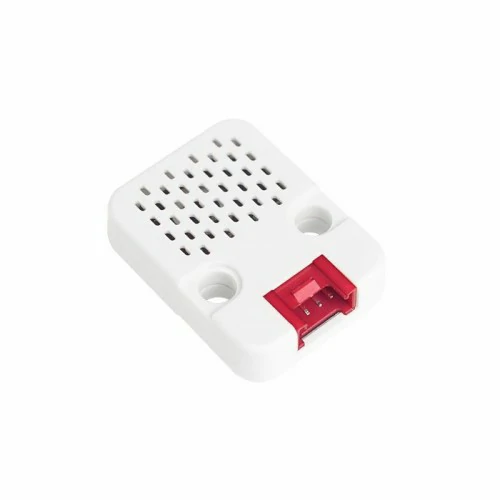
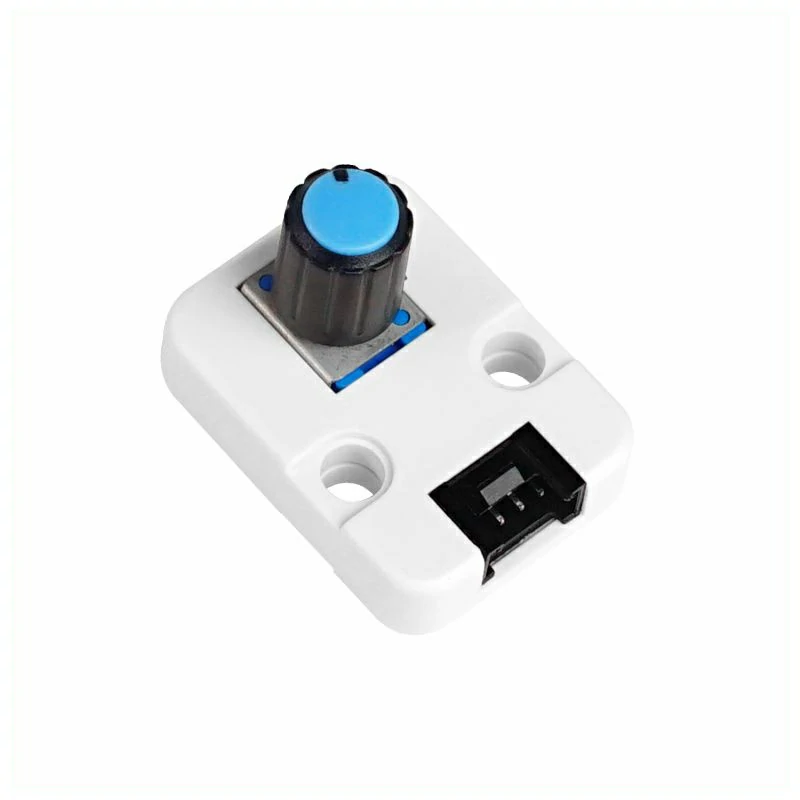
2. 注意事项
引脚兼容性
由于每款主机的引脚配置不同,使用前请参考产品文档中的引脚兼容表,并根据实际引脚连接情况修改案例程序。
3. 编译上传
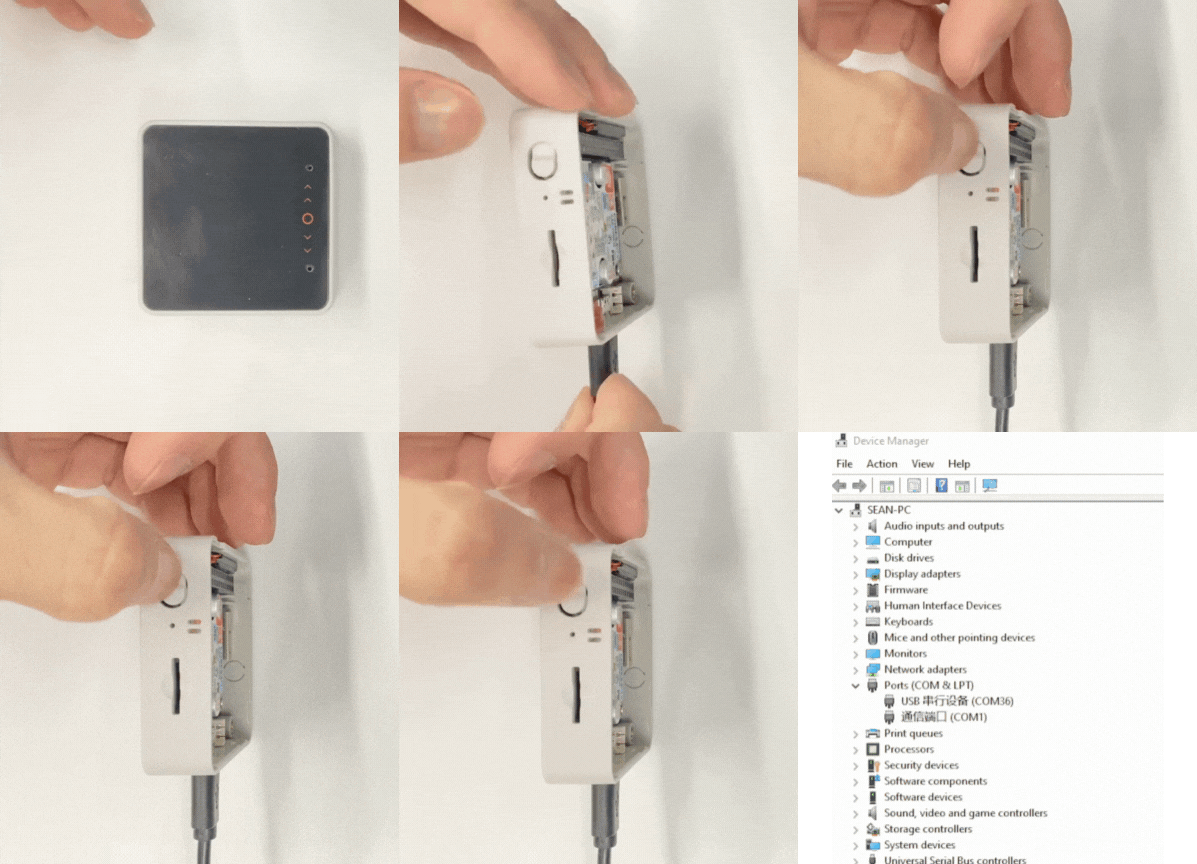
- 1. 进入下载模式:CoreS3-SE 长按复位按键 (大约 2 秒) 直到内部绿色 LED 灯亮起,便可松开,此时设备已进入下载模式,等待烧录。
说明
不同设备进行程序烧录前需要进入下载模式,不同的主控设备该步骤可能有所不同。详情可参考Arduino IDE上手教程页面底部的设备程序下载教程列表,查看具体的操作方式。
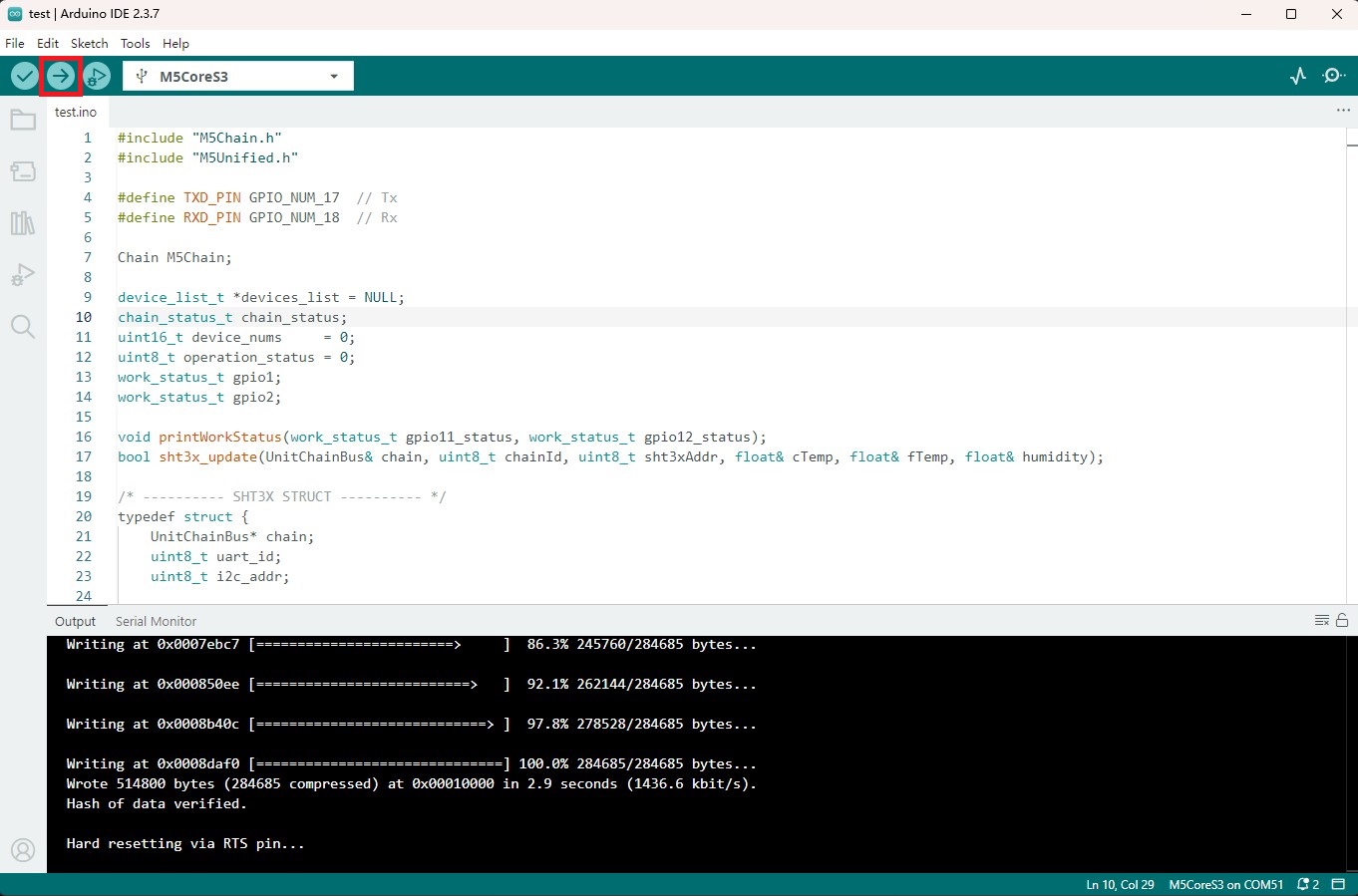
- 2. 选中设备端口,点击 Arduino IDE 左上角编译上传按钮,等待程序完成编译并上传至设备。
4. 案例程序
- 本教程中使用的主控设备为 CoreS3-SE,用 Base M5GO Bottom3 底座供电,使用 PORT.C,搭配 Unit CHainBus 及其他模块实现效果。本模块采用串口的方式通讯,根据实际的电路连接修改程序中的引脚定义,设备连接后对应的串口 IO 为
G17 (RX),G18 (TX)。
说明
主机未断电重启时,Unit ChainBus 的 GPIO 的工作模式会保持上次设置的状态,例如 GPIO2 设置为输入模式,主机未断电重启后,即使没有重新设置 GPIO2 的工作模式,GPIO2 仍然会保持输入模式。
4.1 I2C 模式
cpp
1 2 3 4 5 6 7 8 9 10 11 12 13 14 15 16 17 18 19 20 21 22 23 24 25 26 27 28 29 30 31 32 33 34 35 36 37 38 39 40 41 42 43 44 45 46 47 48 49 50 51 52 53 54 55 56 57 58 59 60 61 62 63 64 65 66 67 68 69 70 71 72 73 74 75 76 77 78 79 80 81 82 83 84 85 86 87 88 89 90 91 92 93 94 95 96 97 98 99 100 101 102 103 104 105 106 107 108 109 110 111 112 113 114 115 116 117 118 119 120 121 122 123 124 125 126 127 128 129 130 131 132 133 134 135 136 137 138 139 140 141 142 143 144 145 146 147 148 149 150 151 152 153 154 155 156 157 158 159 160 161 162 163 164 165 166 167 168 169 170 171 172 173 174 175 176 177 178 179 180 181 182 183 184 185 186 187 188 189 190 191 192 193 194 195 196 197 198 199 200 201 202 203 204 205
#include "M5Chain.h"
#include "M5Unified.h"

#define TXD_PIN GPIO_NUM_17  // Tx
#define RXD_PIN GPIO_NUM_18  // Rx

Chain M5Chain;

device_list_t *devices_list = NULL;
chain_status_t chain_status;
uint16_t device_nums     = 0;
uint8_t operation_status = 0;
work_status_t gpio1;
work_status_t gpio2;

void printWorkStatus(String gpio_num, work_status_t gpio_status);
bool sht3x_update(UnitChainBus& chain, uint8_t chainId, uint8_t sht3xAddr, float& cTemp, float& fTemp, float& humidity);

/* ---------- SHT3X STRUCT ---------- */
typedef struct {
    UnitChainBus* chain;
    uint8_t uart_id;
    uint8_t i2c_addr;

    float cTemp;
    float fTemp;
    float humidity;

    bool update()
    {
        if (chain == nullptr) return false;
        return sht3x_update(*chain, uart_id, i2c_addr,
                                     cTemp, fTemp, humidity);
    }
} SHT3X_t;

SHT3X_t sht3x;

void setup()
{
    M5.begin();
    M5.Display.clear();
    M5.Display.setFont(&FreeMonoBold12pt7b);
    M5.Display.setTextDatum(middle_center);
    M5.Display.drawCenterString("Unit ChainBus Test", 160, 120);

    Serial.begin(115200);
    Serial.println("Unit ChainBus Test");
    M5Chain.begin(&Serial2, 115200, RXD_PIN, TXD_PIN);

    // Check whether any Unit Chain device is connected
    if (M5Chain.isDeviceConnected()) {
        Serial.println("devices is connected");
        chain_status = M5Chain.getDeviceNum(&device_nums);
        if (chain_status == CHAIN_OK) {
            devices_list          = (device_list_t *)malloc(sizeof(device_list_t));
            devices_list->count   = device_nums;
            devices_list->devices = (device_info_t *)malloc(sizeof(device_info_t) * device_nums);
            // Get detailed device list
            if (M5Chain.getDeviceList(devices_list)) {
                Serial.println("devices list get success");
            } else {
                Serial.println("devices list get failed");
            }
        } else {
            Serial.printf("error status:%d \r\n", chain_status);
            Serial.printf("devices num get failed.\r\n");
        }
    } else {
        Serial.println("devices is not connected.");
    }

    if (devices_list->devices[0].device_type == UNIT_CHAIN_BUS_TYPE_CODE) {
        Serial.println("ID[1] is Unit ChainBus\n");
        chain_status = M5Chain.setChainBusI2cMode(devices_list->devices[0].id, CHAIN_I2C_HIGH_SPEED_400KHZ, &operation_status);// set i2c mode
        if (chain_status == CHAIN_OK && operation_status == 1) {
            Serial.printf("Unit ChainBus ID[%d] set i2c mode success \r\n", devices_list->devices[0].id);
            M5Chain.getChainBusWorkMode(devices_list->devices[0].id, &gpio1, &gpio2);// Read Unit ChainBus GPIO working status
            printWorkStatus("GPIO_1", (work_status_t)gpio1);
            printWorkStatus("GPIO_2", (work_status_t)gpio2);
        } else {
            Serial.printf("Unit ChainBus ID[%d] set i2c mode fail, chain_status:%d  operation_status:%d \r\n", devices_list->devices[0].id, chain_status, operation_status);
        }
        delay(500);

        // Bind SHT3X to this ChainBus
        sht3x.chain    = &M5Chain;
        sht3x.uart_id  = devices_list->devices[0].id;
        sht3x.i2c_addr = 0x44;  // SHT3X I2C address, can get from getChainBusI2cScanAddr

        Serial.printf("\nUnit ENV-III SHT3X bind to ChainBus ID[%d]\r\n", sht3x.uart_id);
    } else {
        Serial.println("ID[1] is NOT Unit ChainBus\n");
        return;
    }

    delay(5);
}

void loop()
{
    if (sht3x.update()) {
        Serial.println("-----SHT3X-----");
        Serial.print("Temperature: ");
        Serial.print(sht3x.cTemp);
        Serial.println(" 'C");
        Serial.print("Humidity: ");
        Serial.print(sht3x.humidity);
        Serial.println("% rH");
        Serial.println("--------------\r\n");

        M5.Display.fillRect(0, 0, 320, 240, TFT_BLACK);
        M5.Display.setCursor(0, 20);
        M5.Display.println("-----SHT3X-----");
        M5.Display.print("Temperature: ");
        M5.Display.print(sht3x.cTemp);
        M5.Display.println(" 'C");
        M5.Display.print("Humidity: ");
        M5.Display.print(sht3x.humidity);
        M5.Display.println("% rH");
        M5.Display.println("---------------\r\n");
    }

    delay(1000);
}

void printWorkStatus(String gpio_num, work_status_t gpio_status)
{
    Serial.print("  >>> " + gpio_num + ": ");
    switch (gpio_status) {
        case CHAIN_NOT_WORK_STATUS:
            Serial.println("Not configured working status");
            break;
        case CHAIN_OUTPUT_WORK_STATUS:
            Serial.println("Output status");
            break;
        case CHAIN_INPUT_WORK_STATUS:
            Serial.println("Input status");
            break;
        case CHAIN_NVIC_WORK_STATUS:
            Serial.println("External interrupt working status");
            break;
        case CHAIN_ADC_WORK_STATUS:
            Serial.println("ADC working status");
            break;
        case CHAIN_I2C_WORK_STATUS:
            Serial.println("I2C working status");
            break;
        default:
            Serial.println("Unrecognized work status");
            break;
    }
}

// Perform one complete SHT3X measurement cycle via Unit ChainBus I2C
bool sht3x_update(UnitChainBus& chain,
                         uint8_t chainId,
                         uint8_t sht3xAddr,
                         float& cTemp,
                         float& fTemp,
                         float& humidity)
{
    uint8_t opStatus = 0;
    chain_status_t status;

    // 1. Send measurement command (high repeatability, clock stretching disabled)
    uint8_t cmd[2] = {0x2C, 0x06};
    status = chain.chainBusI2cWrite(
        chainId,
        sht3xAddr,
        2,
        cmd,
        &opStatus,
        1000
    );

    if (status != CHAIN_OK || opStatus != CHAIN_BUS_OPERATION_SUCCESS) {
        return false;
    }

    // 2. Wait for the measurement to complete
    delay(100);

    // 3. Read 6 bytes of measurement data
    uint8_t data[6] = {0};
    status = chain.chainBusI2cRead(
        chainId,
        sht3xAddr,
        6,
        data,
        &opStatus,
        1000
    );

    if (status != CHAIN_OK || opStatus != CHAIN_BUS_OPERATION_SUCCESS) {
        return false;
    }

    // 4. Convert raw data to temperature and humidity
    cTemp = ((((data[0] * 256.0) + data[1]) * 175.0) / 65535.0) - 45.0;
    fTemp = (cTemp * 1.8) + 32.0;
    humidity = ((((data[3] * 256.0) + data[4]) * 100.0) / 65535.0);

    return true;
}设备上电后,串口监视器会输出连接设备的信息,并通过 Unit ChainBus 的接口读取连接在其上的 Unit ENV-III 的 SHT3X 传感器温湿度数据。
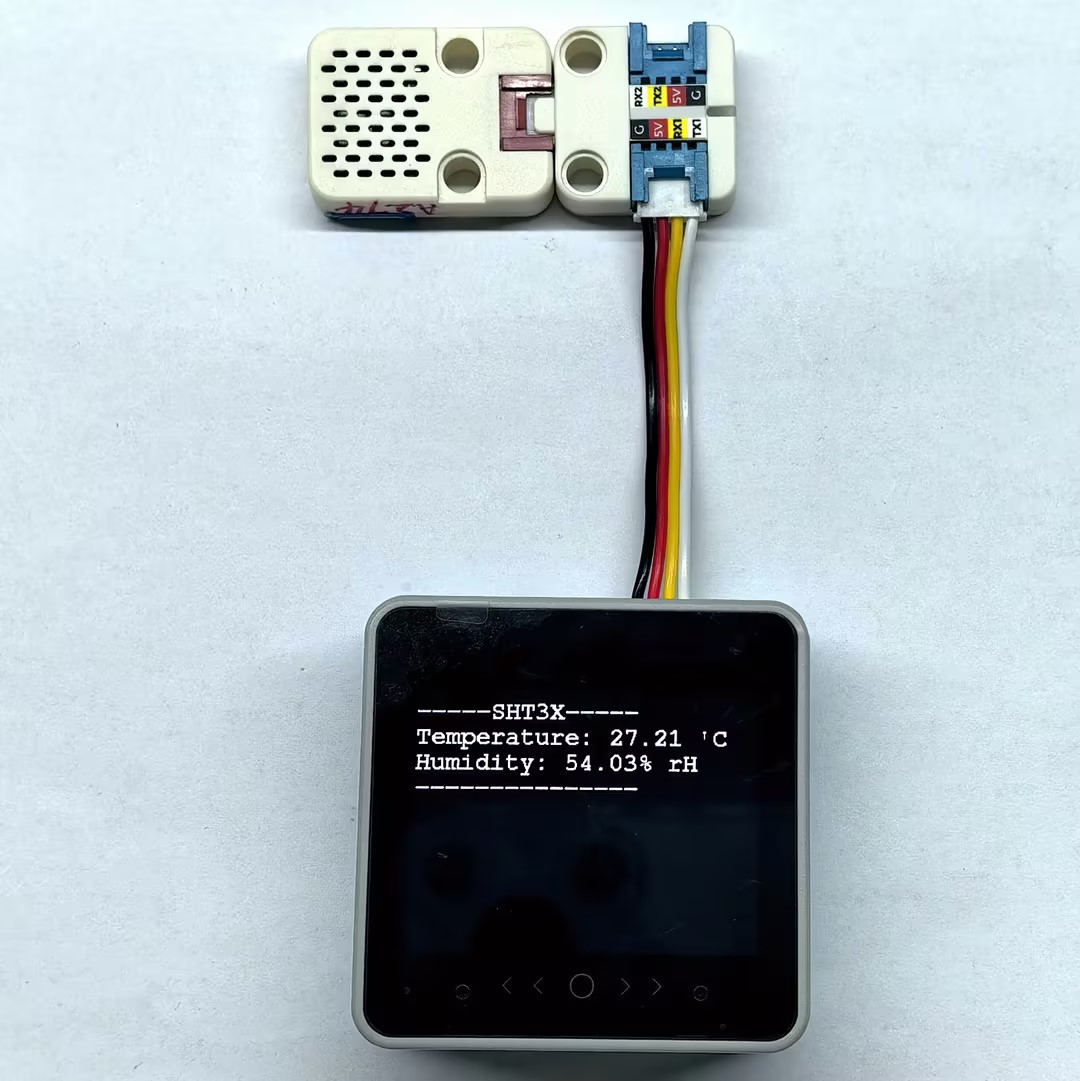
串口监视器输出示例:
Unit ChainBus Test
devices is connected
devices list get success
ID[1] is Unit ChainBus

Unit ChainBus ID[1] set i2c mode success
  >>> GPIO_1: I2C working status
  >>> GPIO_2: I2C working status

Unit ENV-III SHT3X bind to ChainBus ID[1]
-----SHT3X-----
Temperature: 27.19 'C
Humidity: 52.88% rH
--------------4.2 输入模式
cpp
1 2 3 4 5 6 7 8 9 10 11 12 13 14 15 16 17 18 19 20 21 22 23 24 25 26 27 28 29 30 31 32 33 34 35 36 37 38 39 40 41 42 43 44 45 46 47 48 49 50 51 52 53 54 55 56 57 58 59 60 61 62 63 64 65 66 67 68 69 70 71 72 73 74 75 76 77 78 79 80 81 82 83 84 85 86 87 88 89 90 91 92 93 94 95 96 97 98 99 100 101 102 103 104 105 106 107 108 109 110 111 112 113 114 115 116 117 118
#include "M5Chain.h"
#include "M5Unified.h"

#define TXD_PIN GPIO_NUM_17  // Tx
#define RXD_PIN GPIO_NUM_18  // Rx

Chain M5Chain;

device_list_t *devices_list = NULL;
chain_status_t chain_status;
uint16_t device_nums     = 0;
uint8_t operation_status = 0;
work_status_t gpio1;
work_status_t gpio2;

void printWorkStatus(String gpio_num, work_status_t gpio_status);

void setup()
{
    M5.begin();
    M5.Display.clear();
    M5.Display.setFont(&FreeMonoBold12pt7b);
    M5.Display.setTextDatum(middle_center);
    M5.Display.drawCenterString("Unit ChainBus Test", 160, 120);

    Serial.begin(115200);
    Serial.println("Unit ChainBus Test");
    M5Chain.begin(&Serial2, 115200, RXD_PIN, TXD_PIN);

    // Check whether any Unit Chain device is connected
    if (M5Chain.isDeviceConnected()) {
        Serial.println("devices is connected");
        chain_status = M5Chain.getDeviceNum(&device_nums);
        if (chain_status == CHAIN_OK) {
            devices_list          = (device_list_t *)malloc(sizeof(device_list_t));
            devices_list->count   = device_nums;
            devices_list->devices = (device_info_t *)malloc(sizeof(device_info_t) * device_nums);
            // Get detailed device list
            if (M5Chain.getDeviceList(devices_list)) {
                Serial.println("devices list get success");
            } else {
                Serial.println("devices list get failed");
            }
        } else {
            Serial.printf("error status:%d \r\n", chain_status);
            Serial.printf("devices num get failed.\r\n");
        }
    } else {
        Serial.println("devices is not connected.");
    }

    if (devices_list->devices[0].device_type == UNIT_CHAIN_BUS_TYPE_CODE) {
        Serial.println("ID[1] is Unit ChainBus\n");
        chain_status = M5Chain.setChainBusInputMode(devices_list->devices[0].id, CHAIN_GPIO_PIN_1, CHAIN_GPIO_PULL_UP, &operation_status, 3000);// set GPIO1 input mode
        if (chain_status == CHAIN_OK && operation_status == 1) {
            Serial.printf("Unit ChainBus ID[%d] set GPIO1 input mode success \r\n", devices_list->devices[0].id);
            M5Chain.getChainBusWorkMode(devices_list->devices[0].id, &gpio1, &gpio2);// Read Unit ChainBus GPIO working status
            printWorkStatus("GPIO_1", (work_status_t)gpio1);
            printWorkStatus("GPIO_2", (work_status_t)gpio2);
        } else {
            Serial.printf("Unit ChainBus ID[%d] set GPIO1 input mode fail, chain_status:%d  operation_status:%d \r\n", devices_list->devices[0].id, chain_status, operation_status);
        }
        delay(500);
    } else {
        Serial.println("ID[1] is NOT Unit ChainBus\n");
        return;
    }

    delay(5);
}

uint8_t last_button_status = true;

void loop()
{
    uint8_t button_status;
    // Read GPIO1 input level from Unit ChainBus
    chain_status = M5Chain.getChainBusInputLevel(devices_list->devices[0].id, CHAIN_GPIO_PIN_1, &button_status, &operation_status);
    if (chain_status == CHAIN_OK && operation_status == 1) {
        if (button_status != last_button_status) {
            Serial.printf("button status: %d \r\n", button_status);
            last_button_status = button_status;
        }
    } else {
        Serial.printf("get button status failed, chain_status:%d  operation_status:%d \r\n", chain_status,
                      operation_status);
    }

    delay(20);
}

void printWorkStatus(String gpio_num, work_status_t gpio_status)
{
    Serial.print("  >>> " + gpio_num + ": ");
    switch (gpio_status) {
        case CHAIN_NOT_WORK_STATUS:
            Serial.println("Not configured working status");
            break;
        case CHAIN_OUTPUT_WORK_STATUS:
            Serial.println("Output status");
            break;
        case CHAIN_INPUT_WORK_STATUS:
            Serial.println("Input status");
            break;
        case CHAIN_NVIC_WORK_STATUS:
            Serial.println("External interrupt working status");
            break;
        case CHAIN_ADC_WORK_STATUS:
            Serial.println("ADC working status");
            break;
        case CHAIN_I2C_WORK_STATUS:
            Serial.println("I2C working status");
            break;
        default:
            Serial.println("Unrecognized work status");
            break;
    }
}设备上电后,串口监视器会输出连接设备的信息,并通过 Unit ChainBus 的接口读取连接在其上的 Unit Dual Button 蓝色按钮状态变化。
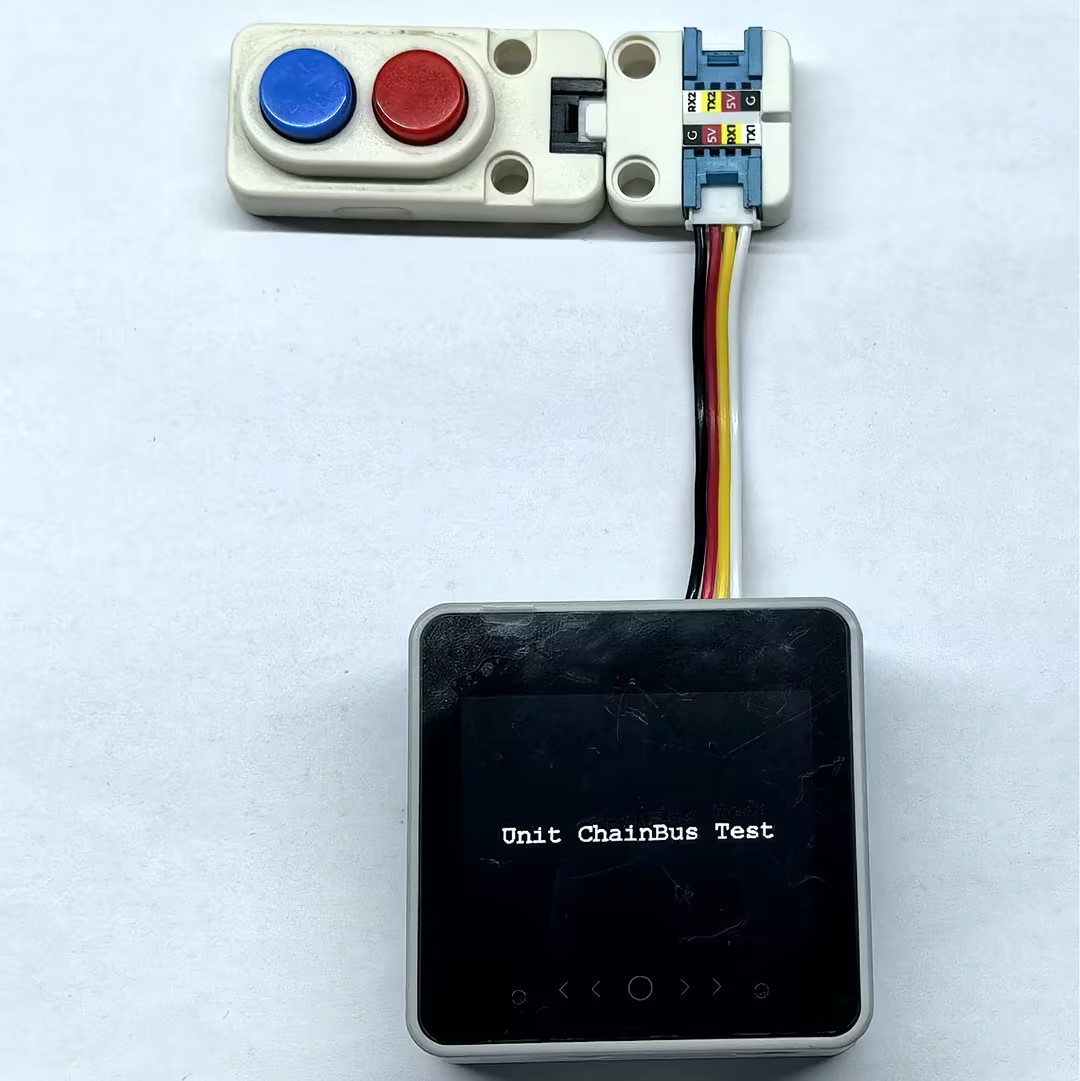
串口监视器输出示例:
Unit ChainBus Test
devices is connected
devices list get success
ID[1] is Unit ChainBus

Unit ChainBus ID[1] set GPIO1 input mode success
  >>> GPIO_1: Input status
  >>> GPIO_2: Not configured working status
button status: 0
button status: 14.3 输出模式
下方程序中同时控制了 Unit ChainBus 的 GPIO1 和 GPIO2,其中 GPIO1 每 500ms 切换一次高低电平,GPIO2 设置为低电平,可连接 LED 灯进行观察。
cpp
1 2 3 4 5 6 7 8 9 10 11 12 13 14 15 16 17 18 19 20 21 22 23 24 25 26 27 28 29 30 31 32 33 34 35 36 37 38 39 40 41 42 43 44 45 46 47 48 49 50 51 52 53 54 55 56 57 58 59 60 61 62 63 64 65 66 67 68 69 70 71 72 73 74 75 76 77 78 79 80 81 82 83 84 85 86 87 88 89 90 91 92 93 94 95 96 97 98 99 100 101 102 103 104 105 106 107 108 109 110 111 112 113 114 115 116 117 118 119
#include "M5Chain.h"
#include "M5Unified.h"

#define TXD_PIN GPIO_NUM_17  // Tx
#define RXD_PIN GPIO_NUM_18  // Rx

Chain M5Chain;

device_list_t *devices_list = NULL;
chain_status_t chain_status;
uint16_t device_nums     = 0;
uint8_t operation_status = 0;
work_status_t gpio1;
work_status_t gpio2;

void printWorkStatus(String gpio_num, work_status_t gpio_status);

void setup()
{
    M5.begin();
    M5.Display.clear();
    M5.Display.setFont(&FreeMonoBold12pt7b);
    M5.Display.setTextDatum(middle_center);
    M5.Display.drawCenterString("Unit ChainBus Test", 160, 120);

    Serial.begin(115200);
    Serial.println("Unit ChainBus Test");
    M5Chain.begin(&Serial2, 115200, RXD_PIN, TXD_PIN);

    if (M5Chain.isDeviceConnected()) {
        Serial.println("devices is connected");
        chain_status = M5Chain.getDeviceNum(&device_nums);
        if (chain_status == CHAIN_OK) {
            devices_list          = (device_list_t *)malloc(sizeof(device_list_t));
            devices_list->count   = device_nums;
            devices_list->devices = (device_info_t *)malloc(sizeof(device_info_t) * device_nums);
            if (M5Chain.getDeviceList(devices_list)) {
                Serial.println("devices list get success");
            } else {
                Serial.println("devices list get failed");
            }
        } else {
            Serial.printf("error status:%d \r\n", chain_status);
            Serial.printf("devices num get failed.\r\n");
        }
    } else {
        Serial.println("devices is not connected.");
    }

    if (devices_list->devices[0].device_type == UNIT_CHAIN_BUS_TYPE_CODE) {
        Serial.println("ID[1] is Unit ChainBus\n");
        chain_status = M5Chain.setChainBusOutputMode(devices_list->devices[0].id, CHAIN_GPIO_PIN_1, CHAIN_GPIO_OUTPUT_PUSHPULL, CHAIN_GPIO_PULL_DOWN, &operation_status, 3000);// set output mode
        chain_status = (chain_status_t)(chain_status &
                    M5Chain.setChainBusOutputMode(devices_list->devices[0].id, CHAIN_GPIO_PIN_2, CHAIN_GPIO_OUTPUT_PUSHPULL, CHAIN_GPIO_PULL_DOWN, &operation_status, 3000));// set output mode
        if (chain_status == CHAIN_OK && operation_status == 1) {
            Serial.printf("Unit ChainBus ID[%d] set output mode success \r\n", devices_list->devices[0].id);
            M5Chain.getChainBusWorkMode(devices_list->devices[0].id, &gpio1, &gpio2);// Read Unit ChainBus GPIO working status
            printWorkStatus("GPIO_1", (work_status_t)gpio1);
            printWorkStatus("GPIO_2", (work_status_t)gpio2);
            M5Chain.setChainBusOutputLevel(devices_list->devices[0].id, CHAIN_GPIO_PIN_2, CHAIN_GPIO_RESET, &operation_status);// set GPIO2 output level - low
        } else {
            Serial.printf("Unit ChainBus ID[%d] set output mode fail, chain_status:%d  operation_status:%d \r\n", devices_list->devices[0].id, chain_status, operation_status);
        }
        delay(500);
    } else {
        Serial.println("ID[1] is NOT Unit ChainBus\n");
        return;
    }

    delay(5);
}

bool flag = false;

void loop()
{
    // change GPIO1 output level
    flag = !flag;
    chain_status = M5Chain.setChainBusOutputLevel(devices_list->devices[0].id, CHAIN_GPIO_PIN_1, flag ? CHAIN_GPIO_SET : CHAIN_GPIO_RESET, &operation_status);
    if (chain_status == CHAIN_OK && operation_status == 1) {
        if (flag) {
            Serial.println("set gpio1 high level");
        } else {
            Serial.println("set gpio1 low level");
        }
    } else {
        Serial.printf("set gpio1 level failed, chain_status:%d  operation_status:%d \r\n", chain_status, operation_status);
    }

    delay(500);
}

void printWorkStatus(String gpio_num, work_status_t gpio_status)
{
    Serial.print("  >>> " + gpio_num + ": ");
    switch (gpio_status) {
        case CHAIN_NOT_WORK_STATUS:
            Serial.println("Not configured working status");
            break;
        case CHAIN_OUTPUT_WORK_STATUS:
            Serial.println("Output status");
            break;
        case CHAIN_INPUT_WORK_STATUS:
            Serial.println("Input status");
            break;
        case CHAIN_NVIC_WORK_STATUS:
            Serial.println("External interrupt working status");
            break;
        case CHAIN_ADC_WORK_STATUS:
            Serial.println("ADC working status");
            break;
        case CHAIN_I2C_WORK_STATUS:
            Serial.println("I2C working status");
            break;
        default:
            Serial.println("Unrecognized work status");
            break;
    }
}设备上电后,串口监视器会输出连接设备的信息,并通过 Unit ChainBus 的接口控制连接在其上的 LED 灯的闪烁。
串口监视器输出示例:
Unit ChainBus Test
devices is connected
devices list get success
ID[1] is Unit ChainBus

Unit ChainBus ID[1] set output mode success
  >>> GPIO_1: Output status
  >>> GPIO_2: Output status
set gpio1 high level
set gpio1 low level
set gpio1 high level
set gpio1 low level4.4 中断模式
cpp
1 2 3 4 5 6 7 8 9 10 11 12 13 14 15 16 17 18 19 20 21 22 23 24 25 26 27 28 29 30 31 32 33 34 35 36 37 38 39 40 41 42 43 44 45 46 47 48 49 50 51 52 53 54 55 56 57 58 59 60 61 62 63 64 65 66 67 68 69 70 71 72 73 74 75 76 77 78 79 80 81 82 83 84 85 86 87 88 89 90 91 92 93 94 95 96 97 98 99 100 101 102 103 104 105 106 107 108 109 110 111 112 113 114 115 116 117 118 119 120 121 122 123 124 125 126 127 128 129 130
#include "M5Chain.h"
#include "M5Unified.h"

#define TXD_PIN GPIO_NUM_17  // Tx
#define RXD_PIN GPIO_NUM_18  // Rx

Chain M5Chain;

device_list_t *devices_list = NULL;
chain_status_t chain_status;
uint16_t device_nums     = 0;
uint8_t operation_status = 0;
work_status_t gpio1;
work_status_t gpio2;

void printWorkStatus(String gpio_num, work_status_t gpio_status);

void setup()
{
    M5.begin();
    M5.Display.clear();
    M5.Display.setFont(&FreeMonoBold12pt7b);
    M5.Display.setTextDatum(middle_center);
    M5.Display.drawCenterString("Unit ChainBus Nvic Test", 160, 120);

    Serial.begin(115200);
    Serial.println("Unit ChainBus Nvic Test");
    M5Chain.begin(&Serial2, 115200, RXD_PIN, TXD_PIN);

    if (M5Chain.isDeviceConnected()) {
        Serial.println("devices is connected");
        chain_status = M5Chain.getDeviceNum(&device_nums);
        if (chain_status == CHAIN_OK) {
            devices_list          = (device_list_t *)malloc(sizeof(device_list_t));
            devices_list->count   = device_nums;
            devices_list->devices = (device_info_t *)malloc(sizeof(device_info_t) * device_nums);
            if (M5Chain.getDeviceList(devices_list)) {
                Serial.println("devices list get success");
            } else {
                Serial.println("devices list get failed");
            }
        } else {
            Serial.printf("error status:%d \r\n", chain_status);
            Serial.printf("devices num get failed.\r\n");
        }
    } else {
        Serial.println("devices is not connected.");
    }

    if (devices_list->devices[0].device_type == UNIT_CHAIN_BUS_TYPE_CODE) {
        Serial.println("ID[1] is Unit ChainBus\n");
        // Configure GPIO1 as NVIC (external interrupt) mode, rising edge trigger
        chain_status = M5Chain.setChainBusNvicMode(devices_list->devices[0].id, CHAIN_GPIO_PIN_1, CHAIN_GPIO_PULL_UP,
                                                    CHAIN_GPIO_MODE_IT_RISING, &operation_status);
        if (chain_status == CHAIN_OK && operation_status == 1) {
            Serial.printf("ChainBus ID[%d] set gpio1 nvic mode RISING success \r\n", devices_list->devices[0].id);
        } else {
            Serial.printf("ChainBus ID[%d] set gpio1 nvic mode RISING fail, chain_status:%d  operation_status:%d \r\n",
                            devices_list->devices[0].id, chain_status, operation_status);
        }

        // Configure GPIO2 as NVIC (external interrupt) mode, rising and falling edge trigger
        chain_status = M5Chain.setChainBusNvicMode(devices_list->devices[0].id, CHAIN_GPIO_PIN_2, CHAIN_GPIO_PULL_UP,
                                                    CHAIN_GPIO_MODE_IT_RISING_FALLING, &operation_status);
        if (chain_status == CHAIN_OK && operation_status == 1) {
            Serial.printf("ChainBus ID[%d] set gpio2 nvic mode RISING_FALLING success \r\n", devices_list->devices[0].id);
        } else {
            Serial.printf("ChainBus ID[%d] set gpio2 mode RISING_FALLING fail, chain_status:%d  operation_status:%d \r\n",
                            devices_list->devices[0].id, chain_status, operation_status);
        }
        M5Chain.getChainBusWorkMode(devices_list->devices[0].id, &gpio1, &gpio2);
        printWorkStatus("GPIO_1", (work_status_t)gpio1);
            printWorkStatus("GPIO_2", (work_status_t)gpio2);
        delay(500);
    } else {
        Serial.println("ID[1] is NOT Unit ChainBus\n");
        return;
    }

    delay(5);
}

void loop()
{
    if (devices_list) {
        if (devices_list->devices[0].device_type == UNIT_CHAIN_BUS_TYPE_CODE) {
            // Check whether GPIO1 or GPIO2 is configured as NVIC mode
            if (gpio1 == CHAIN_NVIC_WORK_STATUS || gpio2 == CHAIN_NVIC_WORK_STATUS) {
                uint16_t nvic_status = 0;
                while (M5Chain.getChainBusNvicTriggerStatus(devices_list->devices[0].id, &nvic_status)) {
                    Serial.println("**********************************");
                    Serial.printf("ChainBus ID[%d] nvic status: 0x%04x \r\n", devices_list->devices[0].id, nvic_status);
                }
            }
        } else {
            Serial.printf("ChainBus ID[%d] get work mode fail, chain_status:%d  operation_status:%d \r\n",
                          devices_list->devices[0].id, chain_status, operation_status);
        }
    }

    delay(40);
}

void printWorkStatus(String gpio_num, work_status_t gpio_status)
{
    Serial.print("  >>> " + gpio_num + ": ");
    switch (gpio_status) {
        case CHAIN_NOT_WORK_STATUS:
            Serial.println("Not configured working status");
            break;
        case CHAIN_OUTPUT_WORK_STATUS:
            Serial.println("Output status");
            break;
        case CHAIN_INPUT_WORK_STATUS:
            Serial.println("Input status");
            break;
        case CHAIN_NVIC_WORK_STATUS:
            Serial.println("External interrupt working status");
            break;
        case CHAIN_ADC_WORK_STATUS:
            Serial.println("ADC working status");
            break;
        case CHAIN_I2C_WORK_STATUS:
            Serial.println("I2C working status");
            break;
        default:
            Serial.println("Unrecognized work status");
            break;
    }
}设备上电后,串口监视器会输出连接设备的信息,并通过 Unit ChainBus 的接口读取连接在其上的 Unit Dual Button 按钮的中断触发状态。按动蓝色按键,会触发上升沿中断,串口返回一次相应信息;按动红色按键,会触发上升沿和下降沿中断,串口返回两次相应信息。返回的十六进制值中,低字节表示 GPIO 触发中断前的电平状态,高字节表示触发中断的 GPIO 编号。

串口监视器输出示例:
Unit ChainBus Nvic Test
devices is connected
devices list get success
ID[1] is Unit ChainBus

ChainBus ID[1] set gpio1 nvic mode RISING success
ChainBus ID[1] set gpio2 nvic mode RISING_FALLING success
  >>> GPIO_1: External interrupt working status
  >>> GPIO_2: External interrupt working status
**********************************
ChainBus ID[1] nvic status: 0x0100
**********************************
ChainBus ID[1] nvic status: 0x0201
**********************************
ChainBus ID[1] nvic status: 0x02004.5 ADC 模式
cpp
1 2 3 4 5 6 7 8 9 10 11 12 13 14 15 16 17 18 19 20 21 22 23 24 25 26 27 28 29 30 31 32 33 34 35 36 37 38 39 40 41 42 43 44 45 46 47 48 49 50 51 52 53 54 55 56 57 58 59 60 61 62 63 64 65 66 67 68 69 70 71 72 73 74 75 76 77 78 79 80 81 82 83 84 85 86 87 88 89 90 91 92 93 94 95 96 97 98 99 100 101 102 103 104 105 106 107 108 109 110 111 112 113 114 115 116 117 118
#include "M5Chain.h"
#include "M5Unified.h"

#define TXD_PIN GPIO_NUM_17  // Tx
#define RXD_PIN GPIO_NUM_18  // Rx

Chain M5Chain;

device_list_t *devices_list = NULL;
chain_status_t chain_status;
uint16_t device_nums     = 0;
uint8_t operation_status = 0;
work_status_t gpio1;
work_status_t gpio2;

void printWorkStatus(String gpio_num, work_status_t gpio_status);

void setup()
{
    M5.begin();
    M5.Display.clear();
    M5.Display.setFont(&FreeMonoBold12pt7b);
    M5.Display.setTextDatum(middle_center);
    M5.Display.drawCenterString("Unit ChainBus Test", 160, 120);

    Serial.begin(115200);
    Serial.println("Unit ChainBus Test");
    M5Chain.begin(&Serial2, 115200, RXD_PIN, TXD_PIN);

    if (M5Chain.isDeviceConnected()) {
        Serial.println("devices is connected");
        chain_status = M5Chain.getDeviceNum(&device_nums);
        if (chain_status == CHAIN_OK) {
            devices_list          = (device_list_t *)malloc(sizeof(device_list_t));
            devices_list->count   = device_nums;
            devices_list->devices = (device_info_t *)malloc(sizeof(device_info_t) * device_nums);
            if (M5Chain.getDeviceList(devices_list)) {
                Serial.println("devices list get success");
            } else {
                Serial.println("devices list get failed");
            }
        } else {
            Serial.printf("error status:%d \r\n", chain_status);
            Serial.printf("devices num get failed.\r\n");
        }
    } else {
        Serial.println("devices is not connected.");
    }

    if (devices_list->devices[0].device_type == UNIT_CHAIN_BUS_TYPE_CODE) {
        Serial.println("ID[1] is Unit ChainBus\n");

        // Configure GPIO1 as ADC input mode
        chain_status = M5Chain.setChainBusAdcMode(devices_list->devices[0].id, CHAIN_GPIO_PIN_1, &operation_status, 3000);
        if (chain_status == CHAIN_OK && operation_status == 1) {
            Serial.printf("ChainBus ID[%d] set GPIO1 adc mode success \r\n", devices_list->devices[0].id);
        } else {
            Serial.printf("ChainBus ID[%d] set GPIO1 adc mode fail, chain_status:%d  operation_status:%d \r\n",
                            devices_list->devices[0].id, chain_status, operation_status);
        }

        M5Chain.getChainBusWorkMode(devices_list->devices[0].id, &gpio1, &gpio2);
        printWorkStatus("GPIO_1", (work_status_t)gpio1);
            printWorkStatus("GPIO_2", (work_status_t)gpio2);
        delay(500);
    } else {
        Serial.println("ID[1] is NOT Unit ChainBus\n");
        return;
    }

    delay(5);
}

uint16_t last_adc_value = 0;

void loop()
{
    uint16_t adc_value;
    chain_status = M5Chain.getChainBusAdcValue(devices_list->devices[0].id, CHAIN_GPIO_PIN_1, &adc_value, &operation_status);
    if (chain_status == CHAIN_OK && operation_status == 1) {
        if (abs(adc_value - last_adc_value) > 4) {// Print ADC value only when the change exceeds the threshold
            Serial.printf("\nADC value: %d \r\n", adc_value);
            last_adc_value = adc_value;
        }
    } else {
        Serial.printf("get ADC value failed, chain_status:%d  operation_status:%d \r\n", chain_status, operation_status);
    }

    delay(100);
}

void printWorkStatus(String gpio_num, work_status_t gpio_status)
{
    Serial.print("  >>> " + gpio_num + ": ");
    switch (gpio_status) {
        case CHAIN_NOT_WORK_STATUS:
            Serial.println("Not configured working status");
            break;
        case CHAIN_OUTPUT_WORK_STATUS:
            Serial.println("Output status");
            break;
        case CHAIN_INPUT_WORK_STATUS:
            Serial.println("Input status");
            break;
        case CHAIN_NVIC_WORK_STATUS:
            Serial.println("External interrupt working status");
            break;
        case CHAIN_ADC_WORK_STATUS:
            Serial.println("ADC working status");
            break;
        case CHAIN_I2C_WORK_STATUS:
            Serial.println("I2C working status");
            break;
        default:
            Serial.println("Unrecognized work status");
            break;
    }
}设备上电后,串口监视器会输出连接设备的信息,并通过 Unit ChainBus 的接口读取连接在其上的 Unit Angle 的 ADC 数值。
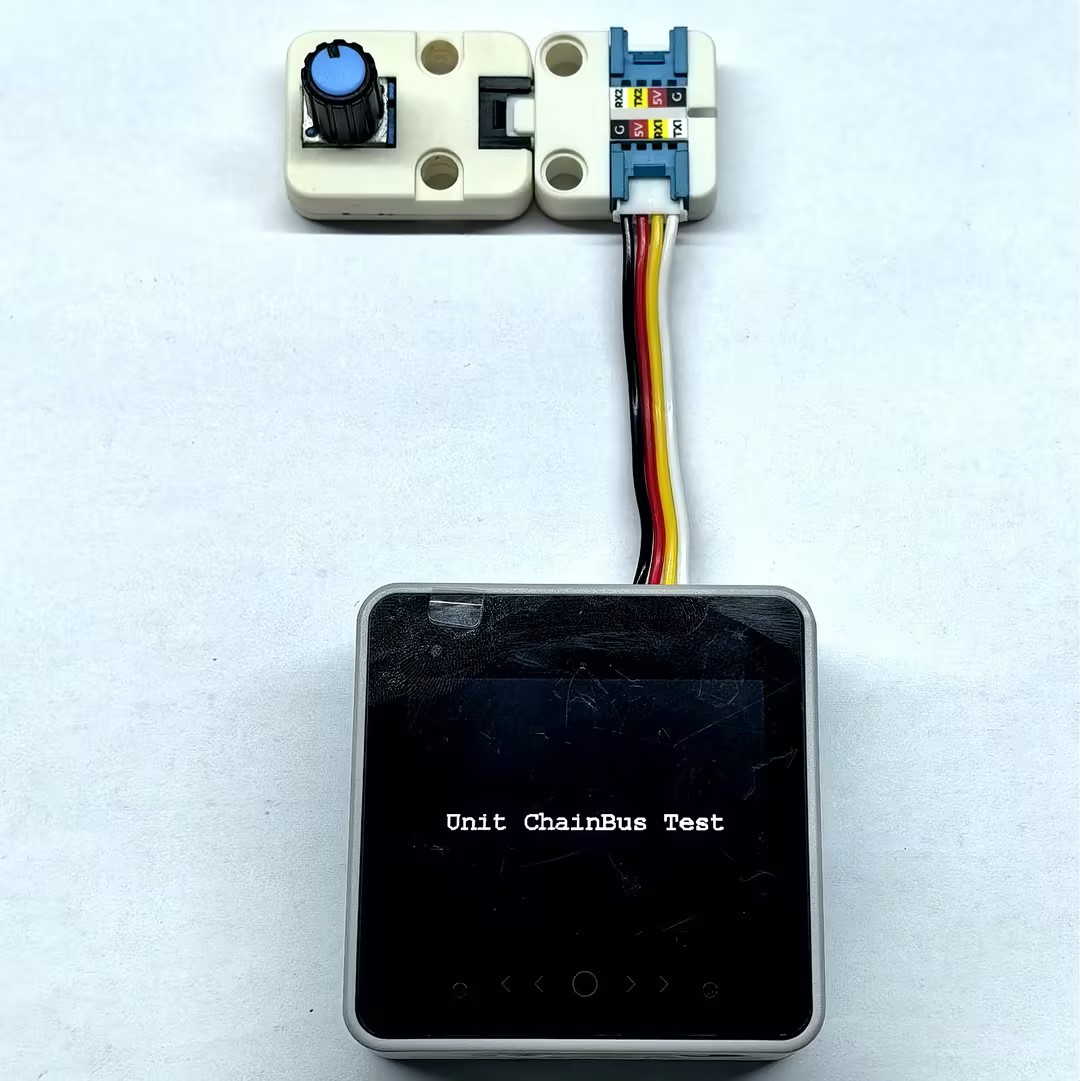
串口监视器输出示例:
Unit ChainBus Test
devices is connected
devices list get success
ID[1] is Unit ChainBus

ChainBus ID[1] set GPIO1 adc mode success
  >>> GPIO_1: ADC working status
  >>> GPIO_2: Not configured working status

ADC value: 4095Page Tools