

Arduino Quick Start
2. Devices & Examples
3. M5Unified
4. M5GFX
5. Extensions
Unit
Module
Atomic
Tab5
IoT
Accessories
StickC-Plus SE Battery
APIs and example program for reading the StickC-Plus SE battery status.
Example
Compilation Requirements
- M5Stack board manager version >= 3.3.8
- Board option = M5StickCPlus
- M5Unified library version >= 0.2.18
- M5GFX library version >= 0.2.24
cpp
1 2 3 4 5 6 7 8 9 10 11 12 13 14 15 16 17 18 19 20 21 22 23 24 25 26 27 28
#include "M5Unified.h"

void setup()
{
    M5.begin();
    Serial.begin(115200);
    M5.Lcd.setTextDatum(middle_center);
    M5.Lcd.setTextFont(&fonts::FreeMonoBold9pt7b);
    M5.Lcd.setTextSize(1);
    M5.Lcd.setRotation(1);
}

void loop()
{
    M5.Lcd.clear();

    bool isCharging = M5.Power.isCharging();
    int vol_per = M5.Power.getBatteryLevel();
    int vol = M5.Power.getBatteryVoltage();

    M5.Lcd.setCursor(0, 30);
    M5.Lcd.printf("Charging: %s \n\n", isCharging ? "Yes" : "No");
    M5.Lcd.setCursor(0, 60);
    M5.Lcd.printf("Bat_level: %d%%", vol_per);
    M5.Lcd.setCursor(0, 90);
    M5.Lcd.printf("Bat_voltage: %d%mV", vol);
    delay(2000);
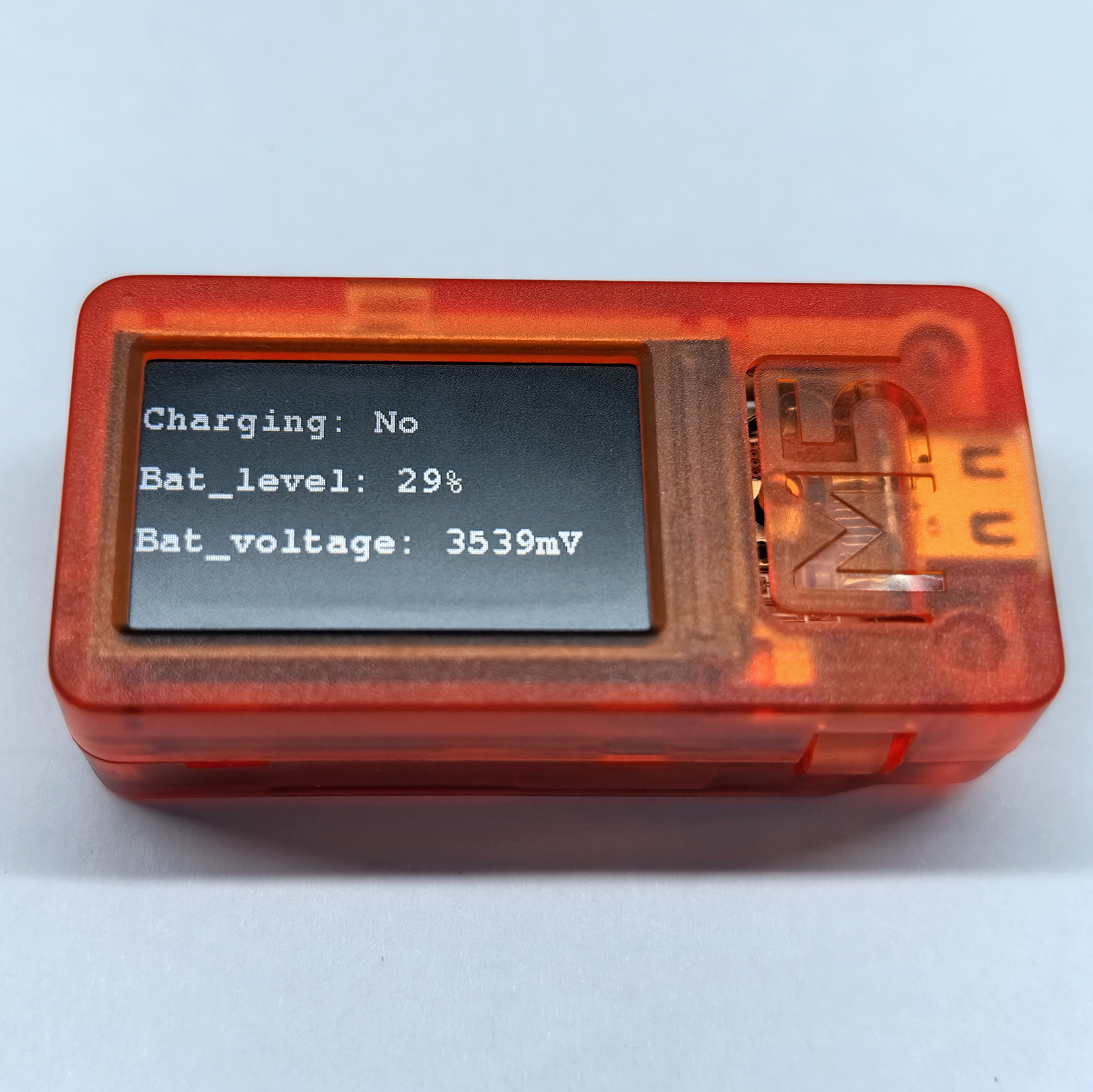
} This program displays the charging status, battery level, and battery voltage on the screen, refreshing every 2 seconds.
API
The StickC-Plus SE power functions use Power_Class from the M5Unified library. For more APIs, refer to the documentation below:
Page Tools