

Arduino Quick Start
2. Devices & Examples
3. M5Unified
4. M5GFX
5. Extensions
Unit
Module
Atomic
Tab5
IoT
Accessories
StackChan LTR553 Proximity Sensor
Example program for StackChan LTR553 Proximity Sensor usage.
Sample Program
Build Requirements
- M5Stack board manager version >= 3.2.2
- Board option = M5CoreS3
- M5Unified library version >= 0.2.11
- LTR5XX Library (After extracting, place it in the same folder as the .ino file)
cpp
1 2 3 4 5 6 7 8 9 10 11 12 13 14 15 16 17 18 19 20 21 22 23 24 25 26 27 28 29 30 31 32 33 34 35 36 37 38 39 40 41 42 43 44 45 46 47 48 49 50 51 52 53 54 55 56 57
#include "M5Unified.h"
#include "LTR5XX.h"

Ltr5xx_Init_Basic_Para device_init_base_para = LTR5XX_BASE_PARA_CONFIG_DEFAULT;
LTR5XX DistanceSensor;

uint16_t read_ps_value;
uint16_t read_als_value;

void setup() {
    auto cfg = M5.config();
    M5.begin(cfg);
    M5.Display.setTextColor(GREEN);
    M5.Display.setTextDatum(middle_center);
    M5.Display.setFont(&fonts::FreeMonoBold12pt7b);
    M5.Display.setTextSize(1);

    device_init_base_para.ps_led_pulse_freq   = LTR5XX_LED_PULSE_FREQ_40KHZ;
    device_init_base_para.ps_measurement_rate = LTR5XX_PS_MEASUREMENT_RATE_50MS;
    device_init_base_para.als_gain            = LTR5XX_ALS_GAIN_48X;

    if (!DistanceSensor.begin(&device_init_base_para)) {
        M5.Display.drawString("Ltr553 Init Fail",
                                  M5.Display.width() / 2,
                                  M5.Display.height() / 2);
        while (1) {
            delay(10);
        }
    }

    M5.Display.drawString("Ltr553 Init Success", M5.Display.width() / 2,
                              M5.Display.height() / 2);
    // active ps
    DistanceSensor.setPsMode(LTR5XX_PS_ACTIVE_MODE);

    // active als
    DistanceSensor.setAlsMode(LTR5XX_ALS_ACTIVE_MODE);
    // not active ps
    // DistanceSensor.setPsMode(LTR5XX_PS_STAND_BY_MODE);

    // not active als
    // DistanceSensor.setAlsMode(LTR5XX_ALS_STAND_BY_MODE);
}

void loop() {
    M5.Display.clear();
    read_ps_value  = DistanceSensor.getPsValue();
    read_als_value = DistanceSensor.getAlsValue();

    M5.Display.drawString(
        "PS:" + String(read_ps_value) + " / " + "ALS:" + String(read_als_value),
        M5.Display.width() / 2, M5.Display.height() / 2);

    Serial.printf("ps value = %d\r\n", read_ps_value);
    Serial.printf("als value = %d\r\n", read_als_value);
    delay(100);
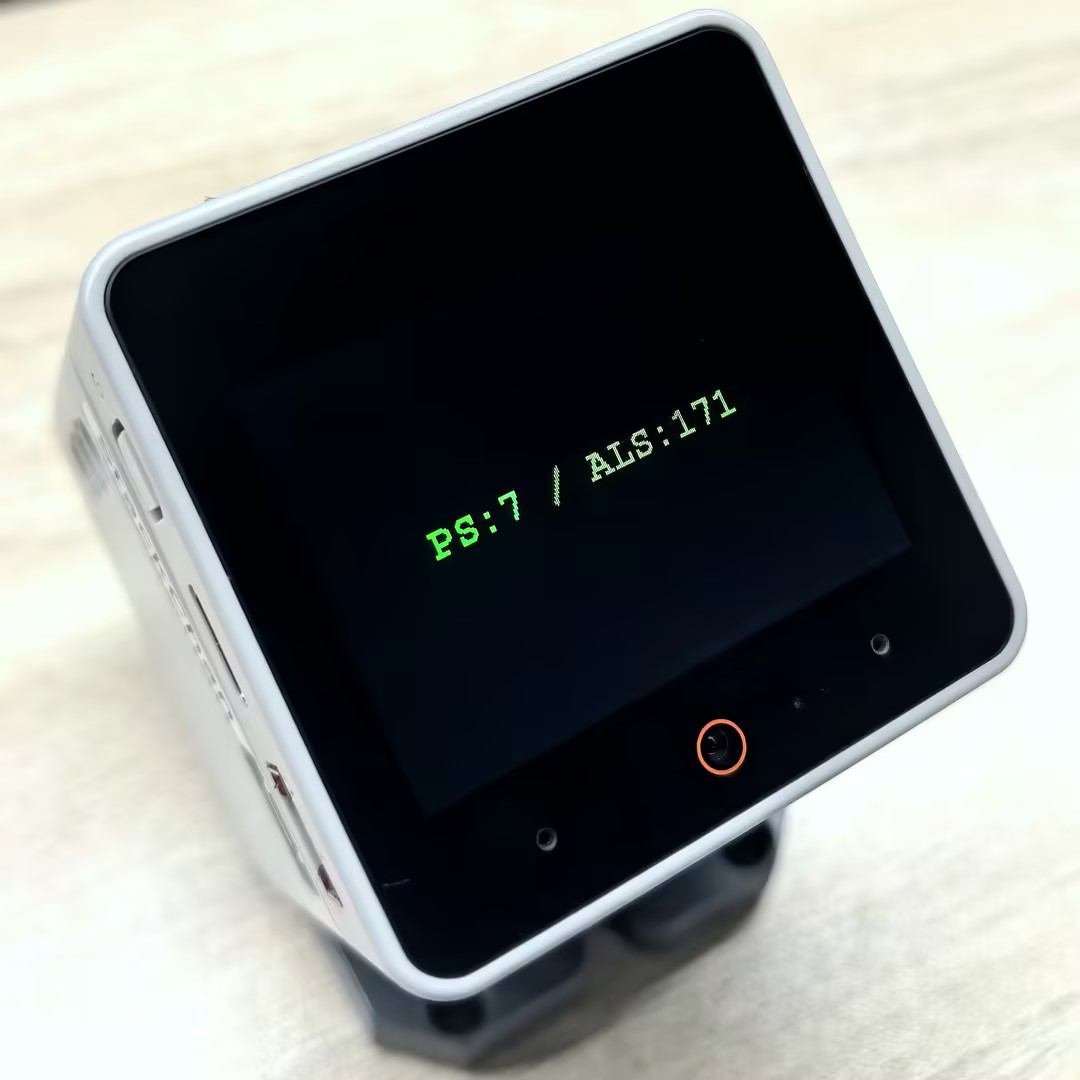
}After flashing successfully, you can view the PS (Proximity) and ALS (Ambient Light) readings from the LTR553 proximity sensor on both the serial monitor and the screen.
Page Tools