Arduino Quick Start
2. Devices & Examples
3. M5Unified
4. M5GFX
5. Extensions
Unit
Module
Atomic
Tab5
IoT
Accessories
Stamp-AddOn Cam0308 Arduino Tutorial
1. Preparation
- Environment Setup: Refer to the Arduino IDE Getting Started Guide to complete the IDE installation.
- Library Used:
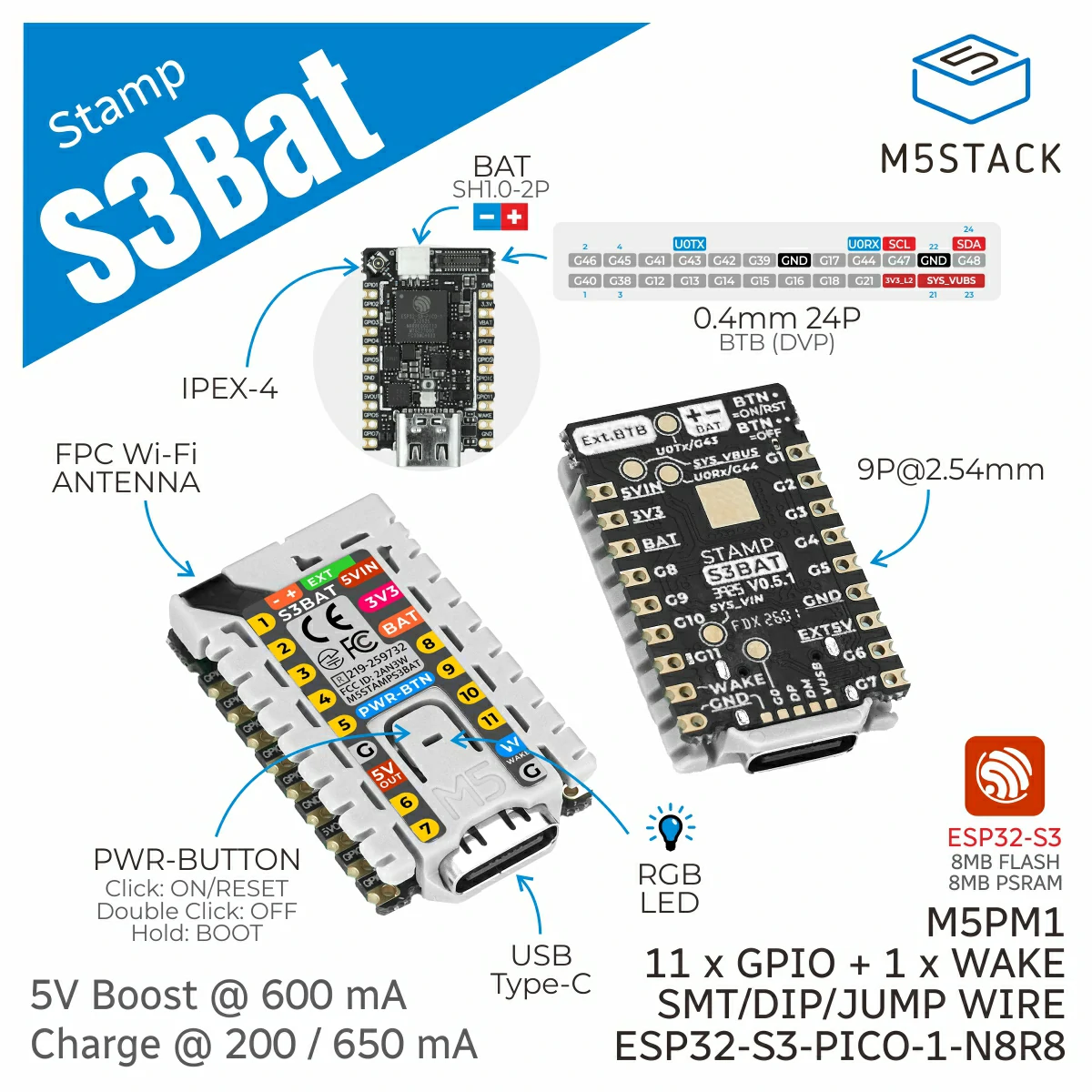
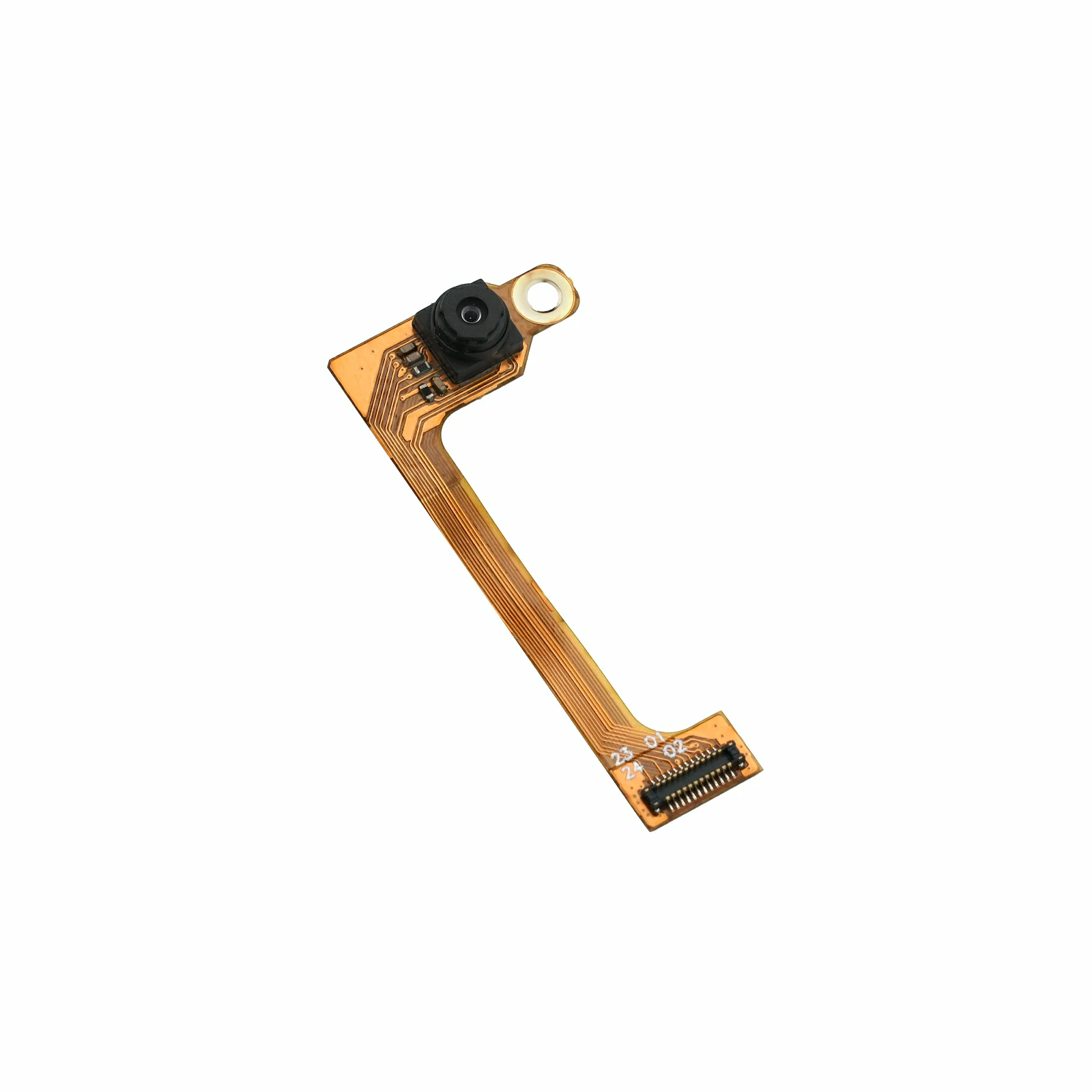
- Hardware Products Used:
- Compilation Requirements:
- M5Stack board manager version >= 3.3.8
- Board option = M5StampS3Bat
2. Example Program
This example configures the GC0308 for QVGA (320 x 240) resolution and RGB565 output. Stamp-S3Bat converts captured frames to JPEG, then provides an MJPEG live stream and JPEG still-image capture through an HTTP server.
This example supports two Wi-Fi operating modes: AP and STA. Change the value of CAMERA_USE_AP_MODE to select the mode: use 1 for AP mode or 0 for STA mode.
#define CAMERA_USE_AP_MODE 1AP Mode
Stamp-S3Bat creates a Wi-Fi access point named Stamp-AddOn Cam0308 with the password 12345678. After connecting a computer or mobile device to this access point, use the default IP address 192.168.4.1 to access the camera.
- Open
http://192.168.4.1/orhttp://192.168.4.1/streamto view the MJPEG live stream. - Open
http://192.168.4.1/captureto capture a JPEG still image.
STA Mode
Stamp-S3Bat connects to an existing Wi-Fi network. Before use, update ssid and password in the STA configuration section. After the connection is established, the router assigns a local IP address to the device. Check the serial monitor for the assigned address. Replace <device IP> in the following URLs with the actual IP address shown in the serial monitor.
- Open
http://<device IP>/orhttp://<device IP>/streamto view the MJPEG live stream. - Open
http://<device IP>/captureto capture a JPEG still image.
#include <WiFi.h>
#include <WebServer.h>
#include "esp_camera.h"
#include "img_converters.h"

#define CAMERA_USE_AP_MODE 1

#if CAMERA_USE_AP_MODE
const char *ssid     = "Stamp-AddOn Cam0308";
const char *password = "12345678";
#else
const char *ssid     = "ssid";
const char *password = "password";
#endif

WebServer server(80);

#define PWDN_GPIO_NUM  39
#define RESET_GPIO_NUM 41
#define XCLK_GPIO_NUM  46
#define SIOD_GPIO_NUM  48
#define SIOC_GPIO_NUM  47

#define Y9_GPIO_NUM 40
#define Y8_GPIO_NUM 38
#define Y7_GPIO_NUM 12
#define Y6_GPIO_NUM 14
#define Y5_GPIO_NUM 15
#define Y4_GPIO_NUM 16
#define Y3_GPIO_NUM 18
#define Y2_GPIO_NUM 21

#define VSYNC_GPIO_NUM 42
#define HREF_GPIO_NUM  17
#define PCLK_GPIO_NUM  13

static camera_config_t camera_config = {
    .pin_pwdn     = PWDN_GPIO_NUM,
    .pin_reset    = RESET_GPIO_NUM,
    .pin_xclk     = XCLK_GPIO_NUM,
    .pin_sscb_sda = SIOD_GPIO_NUM,
    .pin_sscb_scl = SIOC_GPIO_NUM,
    .pin_d7       = Y9_GPIO_NUM,
    .pin_d6       = Y8_GPIO_NUM,
    .pin_d5       = Y7_GPIO_NUM,
    .pin_d4       = Y6_GPIO_NUM,
    .pin_d3       = Y5_GPIO_NUM,
    .pin_d2       = Y4_GPIO_NUM,
    .pin_d1       = Y3_GPIO_NUM,
    .pin_d0       = Y2_GPIO_NUM,

    .pin_vsync = VSYNC_GPIO_NUM,
    .pin_href  = HREF_GPIO_NUM,
    .pin_pclk  = PCLK_GPIO_NUM,

    .xclk_freq_hz = 20000000,
    .ledc_timer   = LEDC_TIMER_0,
    .ledc_channel = LEDC_CHANNEL_0,

    .pixel_format  = PIXFORMAT_RGB565,
    .frame_size    = FRAMESIZE_QVGA,
    // .frame_size    = FRAMESIZE_VGA,
    .jpeg_quality  = 20,
    .fb_count      = 2,
    .fb_location   = CAMERA_FB_IN_PSRAM,
    .grab_mode     = CAMERA_GRAB_WHEN_EMPTY,
    .sccb_i2c_port = -1,
};

static constexpr char STREAM_BOUNDARY[] = "123456789000000000000987654321";
static constexpr uint8_t JPEG_QUALITY   = 80;

static bool writeAll(WiFiClient &client, const uint8_t *data, size_t length)
{
    while (length > 0 && client.connected()) {
        const size_t written = client.write(data, length);
        if (written == 0) {
            return false;
        }
        data += written;
        length -= written;
        yield();
    }
    return length == 0;
}

static bool captureJpeg(uint8_t **jpgBuffer, size_t *jpgLength)
{
    camera_fb_t *fb = esp_camera_fb_get();
    if (!fb) {
        Serial.println("Camera capture failed");
        return false;
    }

    const bool converted = frame2jpg(fb, JPEG_QUALITY, jpgBuffer, jpgLength);
    esp_camera_fb_return(fb);

    if (!converted || !*jpgBuffer) {
        Serial.println("JPEG convert failed");
        return false;
    }
    return true;
}

static bool cameraBegin()
{
    pinMode(PWDN_GPIO_NUM, OUTPUT);
    digitalWrite(PWDN_GPIO_NUM, LOW);

    pinMode(RESET_GPIO_NUM, OUTPUT);
    digitalWrite(RESET_GPIO_NUM, LOW);
    delay(20);
    digitalWrite(RESET_GPIO_NUM, HIGH);
    delay(100);

    const esp_err_t err = esp_camera_init(&camera_config);
    if (err != ESP_OK) {
        Serial.printf("Camera Init Fail: 0x%x\r\n", err);
        return false;
    }

    sensor_t *sensor = esp_camera_sensor_get();
    if (!sensor) {
        Serial.println("Camera sensor get failed");
        esp_camera_deinit();
        return false;
    }

    Serial.println("Camera Init Success");
    return true;
}

static void handleCapture()
{
    WiFiClient client  = server.client();
    uint8_t *jpgBuffer = nullptr;
    size_t jpgLength   = 0;

    if (!captureJpeg(&jpgBuffer, &jpgLength)) {
        server.send(503, "text/plain", "Camera capture failed\n");
        return;
    }

    client.println("HTTP/1.1 200 OK");
    client.println("Content-Type: image/jpeg");
    client.printf("Content-Length: %u\r\n", static_cast<unsigned int>(jpgLength));
    client.println("Content-Disposition: inline; filename=capture.jpg");
    client.println("Cache-Control: no-store, no-cache, must-revalidate");
    client.println("Pragma: no-cache");
    client.println("Access-Control-Allow-Origin: *");
    client.println("Connection: close");
    client.println();

    writeAll(client, jpgBuffer, jpgLength);
    free(jpgBuffer);
    client.stop();
}

static void handleStream()
{
    WiFiClient client   = server.client();
    int64_t lastFrameUs = esp_timer_get_time();

    client.println("HTTP/1.1 200 OK");
    client.printf("Content-Type: multipart/x-mixed-replace; boundary=%s\r\n", STREAM_BOUNDARY);
    client.println("Cache-Control: no-store, no-cache, must-revalidate");
    client.println("Pragma: no-cache");
    client.println("Access-Control-Allow-Origin: *");
    client.println("Connection: close");
    client.println();

    while (client.connected()) {
        uint8_t *jpgBuffer = nullptr;
        size_t jpgLength   = 0;
        if (!captureJpeg(&jpgBuffer, &jpgLength)) {
            delay(30);
            continue;
        }

        client.printf("--%s\r\n", STREAM_BOUNDARY);
        client.println("Content-Type: image/jpeg");
        client.printf("Content-Length: %u\r\n\r\n", static_cast<unsigned int>(jpgLength));
        const bool sent = writeAll(client, jpgBuffer, jpgLength);
        free(jpgBuffer);

        if (!sent || client.print("\r\n") == 0) {
            break;
        }

        const int64_t nowUs       = esp_timer_get_time();
        const int64_t frameTimeMs = (nowUs - lastFrameUs) / 1000;
        lastFrameUs               = nowUs;
        const float fps           = frameTimeMs > 0 ? 1000.0f / frameTimeMs : 0.0f;
        Serial.printf("MJPG: %uKB %lldms (%.1ffps)\r\n", static_cast<unsigned int>(jpgLength / 1024), frameTimeMs, fps);
        yield();
    }

    client.stop();
}

static IPAddress startWiFi()
{
#if CAMERA_USE_AP_MODE
    WiFi.mode(WIFI_AP);
    if (!WiFi.softAP(ssid, password)) {
        Serial.println("WiFi AP start failed");
        return IPAddress();
    }

    const IPAddress ip = WiFi.softAPIP();
    Serial.printf("WiFi AP: %s\r\n", ssid);
    Serial.printf("IP address: %s\r\n", ip.toString().c_str());
    return ip;
#else
    WiFi.mode(WIFI_STA);
    WiFi.setSleep(false);
    WiFi.begin(ssid, password);

    Serial.print("Connecting to WiFi");
    while (WiFi.status() != WL_CONNECTED) {
        delay(500);
        Serial.print(".");
    }

    Serial.println();
    const IPAddress ip = WiFi.localIP();
    Serial.printf("IP address: %s\r\n", ip.toString().c_str());
    return ip;
#endif
}

void setup()
{
    Serial.begin(115200);
    delay(1000);

    if (!cameraBegin()) {
        while (true) {
            delay(1000);
        }
    }

    const IPAddress ip = startWiFi();
    if (ip == IPAddress()) {
        while (true) {
            delay(1000);
        }
    }

    server.on("/", HTTP_GET, handleStream);
    server.on("/stream", HTTP_GET, handleStream);
    server.on("/capture", HTTP_GET, handleCapture);
    server.onNotFound([]() { server.send(404, "text/plain", "Not found\n"); });
    server.begin();

    Serial.println("Camera HTTP server started");
    Serial.printf("Stream:  http://%s/stream\r\n", ip.toString().c_str());
    Serial.printf("Capture: http://%s/capture\r\n", ip.toString().c_str());
}

void loop()
{
    server.handleClient();
    delay(1);
}3. Compile and Upload
- In Arduino IDE, select the
M5StampS3Batboard and the port corresponding to the device. - Click the compile and upload button in the upper-left corner of Arduino IDE. Wait for the program to compile and upload to the device.
4. Running Result
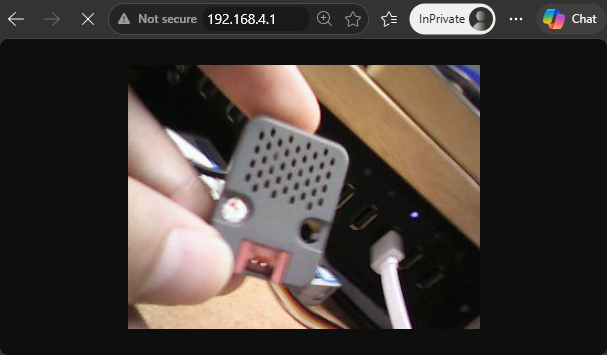
After the program starts, connect a computer or mobile device to the Stamp-AddOn Cam0308 Wi-Fi access point using the password 12345678. Open http://192.168.4.1/stream in a browser to view the live stream, or open http://192.168.4.1/capture to capture a still image. The serial monitor displays the device IP address, access URLs, frame size, transmission time, and frame rate.
Serial output example:
Camera Init Success
WiFi AP: Stamp-AddOn Cam0308
IP address: 192.168.4.1
Camera HTTP server started
Stream:  http://192.168.4.1/stream
Capture: http://192.168.4.1/capture
MJPG: 12KB 118ms (8.5fps)
MJPG: 12KB 91ms (11.0fps)
MJPG: 13KB 138ms (7.2fps)
MJPG: 12KB 122ms (8.2fps)
MJPG: 12KB 110ms (9.1fps)
MJPG: 12KB 150ms (6.7fps)
MJPG: 12KB 110ms (9.1fps)
MJPG: 12KB 102ms (9.8fps)
MJPG: 12KB 97ms (10.3fps)
MJPG: 12KB 97ms (10.3fps)
MJPG: 12KB 137ms (7.3fps)Browser access example: