

Arduino Quick Start
2. Devices & Examples
3. M5Unified
4. M5GFX
5. Extensions
Unit
Module
Atomic
Tab5
IoT
Accessories
Unit DoF9 Arduino Tutorial
1. Preparations
- Environment Setup: Refer to the Arduino IDE Getting Started Guide to complete the IDE installation, and install the corresponding board manager and required driver libraries according to the development board you are using.
- Driver Libraries Used:
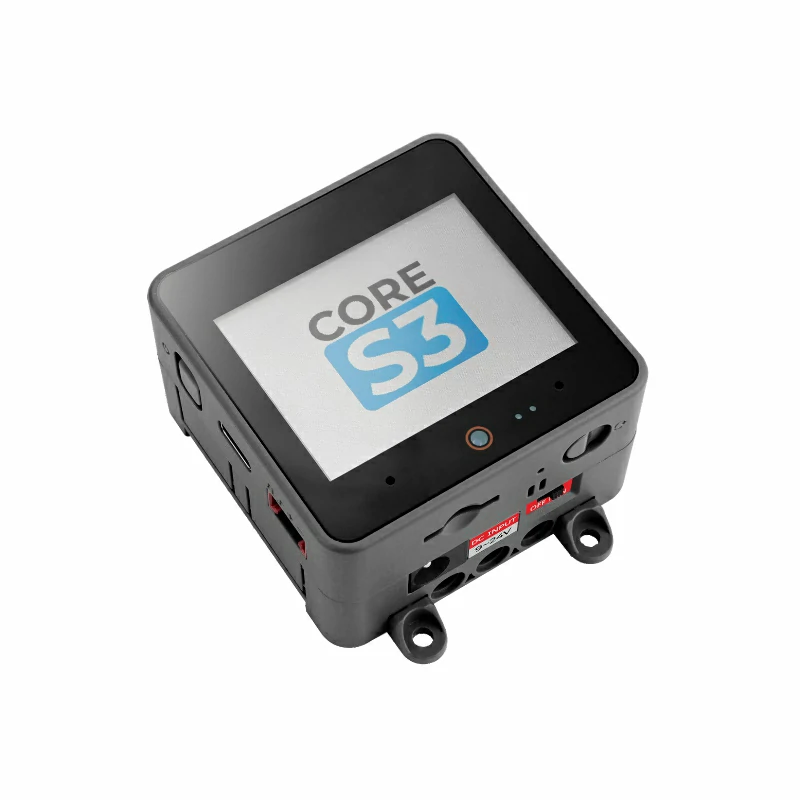
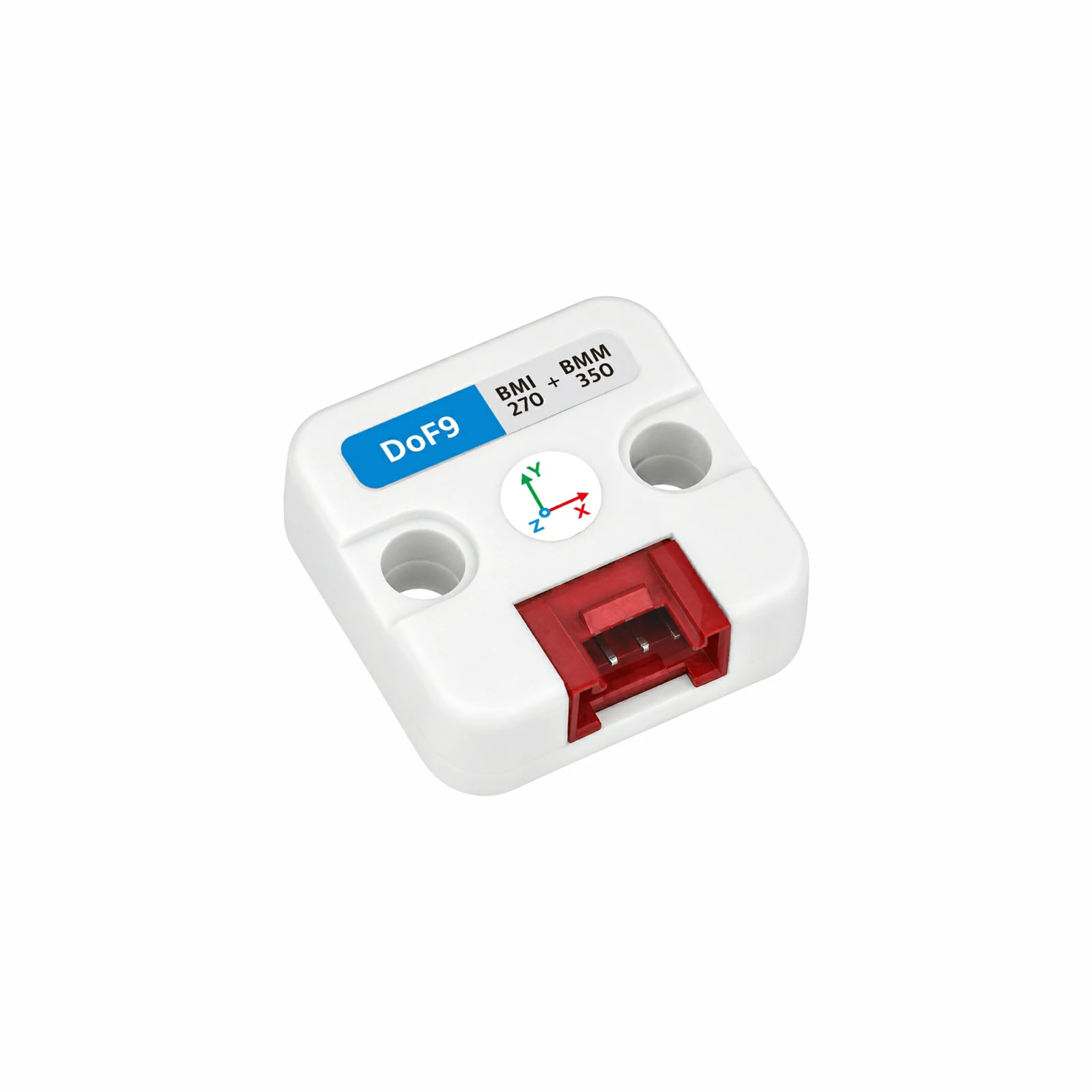
- Hardware Products Used:
2. Example Program
- This tutorial uses a CoreS3 as the main controller with a Unit DoF9. The Unit DoF9 communicates over I2C. The default BMI270 address is
0x69, and it can be switched to0x68using the onboard switch (theBMI270_ADDRESSin the program must be changed accordingly after switching); the BMM350 address is0x14. After connecting the device, the corresponding pins areG2 (SDA)andG1 (SCL). The example program reads the BMI270's three-axis acceleration and three-axis angular velocity, as well as the BMM350's three-axis magnetic field data, every 500 ms, displays the acceleration, angular velocity, and magnetic field values on the CoreS3 screen, and outputs the same data through the serial port.
cpp
1 2 3 4 5 6 7 8 9 10 11 12 13 14 15 16 17 18 19 20 21 22 23 24 25 26 27 28 29 30 31 32 33 34 35 36 37 38 39 40 41 42 43 44 45 46 47 48 49 50 51 52 53 54 55 56 57 58 59 60 61 62 63 64 65 66 67 68 69 70 71 72 73 74 75 76 77 78 79 80 81 82 83 84 85 86 87 88 89 90 91 92 93 94 95 96 97 98 99 100 101 102 103 104 105 106 107 108 109 110 111 112 113 114 115 116 117 118 119 120 121 122 123 124 125 126 127 128 129 130 131 132 133 134 135 136 137 138 139 140 141 142 143 144 145 146 147 148 149 150 151 152 153 154 155 156 157 158 159 160 161 162 163 164 165 166
#include <M5Unified.h>
#include <M5UnitUnified.h>
#include <M5UnitUnifiedIMU.h>

constexpr uint8_t BMI270_ADDRESS = 0x69;

m5::unit::UnitUnified units;
m5::unit::UnitDoF9 dof9{BMI270_ADDRESS};
m5::imu::imu_convert_param_t imu_param{};
m5::imu::imu_convert_param_t mag_param{};

void drawHeader(bool connected) {
    M5.Display.fillScreen(TFT_BLACK);
    M5.Display.setTextSize(1);
    M5.Display.setTextColor(TFT_CYAN, TFT_BLACK);
    M5.Display.setCursor(12, 7);
    M5.Display.print("UNIT DoF9");
    M5.Display.setTextSize(1);
    M5.Display.setTextColor(connected ? TFT_GREEN : TFT_ORANGE, TFT_BLACK);
    M5.Display.setCursor(220, 8);
    M5.Display.print(connected ? "READY" : "WAIT");
    M5.Display.fillCircle(304, 18, 5, connected ? TFT_GREEN : TFT_ORANGE);
}

void drawStatus(const char* message, uint16_t color) {
    M5.Display.fillScreen(TFT_BLACK);
    drawHeader(false);
    M5.Display.setTextSize(1);
    M5.Display.setTextColor(color, TFT_BLACK);
    M5.Display.setCursor(12, 72);
    M5.Display.print(message);
    M5.Display.setTextSize(1);
    M5.Display.setTextColor(TFT_DARKGREY, TFT_BLACK);
    M5.Display.setCursor(12, 108);
    M5.Display.print("I2C 400 kHz");
}

void drawVectorCard(int x, int y, const char* title, const char* unit,
                    float x_value, float y_value, float z_value) {
    M5.Display.fillRoundRect(x, y, 148, 68, 8, TFT_BLACK);
    M5.Display.drawRoundRect(x, y, 148, 68, 8, TFT_BLACK);
    M5.Display.setTextSize(1);
    M5.Display.setTextColor(TFT_CYAN, TFT_BLACK);
    M5.Display.setCursor(x + 10, y);
    M5.Display.printf("%s (%s)", title, unit);
    M5.Display.setTextColor(TFT_WHITE, TFT_BLACK);
    M5.Display.setCursor(x + 10, y + 18);
    M5.Display.printf("X  %+7.2f", x_value);
    M5.Display.setCursor(x + 10, y + 34);
    M5.Display.printf("Y  %+7.2f", y_value);
    M5.Display.setCursor(x + 10, y + 50);
    M5.Display.printf("Z  %+7.2f", z_value);
}

void drawData(float ax, float ay, float az, float gx, float gy, float gz,
              float mx, float my, float mz) {
    M5.Display.startWrite();
    drawVectorCard(8, 50, "ACCEL", "g", ax, ay, az);
    drawVectorCard(164, 50, "GYRO", "dps", gx, gy, gz);
    M5.Display.fillRect(12, 118, 308, 20, TFT_BLACK);
    M5.Display.fillRect(12, 138, 308, 20, TFT_BLACK);
    M5.Display.setTextSize(1);
    M5.Display.setTextColor(TFT_CYAN, TFT_BLACK);
    M5.Display.setCursor(18, 126);
    M5.Display.print("MAG");
    M5.Display.setTextColor(TFT_WHITE, TFT_BLACK);
    M5.Display.setCursor(72, 126);
    M5.Display.printf("X %+6.1f", mx);
    M5.Display.setCursor(164, 126);
    M5.Display.printf("Y %+6.1f", my);
    M5.Display.setCursor(72, 142);
    M5.Display.printf("Z %+6.1f uT", mz);
    M5.Display.setTextColor(TFT_DARKGREY, TFT_BLACK);
    M5.Display.setCursor(12, 218);
    M5.Display.print("LIVE  |  500 ms  |  I2C");
    M5.Display.endWrite();
}

void setup() {
    Serial.begin(115200);
    const uint32_t serial_start = millis();
    while (!Serial && millis() - serial_start < 3000) {
        delay(10);
    }
    Serial.println("Starting Unit DoF9...");

    auto config = M5.config();
    M5.begin(config);
    M5.Display.setFont(&fonts::FreeSansBold9pt7b);
    M5.Display.setTextSize(1);
    M5.Display.setRotation(1);
    M5.Display.setTextWrap(false, false);
    drawStatus("Initializing...", TFT_YELLOW);

    auto cfg = dof9.component_config();
    cfg.clock = 400000;
    dof9.component_config(cfg);

    if (!M5.Ex_I2C.begin() || !units.add(dof9, M5.Ex_I2C) || !units.begin()) {
        while (true) {
            Serial.println("Unit DoF9 not found. Check wiring and I2C addresses.");
            drawStatus("Sensor not found", TFT_ORANGE);
            delay(1000);
        }
    }

    dof9.imu().imuConvertParam(imu_param);
    dof9.mag().imuConvertParam(mag_param);
    Serial.printf("Unit DoF9 ready, BMI270 address: 0x%02X\n", BMI270_ADDRESS);
    drawHeader(true);
}

void loop() {
    M5.update();
    units.update();

    static uint32_t last_output = 0;
    if (millis() - last_output < 500) {
        return;
    }
    last_output = millis();

    m5::imu::imu_raw_data_t imu_raw{};
    static bool waiting_shown = false;
    const bool imu_updated = m5::imu::any(dof9.imu().readImuRaw(imu_raw));
    if (imu_updated) {
        Serial.printf("Accel: %.3f, %.3f, %.3f g\n",
                      imu_raw.accel[0] * imu_param.accel_res,
                      imu_raw.accel[1] * imu_param.accel_res,
                      imu_raw.accel[2] * imu_param.accel_res);
        Serial.printf("Gyro:  %.3f, %.3f, %.3f dps\n",
                      imu_raw.gyro[0] * imu_param.gyro_res,
                      imu_raw.gyro[1] * imu_param.gyro_res,
                      imu_raw.gyro[2] * imu_param.gyro_res);
    }

    m5::imu::imu_raw_data_t mag_raw{};
    const bool mag_updated = m5::imu::any(dof9.mag().readImuRaw(mag_raw));
    if (mag_updated) {
        Serial.printf("Mag:   %.2f, %.2f, %.2f uT\n\n",
                      mag_raw.mag[0] * mag_param.mag_res,
                      mag_raw.mag[1] * mag_param.mag_res,
                      mag_raw.mag[2] * mag_param.mag_res);
    }

    if (imu_updated || mag_updated) {
        waiting_shown = false;
        const float ax = imu_raw.accel[0] * imu_param.accel_res;
        const float ay = imu_raw.accel[1] * imu_param.accel_res;
        const float az = imu_raw.accel[2] * imu_param.accel_res;
        const float gx = imu_raw.gyro[0] * imu_param.gyro_res;
        const float gy = imu_raw.gyro[1] * imu_param.gyro_res;
        const float gz = imu_raw.gyro[2] * imu_param.gyro_res;
        const float mx = mag_raw.mag[0] * mag_param.mag_res;
        const float my = mag_raw.mag[1] * mag_param.mag_res;
        const float mz = mag_raw.mag[2] * mag_param.mag_res;

        drawData(ax, ay, az, gx, gy, gz, mx, my, mz);
    } else {
        if (!waiting_shown) {
            waiting_shown = true;
            Serial.println("Waiting for Unit DoF9 data...");
            drawStatus("Waiting for data...", TFT_YELLOW);
        }
    }
}3. Compile and Upload
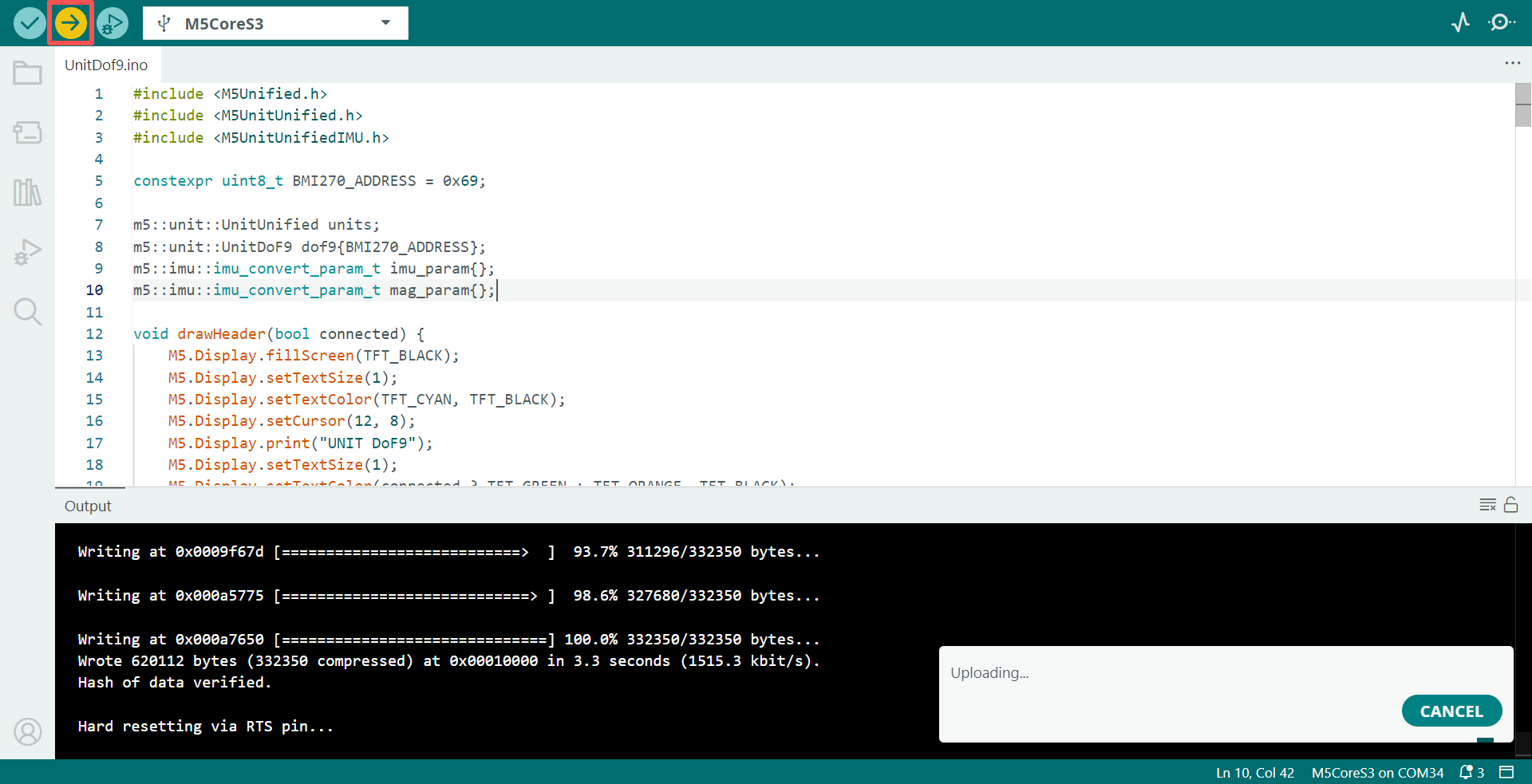
- Copy and paste the example code above into the project code area, select the device port (for details, refer to Compile and Upload the Program), click the compile and upload button in the upper-left corner of the Arduino IDE, and wait for the program to compile and upload to the device.
4. Attitude and Magnetic Field Data Reading
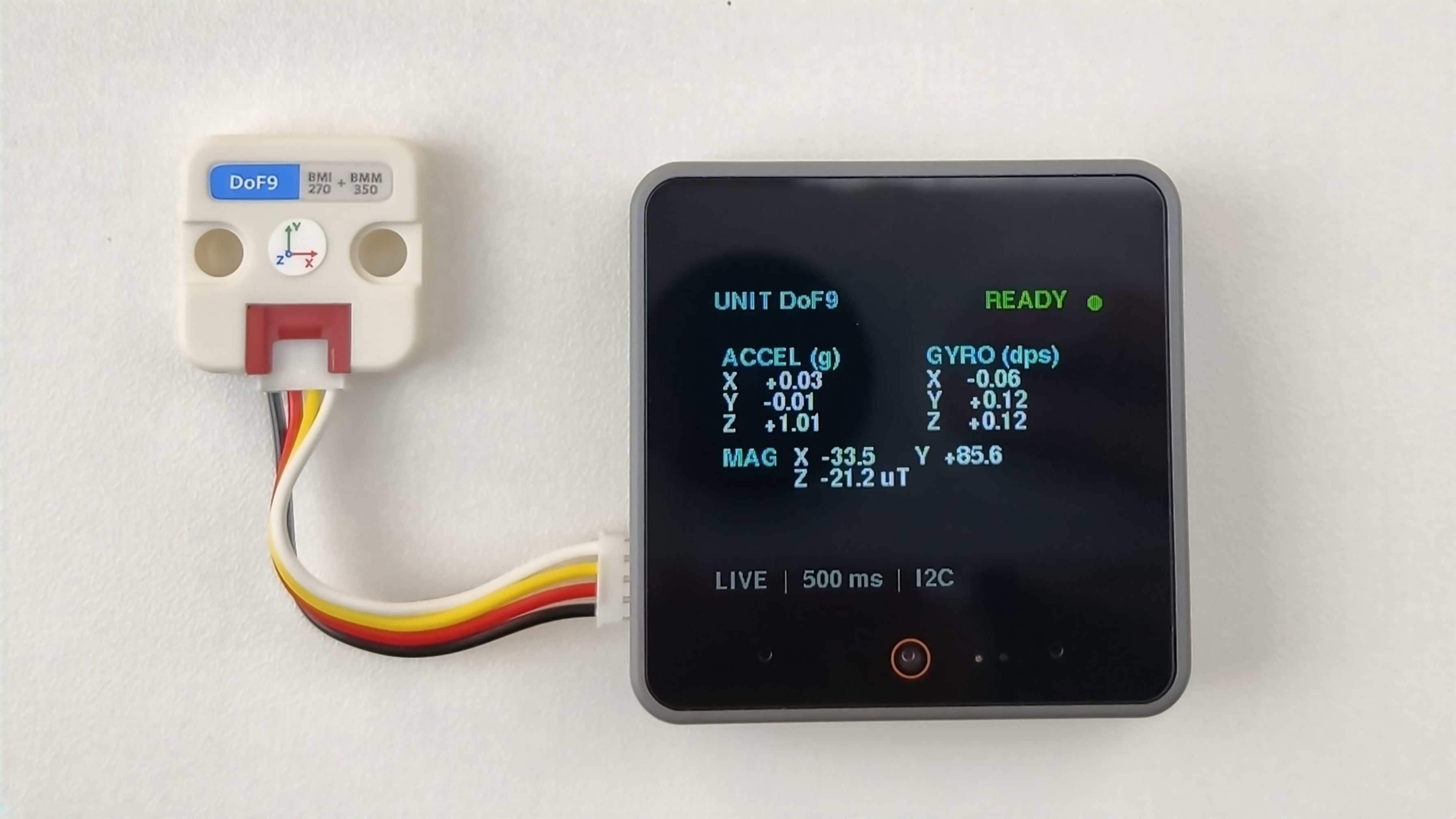
- After the program starts, the screen refreshes the three-axis acceleration, three-axis angular velocity, and BMM350 three-axis magnetic field data every 500 ms, and the serial monitor outputs the corresponding values at the same time.
Page Tools