

Arduino 上手教程
2. 设备开发 & 案例程序
3. M5Unified
4. M5GFX
5. 扩展模块
Unit
Module
Atomic
Tab5
IoT
Stamp Timer Power2 Arduino 使用教程
1. 准备工作
环境配置:参考 Arduino IDE 上手教程 完成 IDE 安装,并根据实际使用的开发板安装对应的板管理与驱动库,在 Arduino IDE 中选择
M5StampS3开发板。使用到的驱动库:
使用到的硬件产品:
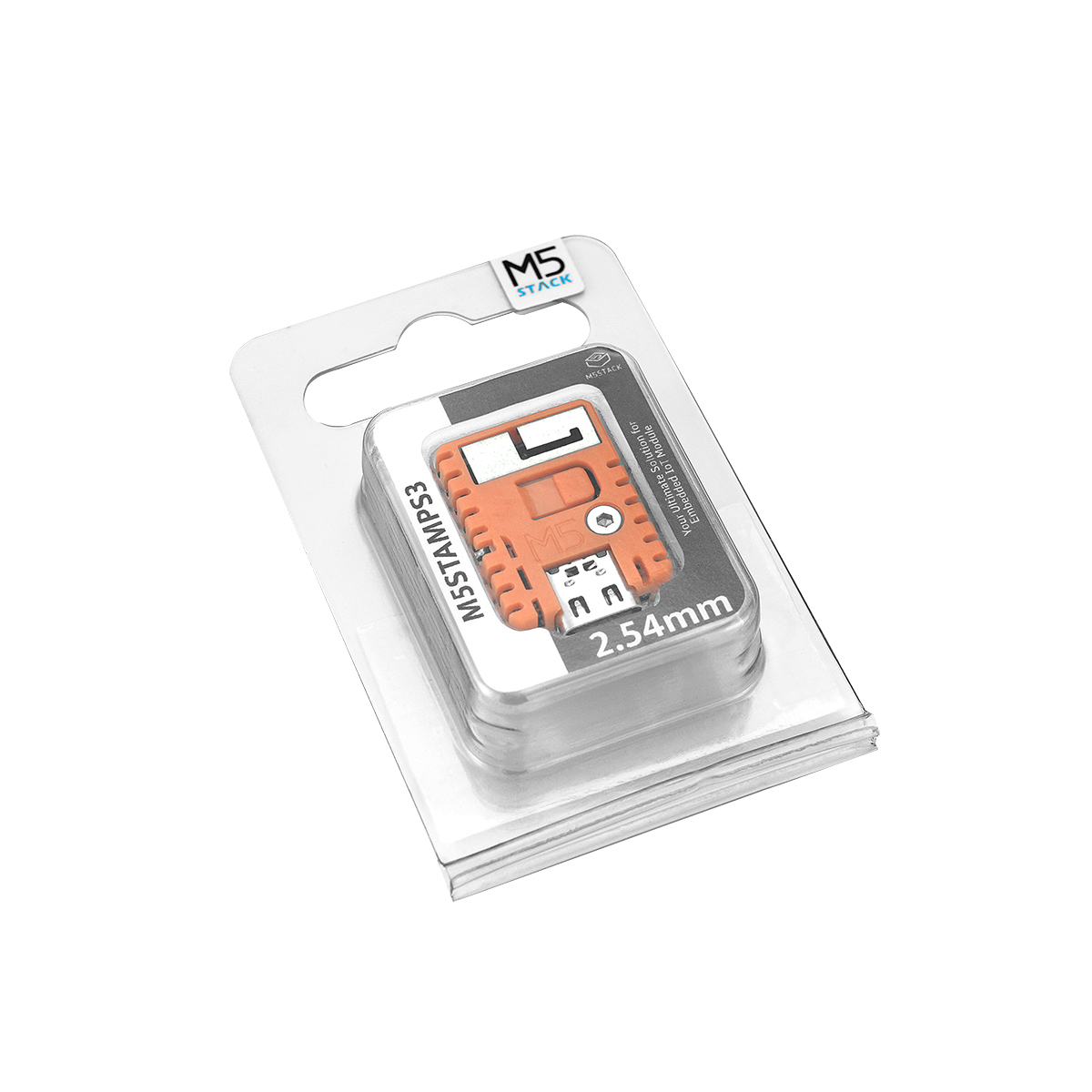

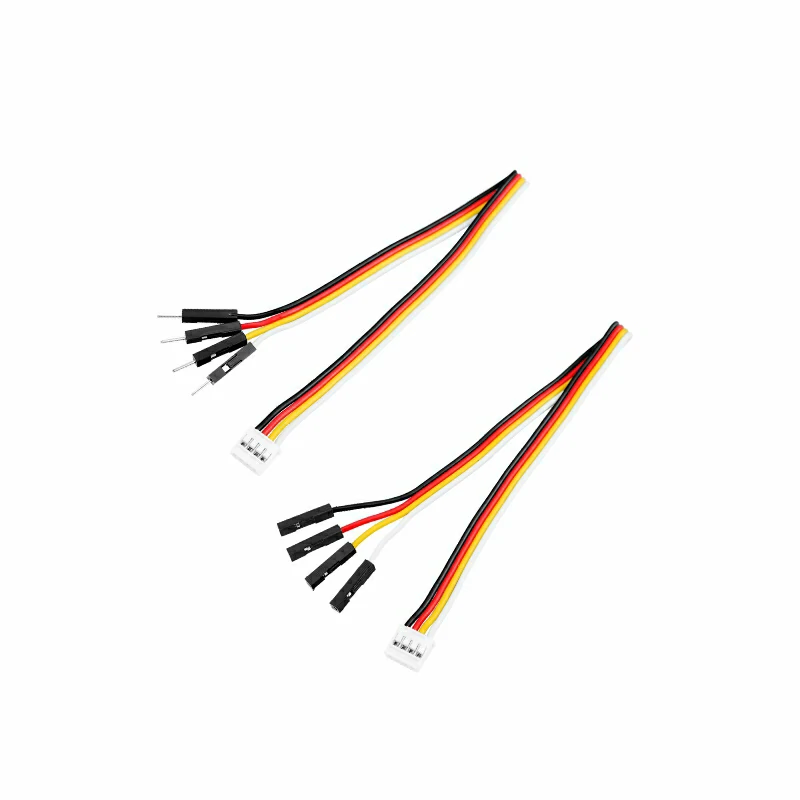
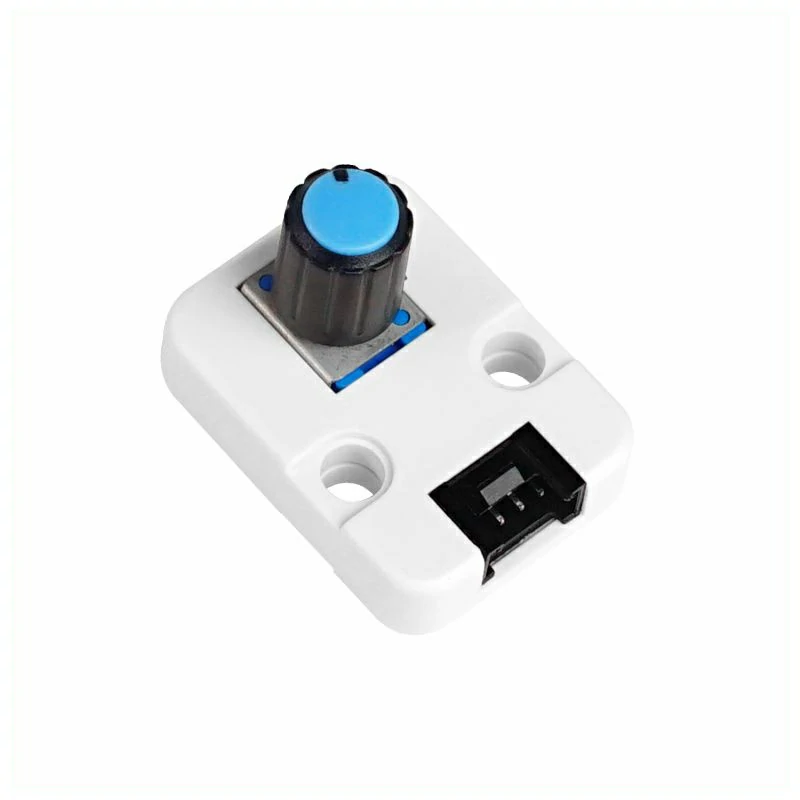
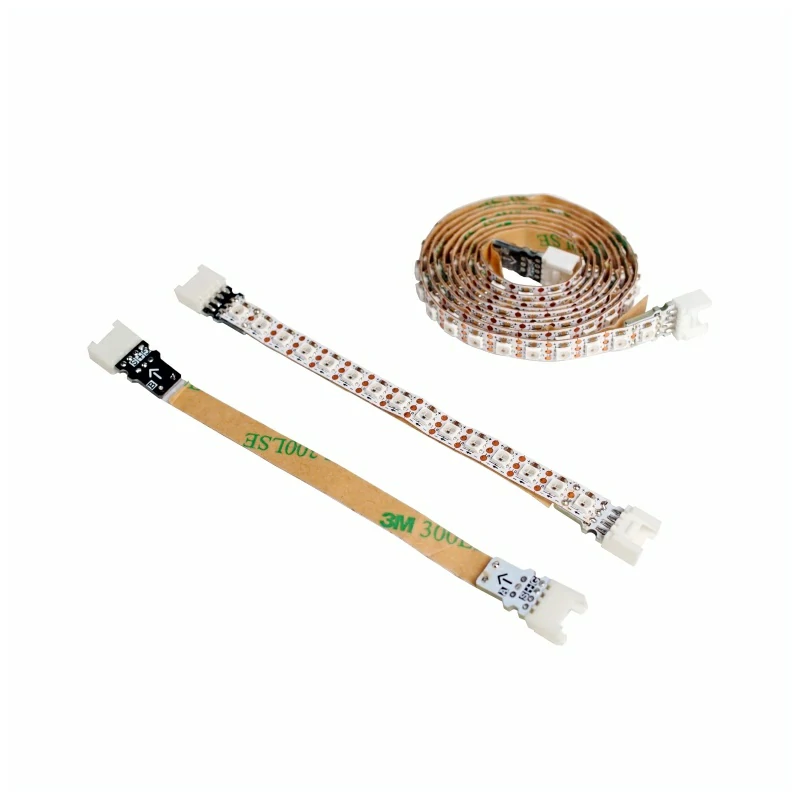
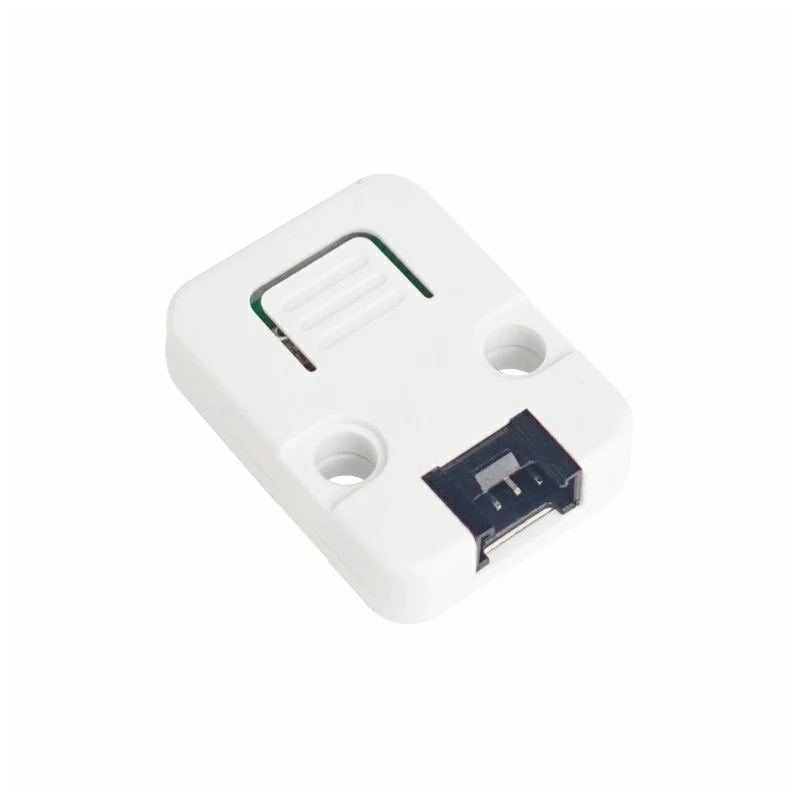
2. 默认状态
Stamp Timer Power2 上电后会先运行板载电源管理固件,再开放 I2C 从机通信。主控调用 M5PM1::begin() 时,会按参数配置 I2C 速率并关闭空闲休眠,同时读取模块当前状态快照;除 I2C 配置外,不会主动改变 G0 ~ G4 的功能或电源控制等状态。完成初始化后,模块进入下表所示的稳定默认状态。
电源控制与输出
| 引脚 | 功能 | 初始化后的稳定状态 | 说明 |
|---|---|---|---|
DCDC_3V3_EN | 3.3V DCDC 使能 | 高电平,DCDC 已使能 | 输入电源正常时输出 3.3V |
LDO_3V3_EN | 3.3V LDO 使能 | 高电平,LDO 已使能 | 输入电源正常时输出 3.3V |
BOOST_5V_EN | 5V_INOUT 升压使能 | 低电平,升压输出关闭 | 默认作为 5V 输入检测端使用;置高后仅在 EXT_5V_INOUT 无外部供电时升压输出 5V,检测到外部 5V 时保持输入模式并清除升压请求 |
CHG_EN | 电池充电使能 | 高电平,充电功能开启 | 是否实际充电仍取决于电池、输入电源和充电电路状态 |
BAT_ADC_EN | 电池电压采样使能 | 稳定时为低电平,采样关闭 | 测量电池电压时会短暂拉高,采样结束后恢复低电平 |
LED_EN | 状态指示 LED 控制 | 正常运行时为高电平 | 复位、下载模式和部分按键中断状态可能产生闪烁 |
BOOT_OUT | 主控启动/下载模式控制 | 释放(外部上拉时为高) | 开漏输出,板上无上拉;正常上电时先释放,延时约 100 ms 后再使能 3.3V。主机复位/上电采样时为低可选择下载模式 |
注:当前模组固件将 5VIN/5VINOUT 的有效检测阈值设为约 4.0V;“3.3V 已使能”表示控制脚为高,实际输出电压仍取决于输入电源和电池状态。电池供电时还受 BATT_LVP 默认阈值(约 2.5V)限制。
GPIO
| 引脚 | 初始化后的功能 | 方向 | 内部上下拉 | 默认输出级 | 物理电平 |
|---|---|---|---|---|---|
| G0 | 普通 GPIO,NeoPixel 未启用 | 输入 | 无 | 开漏 | 由外部输入或偏置决定 |
| G1 | 普通 GPIO,ADC1 未启用 | 输入 | 无 | 开漏 | 由外部输入或偏置决定 |
| G2 | 普通 GPIO,ADC2 未启用 | 输入 | 无 | 开漏 | 由外部输入或偏置决定 |
| G3 | 普通 GPIO,PWM 未启用 | 输入 | 无 | 开漏 | 由外部输入或偏置决定 |
| G4 | 普通 GPIO,PWM 与 IRQ 信号输出未启用 | 输入 | 无 | 开漏 | 由外部输入或偏置决定 |
G0 ~ G4 上电复位后均无内部上拉或下拉,若后续切换为输出且未显式设置为推挽,端口仍会保持开漏特性;开漏输出为高时需要外部上拉。
G0 ~ G4 均可配置为 IRQ 输出;配置为 IRQ 的引脚在 IRQ 状态全部清零时释放为高电平,在相关 IRQ 状态置位时被拉低,并一直保持到状态清除。
电源按键与采样引脚
| 引脚 | 初始化后的状态 | 说明 |
|---|---|---|
PWR_BTN | 输入,内部上拉 | 按键未按下时为高电平,按下时为低电平 |
BAT_ADC | 模拟输入,无上下拉 | 电池电压采样端 |
VIN_ADC | 模拟输入,无上下拉 | 输入电源电压采样端 |
5VOUT_ADC | 模拟输入,无上下拉 | 5V_INOUT 电压采样端;BOOST_5V_EN 关闭时用于检测外部输入电压 |
3. 案例程序
GPIO
G0 和 G1 配置为推挽输出,每隔 300ms 交换一次电平,两个引脚始终保持相反状态。
连接图示意图如下:

#include <M5PM1.h>

// Stamp-S3 uses G13 for SDA and G15 for SCL.
constexpr int I2C_SDA_PIN             = 13;
constexpr int I2C_SCL_PIN             = 15;
constexpr uint32_t I2C_FREQUENCY      = M5PM1_I2C_FREQ_100K;
constexpr uint32_t TOGGLE_INTERVAL_MS = 300;

M5PM1 stp2;
bool g0_level = LOW;
uint32_t last_toggle_ms = 0;

void setup()
{
    Serial.begin(115200);

    // Print the example configuration on startup.
    Serial.println("Stamp Timer Power2 - GPIO output");
    Serial.printf("I2C: SDA=G%d, SCL=G%d, period=%lums\n",
                  I2C_SDA_PIN, I2C_SCL_PIN,
                  static_cast<unsigned long>(TOGGLE_INTERVAL_MS));

    // Initialize Stamp Timer Power2 over I2C.
    if (stp2.begin(&Wire, M5PM1_DEFAULT_ADDR, I2C_SDA_PIN, I2C_SCL_PIN, I2C_FREQUENCY) != M5PM1_OK) {
        Serial.println("Stamp Timer Power2 init failed");
        while (true) delay(1000);
    }
    // Start with G0 low and G1 high.
    stp2.gpioSet(M5PM1_GPIO_NUM_0, M5PM1_GPIO_MODE_OUTPUT, LOW, M5PM1_GPIO_PULL_NONE,
                 M5PM1_GPIO_DRIVE_PUSHPULL);
    stp2.gpioSet(M5PM1_GPIO_NUM_1, M5PM1_GPIO_MODE_OUTPUT, HIGH, M5PM1_GPIO_PULL_NONE,
                 M5PM1_GPIO_DRIVE_PUSHPULL);
    Serial.printf("Initial: G0=%s, G1=%s\n",
                  g0_level ? "HIGH" : "LOW", g0_level ? "LOW" : "HIGH");
}

void loop()
{
    const uint32_t now = millis();
    // Update both outputs only once per interval.
    if (now - last_toggle_ms >= TOGGLE_INTERVAL_MS) {
        last_toggle_ms = now;
        g0_level       = !g0_level;
        // Keep G1 opposite to G0.
        const bool g1_level = !g0_level;
        stp2.gpioSetOutput(M5PM1_GPIO_NUM_0, g0_level ? HIGH : LOW);
        stp2.gpioSetOutput(M5PM1_GPIO_NUM_1, g1_level ? HIGH : LOW);
        Serial.printf("G0: %s, G1: %s\n",
                      g0_level ? "HIGH" : "LOW", g1_level ? "HIGH" : "LOW");
    }
}烧录成功后,G0、G1 引脚所接的 LED 灯会交替闪烁,同时串口输出当前的电平状态。

ADC
G2 配置为 ADC2,程序持续读取 12 位 ADC 原始值,并在串口监视器上更新结果。
连接图示意图如下:

#include <M5PM1.h>

constexpr int I2C_SDA_PIN        = 13;
constexpr int I2C_SCL_PIN        = 15;
constexpr uint32_t I2C_FREQUENCY = M5PM1_I2C_FREQ_100K;

M5PM1 stp2;

void setup()
{
    Serial.begin(115200);

    // Print the example configuration on startup.
    Serial.println("Stamp Timer Power2 - ADC sample");
    Serial.println("Channel: G2 -> ADC2 (12-bit)");

    // Initialize Stamp Timer Power2 over I2C.
    if (stp2.begin(&Wire, M5PM1_DEFAULT_ADDR, I2C_SDA_PIN, I2C_SCL_PIN, I2C_FREQUENCY) != M5PM1_OK) {
        Serial.println("Stamp Timer Power2 init failed");
        while (true) delay(1000);
    }
    // Map Stamp Timer Power2 GPIO2 to ADC2.
    stp2.gpioSetFunc(M5PM1_GPIO_NUM_2, M5PM1_GPIO_FUNC_OTHER);
}

void loop()
{
    uint16_t adc_value = 0;
    // Read ADC2 continuously through the M5PM1 I2C interface.
    const bool ok = stp2.analogRead(M5PM1_ADC_CH_2, &adc_value) == M5PM1_OK;
    Serial.printf("G2 ADC2: %u / 4095 (%s)\n",
                  static_cast<unsigned>(adc_value), ok ? "OK" : "ERROR");
    delay(100);
}烧录成功后,G2 引脚所接的 Unit Angle 转动时,串口监视器输出的 ADC 原始值会随之变化。
串口输出示例:
G2 ADC2: 0 / 4095 (OK)
G2 ADC2: 0 / 4095 (OK)
G2 ADC2: 0 / 4095 (OK)
G2 ADC2: 0 / 4095 (OK)
G2 ADC2: 0 / 4095 (OK)
G2 ADC2: 625 / 4095 (OK)
G2 ADC2: 813 / 4095 (OK)
G2 ADC2: 1115 / 4095 (OK)
G2 ADC2: 1527 / 4095 (OK)
G2 ADC2: 1864 / 4095 (OK)
G2 ADC2: 2200 / 4095 (OK)
G2 ADC2: 2465 / 4095 (OK)
G2 ADC2: 2661 / 4095 (OK)
G2 ADC2: 2826 / 4095 (OK)
G2 ADC2: 2976 / 4095 (OK)
G2 ADC2: 3192 / 4095 (OK)
G2 ADC2: 3465 / 4095 (OK)
G2 ADC2: 3693 / 4095 (OK)
G2 ADC2: 3913 / 4095 (OK)
G2 ADC2: 4095 / 4095 (OK)
G2 ADC2: 4095 / 4095 (OK)
G2 ADC2: 4095 / 4095 (OK)
G2 ADC2: 4095 / 4095 (OK)
G2 ADC2: 4095 / 4095 (OK)
G2 ADC2: 4095 / 4095 (OK)PWM
G3 和 G4 分别使用 PWM0、PWM1。程序每 50ms 调整一次占空比,G3 增加时 G4 同步减少;到达 0% 或 100% 后自动改变方向。
连接图示意图如下:

#include <M5PM1.h>

constexpr int I2C_SDA_PIN          = 13;
constexpr int I2C_SCL_PIN          = 15;
constexpr uint32_t I2C_FREQUENCY   = M5PM1_I2C_FREQ_100K;
// Both PWM channels share this frequency.
constexpr uint16_t PWM_FREQUENCY   = 1000;
// Update the inverse duty sweep every 50 ms.
constexpr uint32_t PWM_INTERVAL_MS = 50;

M5PM1 stp2;
// Track the G3 duty cycle and the current sweep direction.
int16_t g3_duty = 0;
int16_t duty_step = 5;
uint32_t last_pwm_ms = 0;

void setup()
{
    Serial.begin(115200);

    // Print the example configuration on startup.
    Serial.println("Stamp Timer Power2 - PWM output");
    Serial.printf("PWM frequency: %u Hz\n", static_cast<unsigned>(PWM_FREQUENCY));

    // Initialize Stamp Timer Power2 over I2C.
    if (stp2.begin(&Wire, M5PM1_DEFAULT_ADDR, I2C_SDA_PIN, I2C_SCL_PIN, I2C_FREQUENCY) != M5PM1_OK) {
        Serial.println("Stamp Timer Power2 init failed");
        while (true) delay(1000);
    }
    // Configure the PWM pins as special-function push-pull outputs.
    // gpioSetFunc alone does not set the output direction.
    stp2.pinMode(M5PM1_GPIO_NUM_3, M5PM1_OTHER);
    stp2.pinMode(M5PM1_GPIO_NUM_4, M5PM1_OTHER);
    stp2.setPwmFrequency(PWM_FREQUENCY);
    stp2.setPwmDuty(M5PM1_PWM_CH_0, 0, false, true);
    stp2.setPwmDuty(M5PM1_PWM_CH_1, 100, false, true);
    Serial.println("Initial PWM: G3=0%, G4=100%");
}

void loop()
{
    const uint32_t now = millis();
    // Advance the duty cycle at the configured interval.
    if (now - last_pwm_ms >= PWM_INTERVAL_MS) {
        last_pwm_ms = now;
        // Reverse direction whenever either endpoint is reached.
        if (g3_duty >= 100) {
            g3_duty   = 100;
            duty_step = -5;
        } else if (g3_duty <= 0) {
            g3_duty   = 0;
            duty_step = 5;
        }

        g3_duty += duty_step;
        // Keep the G3 value within the valid duty range.
        if (g3_duty < 0) g3_duty = 0;
        if (g3_duty > 100) g3_duty = 100;
        // G4 always receives the complement of G3.
        const uint8_t g4_duty = static_cast<uint8_t>(100 - g3_duty);
        stp2.setPwmDuty(M5PM1_PWM_CH_0, static_cast<uint8_t>(g3_duty), false, true);
        stp2.setPwmDuty(M5PM1_PWM_CH_1, g4_duty, false, true);
        Serial.printf("G3: %d%%, G4: %u%%\n",
                      g3_duty, static_cast<unsigned>(g4_duty));
    }
}烧录成功后,G3、G4 引脚所连接的 LED 灯会交替闪烁,同时串口输出当前的占空比。

RGB LED
Stamp Timer Power2 的 NeoPixel 数据线复用在 G0,配置控制 15 个 RGB 灯珠,并以约 20ms 的间隔更新彩虹颜色,实现彩虹滚动效果。
连接图示意图如下:

#include <M5PM1.h>

constexpr int I2C_SDA_PIN        = 13;
constexpr int I2C_SCL_PIN        = 15;
constexpr uint32_t I2C_FREQUENCY = M5PM1_I2C_FREQ_100K;
// Drive the built-in 15-pixel strip.
constexpr uint8_t LED_COUNT      = 15;
// Keep the strip dim to limit current.
constexpr uint8_t LED_BRIGHTNESS = 32;  // Brightness range: 0-255.

M5PM1 stp2;
// Offset advances the hue pattern on each refresh.
uint8_t rainbow_offset = 0;

uint8_t scaleColor(uint8_t value)
{
    // Apply the brightness factor to one RGB component.
    return static_cast<uint8_t>((static_cast<uint16_t>(value) * LED_BRIGHTNESS) / 255);
}

m5pm1_rgb_t colorWheel(uint8_t position)
{
    // Reverse the hue position to obtain a forward scroll.
    position = 255 - position;
    m5pm1_rgb_t color = {0, 0, 0};
    // Split the color wheel into three linear sections.
    if (position < 85) {
        color.r = 255 - position * 3;
        color.g = 0;
        color.b = position * 3;
    } else if (position < 170) {
        position -= 85;
        color.r = 0;
        color.g = position * 3;
        color.b = 255 - position * 3;
    } else {
        position -= 170;
        color.r = position * 3;
        color.g = 255 - position * 3;
        color.b = 0;
    }
    color.r = scaleColor(color.r);
    color.g = scaleColor(color.g);
    color.b = scaleColor(color.b);
    return color;
}

void setup()
{
    Serial.begin(115200);

    // Print the example configuration on startup.
    Serial.println("Stamp Timer Power2 - RGB LED");
    Serial.printf("LED count: %u, brightness: %u/255\n",
                  static_cast<unsigned>(LED_COUNT),
                  static_cast<unsigned>(LED_BRIGHTNESS));

    // Initialize Stamp Timer Power2 over I2C.
    if (stp2.begin(&Wire, M5PM1_DEFAULT_ADDR, I2C_SDA_PIN, I2C_SCL_PIN, I2C_FREQUENCY) != M5PM1_OK) {
        Serial.println("Stamp Timer Power2 init failed");
        while (true) delay(1000);
    }
    // Configure GPIO0 for NeoPixel output with push-pull drive.
    stp2.gpioSetFunc(M5PM1_GPIO_NUM_0, M5PM1_GPIO_FUNC_OTHER);
    stp2.gpioSetDrive(M5PM1_GPIO_NUM_0, M5PM1_GPIO_DRIVE_PUSHPULL);
    stp2.gpioSetOutput(M5PM1_GPIO_NUM_0, HIGH);
    // Enable the LED power path before refreshing pixels.
    stp2.setLedEnLevel(true);
    // Allow the PM1 to finish switching to NeoPixel timing.
    delay(20);
    stp2.setLedCount(LED_COUNT);
}

void loop()
{
    m5pm1_rgb_t colors[LED_COUNT];
    // Build a smoothly distributed hue for each pixel.
    for (uint8_t i = 0; i < LED_COUNT; ++i) {
        // Reverse the index so the rainbow scrolls forward.
        const uint8_t position = static_cast<uint8_t>(
            (static_cast<uint16_t>(i) * 256 / LED_COUNT + 256 - rainbow_offset) & 0xFF);
        colors[i] = colorWheel(position);
    }

    // Send the frame and refresh the strip immediately.
    stp2.setLeds(colors, LED_COUNT, LED_COUNT, true);
    // Advance the pattern after the frame has been sent.
    rainbow_offset += 8;
    Serial.printf("RGB rainbow offset: %u\n", static_cast<unsigned>(rainbow_offset));
    delay(20);
}烧录成功后,RGB 灯条会显示彩虹滚动效果,同时串口输出当前的彩虹偏移量。

IRQ
G0 配置为带上拉输入,G4 先置高再切换为 IRQ 输出。程序通过 I2C 轮询 G0 IRQ,事件置位后保持 1 秒再清除;G0 回到高电平后才能响应下一次中断。
连接图示意图如下:

#include <M5PM1.h>

constexpr int I2C_SDA_PIN               = 13;
constexpr int I2C_SCL_PIN               = 15;
constexpr uint32_t I2C_FREQUENCY        = M5PM1_I2C_FREQ_100K;
// Hold the IRQ flag for one second after an event.
constexpr uint32_t IRQ_CLEAR_DELAY      = 1000;

M5PM1 stp2;
// Track an active event and prevent immediate re-triggering.
bool irq_active = false;
bool wait_for_release = false;
uint32_t irq_started_ms = 0;
uint32_t irq_count = 0;

void setup()
{
    Serial.begin(115200);

    // Print the example configuration on startup.
    Serial.println("Stamp Timer Power2 - GPIO IRQ");
    Serial.println("Input: G0, IRQ summary output: G4");

    // Initialize Stamp Timer Power2 over I2C.
    if (stp2.begin(&Wire, M5PM1_DEFAULT_ADDR, I2C_SDA_PIN, I2C_SCL_PIN, I2C_FREQUENCY) != M5PM1_OK) {
        Serial.println("Stamp Timer Power2 init failed");
        while (true) delay(1000);
    }
    // Monitor G0 and expose the Stamp Timer Power2 IRQ summary on G4.
    stp2.gpioSet(M5PM1_GPIO_NUM_0, M5PM1_GPIO_MODE_INPUT, HIGH, M5PM1_GPIO_PULL_UP,
                 M5PM1_GPIO_DRIVE_PUSHPULL);
    // Set G4 high before switching it to the IRQ output function.
    stp2.gpioSet(M5PM1_GPIO_NUM_4, M5PM1_GPIO_MODE_OUTPUT, HIGH,
                 M5PM1_GPIO_PULL_NONE, M5PM1_GPIO_DRIVE_PUSHPULL);
    // Reserve G4 for the PM1 interrupt summary output.
    stp2.gpioSetFunc(M5PM1_GPIO_NUM_4, M5PM1_GPIO_FUNC_IRQ);
    // Enable only G0 and discard any stale interrupt state.
    stp2.irqSetGpioMaskAll(M5PM1_IRQ_MASK_ENABLE);
    stp2.irqSetGpioMask(M5PM1_IRQ_GPIO0, M5PM1_IRQ_MASK_DISABLE);
    stp2.irqClearGpioAll();

    // Print the initial state once after configuration.
    uint8_t initial_g0_level = HIGH;
    uint8_t initial_irq_status = 0;
    stp2.gpioGetInput(M5PM1_GPIO_NUM_0, &initial_g0_level);
    stp2.irqGetGpioStatus(&initial_irq_status, M5PM1_CLEAN_NONE);
    Serial.printf("G0=%s, IRQ=CLEAR, count=0, flag=0x%02X\n",
                  initial_g0_level ? "HIGH" : "LOW", initial_irq_status);
}

void loop()
{
    const uint32_t now = millis();
    uint8_t g0_level = HIGH;
    uint8_t irq_status = 0;
    // Read the input level and latched IRQ flags.
    stp2.gpioGetInput(M5PM1_GPIO_NUM_0, &g0_level);
    stp2.irqGetGpioStatus(&irq_status, M5PM1_CLEAN_NONE);

    // Accept the first low-level event while the input is held low.
    if (!irq_active && !wait_for_release && g0_level == LOW && (irq_status & M5PM1_IRQ_GPIO0)) {
        irq_active     = true;
        irq_started_ms = now;
        ++irq_count;
        // Print once when the IRQ becomes active.
        Serial.printf("IRQ event: G0=%s, IRQ=ACTIVE, count=%lu, flag=0x%02X  1s later clear flag...\n",
                      g0_level ? "HIGH" : "LOW",
                      static_cast<unsigned long>(irq_count), irq_status);
    }

    // Clear the event flag after the requested hold time.
    if (irq_active && now - irq_started_ms >= IRQ_CLEAR_DELAY) {
        // Print the flag value immediately before clearing it.
        stp2.irqClearGpioAll();
        irq_active       = false;
        wait_for_release = true;
        irq_status       = 0;

        // Print the state after clearing the flag.
        Serial.printf("Clear Complete, G0=%s, IRQ=CLEAR, count=%lu, flag=0x%02X\n",
                      g0_level ? "HIGH" : "LOW",
                      static_cast<unsigned long>(irq_count), irq_status);
    }

    // Re-arm only after G0 returns to its idle high level.
    if (wait_for_release && g0_level == HIGH) {
        wait_for_release = false;
    }

    delay(20);
}烧录成功后,G0 引脚所接的 Unit Button 按键按下时,G4 输出低电平,所接的 LED 灯亮起;按键松开后,G4 仍保持低电平 1s,之后恢复高电平,LED 灯熄灭。

串口返回示例:
Stamp Timer Power2 - GPIO IRQ
Input: G0, IRQ summary output: G4
[I][M5PM1_SYS] Device: ID=0x50 MODEL=0x20 HW=0x05 SW=0x53(S)
[I][M5PM1_I2C] I2C config set and verified: sleep=0, speed=100K
[I][M5PM1_I2C] M5PM1 initialized at address 0x6E (I2C: 100000 Hz)
[I][M5PM1_IRQ] IRQ GPIO mask all Enabled
[I][M5PM1_IRQ] IRQ GPIO mask 0x01 Disabled
G0=HIGH, IRQ=CLEAR, count=0, flag=0x00
IRQ event: G0=LOW, IRQ=ACTIVE, count=1, flag=0x01  1s later clear flag...
Clear Complete, G0=HIGH, IRQ=CLEAR, count=1, flag=0x00
IRQ event: G0=LOW, IRQ=ACTIVE, count=2, flag=0x01  1s later clear flag...
Clear Complete, G0=HIGH, IRQ=CLEAR, count=2, flag=0x00定时开/关机
Stamp-S3 G44 配置为带上拉输入并连接 Unit Button,按钮按下为低电平;Stamp-S3 G1 接高电平点亮的 LED。单击配置 3 秒后开机并立即关机,双击配置 3 秒后关机。
连接图示意图如下:

#include <M5PM1.h>

constexpr int I2C_SDA_PIN              = 13;
constexpr int I2C_SCL_PIN              = 15;
constexpr uint32_t I2C_FREQUENCY       = M5PM1_I2C_FREQ_100K;
// Stamp-S3 G44 is the active-low button; G1 is the active-high LED.
constexpr int BUTTON_PIN               = 44;
constexpr int LED_PIN                  = 1;
// Ignore contact bounce before accepting a button transition.
constexpr uint32_t BUTTON_DEBOUNCE_MS  = 30;
// Wait this long after release before deciding single or double click.
constexpr uint32_t DOUBLE_CLICK_MS     = 350;
constexpr uint32_t TIMER_SECONDS       = 3;

M5PM1 stp2;
bool click_pending = false;
uint32_t release_ms = 0;

// Configure a PM1 timer action and report configuration errors.
bool armPowerTimer(m5pm1_tim_action_t action, const char* label)
{
    const m5pm1_err_t err = stp2.timerSet(TIMER_SECONDS, action);
    if (err != M5PM1_OK) {
        Serial.printf("%s timer failed: %d\n", label, static_cast<int>(err));
        return false;
    }
    Serial.printf("%s timer armed: %lus\n", label,
                  static_cast<unsigned long>(TIMER_SECONDS));
    return true;
}

// A single click arms power-on, then shuts down immediately.
void handleSingleClick()
{
    Serial.println("Single click: power on after 3s");
    if (armPowerTimer(M5PM1_TIM_ACTION_POWERON, "Power-on")) {
        Serial.println("Shutting down now; PM1 will restart Stamp-S3");
        stp2.shutdown();
    }
}

// A double click arms the delayed power-off action.
void handleDoubleClick()
{
    Serial.println("Double click: power off after 3s");
    armPowerTimer(M5PM1_TIM_ACTION_POWEROFF, "Power-off");
}

void handleButtonPress()
{
    const uint32_t now = millis();
    // A second press within the window is treated as a double click.
    if (click_pending && release_ms != 0 &&
        now - release_ms <= DOUBLE_CLICK_MS) {
        click_pending = false;
        release_ms = 0;
        handleDoubleClick();
        return;
    }
    click_pending = true;
    release_ms = 0;
}

void handleButtonRelease()
{
    // Start the double-click window when the first click is released.
    if (click_pending) {
        release_ms = millis();
    }
}

void scanButton()
{
    // Debounce the active-low button and dispatch stable edges.
    const bool raw_pressed = digitalRead(BUTTON_PIN) == LOW;
    static bool last_raw = raw_pressed;
    static bool stable = raw_pressed;
    static uint32_t last_change_ms = millis();
    const uint32_t now = millis();

    if (raw_pressed != last_raw) {
        last_raw = raw_pressed;
        last_change_ms = now;
    }
    if (now - last_change_ms < BUTTON_DEBOUNCE_MS || stable == last_raw) {
        return;
    }

    stable = last_raw;
    if (stable) {
        handleButtonPress();
    } else {
        handleButtonRelease();
    }
}

void setup()
{
    // Set G1 HIGH only once; PM1 power removal turns it off indirectly.
    pinMode(LED_PIN, OUTPUT);
    digitalWrite(LED_PIN, HIGH);
    pinMode(BUTTON_PIN, INPUT_PULLUP);
    Serial.begin(115200);

    Serial.println("Stamp Timer Power2 - timed power control");
    Serial.println("Button: Stamp-S3 G44 (active low)");
    Serial.println("LED: Stamp-S3 G1 (active high)");

    if (stp2.begin(&Wire, M5PM1_DEFAULT_ADDR, I2C_SDA_PIN, I2C_SCL_PIN, I2C_FREQUENCY) != M5PM1_OK) {
        Serial.println("Stamp Timer Power2 init failed");
        while (true) delay(1000);
    }

    // Clear any previous PM1 timer before arming a new action.
    stp2.timerClear();
    Serial.println("Single click: power on after 3s");
    Serial.println("Double click: power off after 3s");
}

void loop()
{
    const uint32_t now = millis();
    // Resolve a pending single click after the double-click window.
    if (click_pending && release_ms != 0 && now - release_ms > DOUBLE_CLICK_MS) {
        click_pending = false;
        release_ms = 0;
        handleSingleClick();
    }

    scanButton();
    delay(10);
}烧录成功后,单击 Unit Button,Stamp-S3 会设置 Stamp Timer Power2 3 秒开机定时器并立即关机,LED 熄灭,3 秒后重新上电;双击 Unit Button,Stamp-S3 会设置 Stamp Timer Power2 在 3 秒后休眠,Stamp-S3 掉电,LED 熄灭。

低功耗唤醒
Stamp Timer Power2 的 G2 配置为带上拉输入并连接 Unit Button,按钮按下为低电平;Stamp-S3 G1 接高电平点亮的 LED。程序配置 G2 下降沿唤醒,运行时按下 G2 关机,关机后再次按下 G2 唤醒并重启 Stamp-S3。
连接图示意图如下:

#include <M5PM1.h>

constexpr int I2C_SDA_PIN              = 13;
constexpr int I2C_SCL_PIN              = 15;
constexpr uint32_t I2C_FREQUENCY       = M5PM1_I2C_FREQ_100K;
// PM1 G2 is the active-low shutdown/wake button; G1 is the active-high LED.
constexpr int LED_PIN                  = 1;
constexpr uint32_t BUTTON_DEBOUNCE_MS  = 30;

M5PM1 stp2;
// Track debounce state and whether a shutdown press is currently allowed.
bool button_armed = false;
bool last_raw = false;
bool stable = false;
uint32_t last_change_ms = 0;

void setup()
{
    // Set G1 HIGH only once; PM1 power loss turns it off naturally.
    pinMode(LED_PIN, OUTPUT);
    digitalWrite(LED_PIN, HIGH);
    Serial.begin(115200);

    Serial.println("Stamp Timer Power2 - shutdown/wake button");
    Serial.println("Button: PM1 G2 (active low)");
    Serial.println("LED: Stamp-S3 G1 (active high)");

    if (stp2.begin(&Wire, M5PM1_DEFAULT_ADDR, I2C_SDA_PIN, I2C_SCL_PIN, I2C_FREQUENCY) != M5PM1_OK) {
        Serial.println("Stamp Timer Power2 init failed");
        while (true) delay(1000);
    }

    // Read and clear the wake source from the previous PM1 cycle.
    uint8_t wake_source = 0;
    if (stp2.getWakeSource(&wake_source, M5PM1_CLEAN_ONCE) == M5PM1_OK) {
        Serial.printf("Wake source: 0x%02X%s\n", static_cast<unsigned>(wake_source),
                      (wake_source & M5PM1_WAKE_SRC_EXT_WAKE) ? " (external GPIO)" : "");
    }

    stp2.timerClear();
    // Configure G2 as a pulled-up input for the shared shutdown/wake button.
    stp2.gpioSet(M5PM1_GPIO_NUM_2, M5PM1_GPIO_MODE_INPUT, HIGH,
                 M5PM1_GPIO_PULL_UP, M5PM1_GPIO_DRIVE_PUSHPULL);
    // Wake PM1 on a falling edge from the active-low button.
    stp2.gpioSetWakeEdge(M5PM1_GPIO_NUM_2, M5PM1_GPIO_WAKE_FALLING);
    if (stp2.gpioSetWakeEnable(M5PM1_GPIO_NUM_2, true) != M5PM1_OK) {
        Serial.println("PM1 G2 wake configuration failed");
        while (true) delay(1000);
    }

    // After a wake press, wait for release before allowing shutdown.
    uint8_t g2_level = HIGH;
    stp2.gpioGetInput(M5PM1_GPIO_NUM_2, &g2_level);
    last_raw = stable = (g2_level == LOW);
    button_armed = (g2_level == HIGH);
    last_change_ms = millis();

    Serial.printf("G2=%s; %s\n", g2_level ? "HIGH" : "LOW",
                  button_armed ? "press G2 to turn Stamp-S3 off"
                               : "release G2 before using the button again");
}

void loop()
{
    uint8_t g2_level = HIGH;
    stp2.gpioGetInput(M5PM1_GPIO_NUM_2, &g2_level);

    // Debounce G2 and handle only stable state changes.
    const bool raw_pressed = (g2_level == LOW);
    const uint32_t now = millis();
    if (raw_pressed != last_raw) {
        last_raw = raw_pressed;
        last_change_ms = now;
    }

    if (now - last_change_ms >= BUTTON_DEBOUNCE_MS && stable != last_raw) {
        stable = last_raw;

        if (stable && button_armed) {
            button_armed = false;
            Serial.println("G2 pressed: turning Stamp-S3 off");
            delay(50);

            // DCDC_3V3 powers Stamp-S3, so the LED turns off with the board.
            if (stp2.shutdown() != M5PM1_OK) {
                Serial.println("Shutdown failed; press G2 after release to retry");
            } else {
                Serial.println("Stamp-S3 OFF; press G2 again to restart");
            }
        } else if (!stable && !button_armed) {
            button_armed = true;
            // Re-arm the same button after the wake/off press is released.
            Serial.println("G2 released; ready to shut down on the next press");
        }
    }

    delay(10);
}烧录成功后,运行时按下 G2,Stamp-S3 会关机,Stamp-S3 掉电,LED 熄灭;再次按下 G2,Stamp Timer Power2 唤醒并重启 Stamp-S3,LED 亮起。

4. 编译上传
- 下载模式:在 Stamp-S3 断电状态下按住 G0 按键,然后连接 USB 线供电;待计算机识别到设备端口后松开 G0 按键。
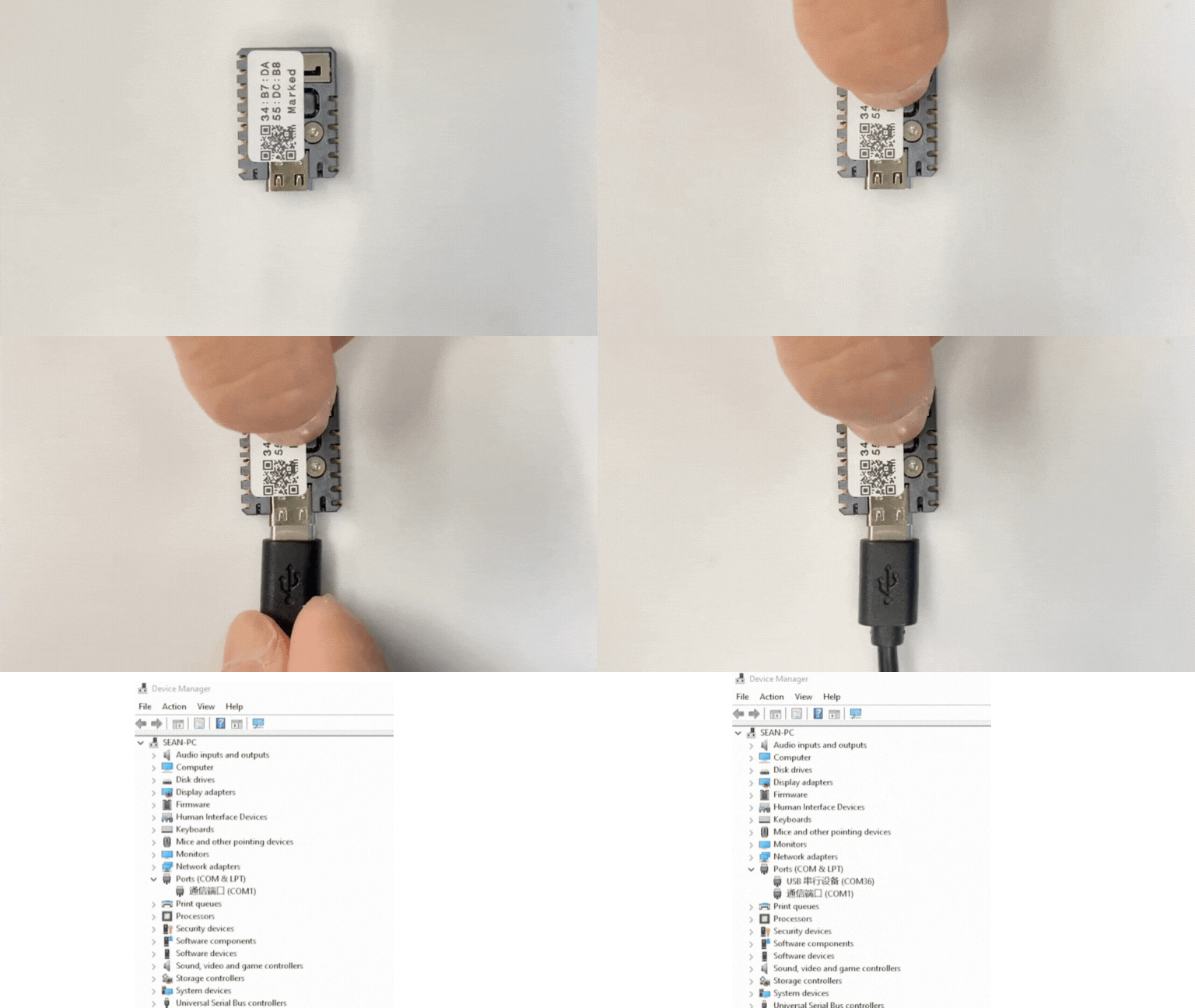
- 在 Arduino IDE 中选中设备端口,复制上述任意一个案例程序,点击左上角编译上传按钮,等待程序完成编译并上传至设备。
