

Arduino 上手教程
2. 设备开发 & 案例程序
3. M5Unified
4. M5GFX
5. 扩展模块
Unit
Module
Atomic
Tab5
IoT
Unit Neco Arduino 使用教程
1. 准备工作
- 环境配置:参考 Arduino IDE 上手教程 完成 IDE 安装,并根据实际使用的开发板安装对应的板管理器和所需驱动库。
- 使用到的驱动库:
- 使用到的硬件产品:
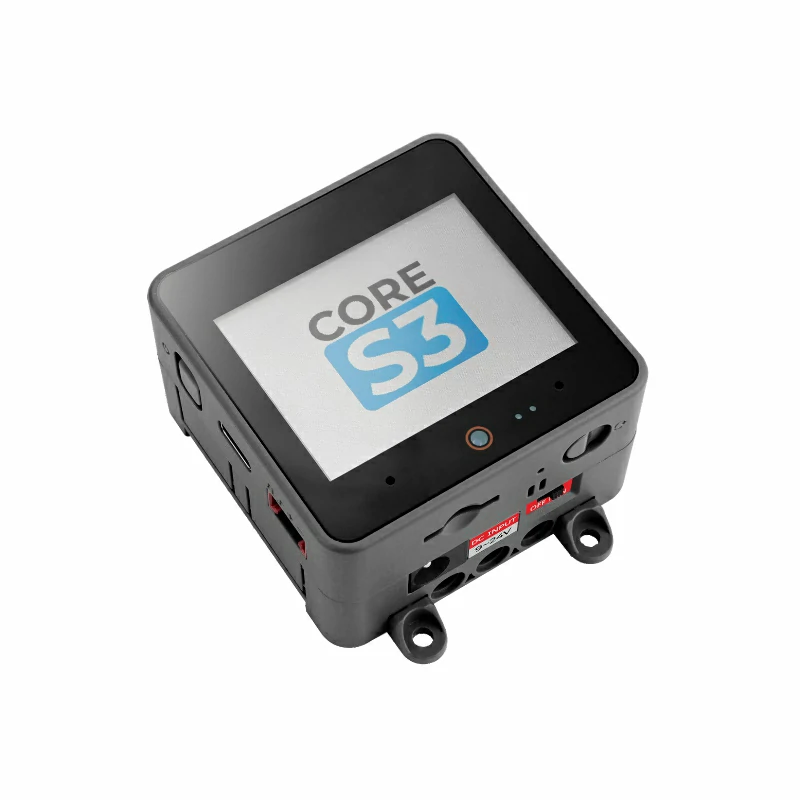
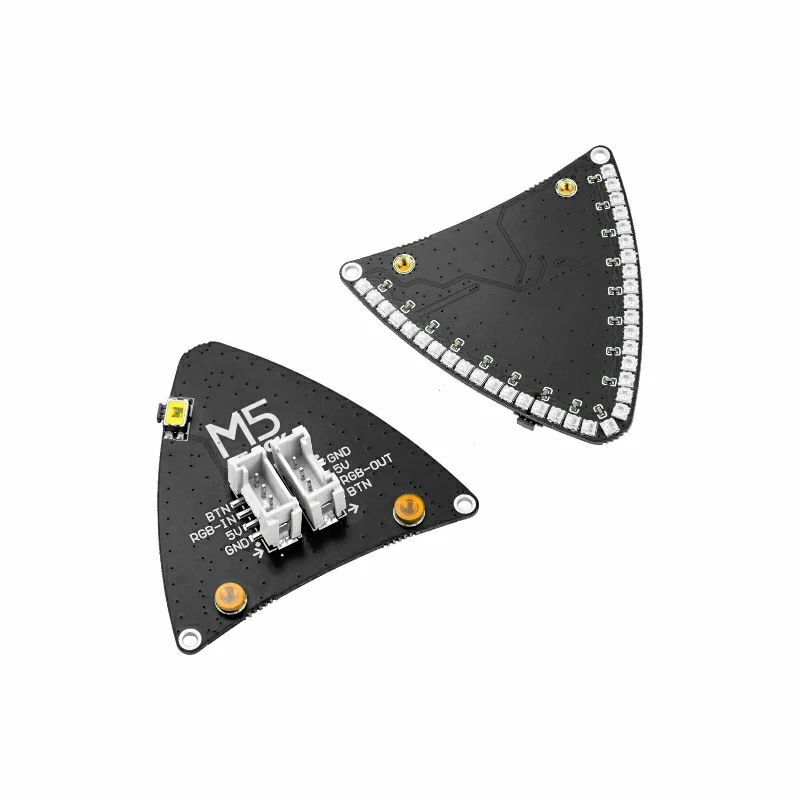
2. 注意事项
引脚兼容性
由于每款主机的引脚配置不同,为了让用户更方便地使用,M5Stack 官方提供了引脚兼容性表,方便用户查看,请根据实际引脚连接情况修改案例程序。
3. 案例程序
- 本教程中使用的主控设备为 CoreS3,搭配 Unit Neco。Unit Neco 连接到 CoreS3 的 Port B,DATA 为
G9,按钮 BTN 为G8。程序使用INPUT_PULLUP读取按钮,按下时引脚为低电平。
cpp
1 2 3 4 5 6 7 8 9 10 11 12 13 14 15 16 17 18 19 20 21 22 23 24 25 26 27 28 29 30 31 32 33 34 35 36 37 38 39 40 41 42 43 44 45 46 47 48 49 50 51 52 53 54 55 56 57 58 59 60 61 62 63 64 65 66 67 68 69 70 71 72 73 74 75 76 77 78 79 80 81 82 83 84 85 86 87 88 89 90 91 92 93 94 95 96 97 98 99 100 101 102 103 104 105 106 107 108 109 110 111 112 113 114 115 116 117 118 119 120 121 122
#include <M5Unified.h>
#include <FastLED.h>

constexpr uint8_t LED_COUNT = 35;
constexpr uint8_t BRIGHTNESS = 20;
constexpr uint8_t DATA_PIN = 9;
constexpr uint16_t UI_BG = 0x1082;
constexpr uint16_t UI_PANEL = 0x2104;
constexpr uint16_t UI_HEADER = 0x0349;
constexpr uint16_t UI_MUTED = 0xBDF7;

CRGB pixels[LED_COUNT];
M5Canvas canvas(&M5.Display);
int button_pin = -1;
uint8_t color_index = 0;
bool last_button = false;

CRGB paletteColor(uint8_t index)
{
    const uint8_t r = (index == 0) ? 244 : (index == 1 ? 30 : 36);
    const uint8_t g = (index == 1) ? 180 : (index == 2 ? 210 : 36);
    const uint8_t b = (index == 2) ? 208 : (index == 0 ? 80 : 90);
    return CRGB(r, g, b);
}

CRGB paletteColor()
{
    return paletteColor(color_index);
}

uint16_t color565(const CRGB& color)
{
    return (static_cast<uint16_t>(color.r & 0xF8) << 8) |
           (static_cast<uint16_t>(color.g & 0xFC) << 3) | (color.b >> 3);
}

void showPixels()
{
    fill_solid(pixels, LED_COUNT, paletteColor());
    FastLED.show();
}

void drawColorSwatch(int16_t x, uint8_t index, const char* label)
{
    const bool selected = index == color_index;
    const uint16_t border = selected ? color565(paletteColor(index)) : UI_MUTED;
    canvas.fillRoundRect(x, 152, 92, 48, 5, UI_PANEL);
    canvas.drawRoundRect(x, 152, 92, 48, 5, border);
    canvas.fillCircle(x + 18, 176, 9, color565(paletteColor(index)));
    canvas.setFont(&fonts::Font2);
    canvas.setTextDatum(textdatum_t::middle_left);
    canvas.setTextColor(selected ? TFT_WHITE : UI_MUTED, UI_PANEL);
    canvas.drawString(label, x + 34, 176);
}

void drawStatus(bool pressed)
{
    char detail[24] = {};
    snprintf(detail, sizeof(detail), "COLOR %u  /  %u PIXELS",
             static_cast<unsigned>(color_index + 1), LED_COUNT);

    canvas.fillScreen(UI_BG);
    canvas.fillRect(0, 0, 320, 42, UI_HEADER);
    canvas.setFont(&fonts::Font4);
    canvas.setTextDatum(textdatum_t::middle_center);
    canvas.setTextColor(TFT_WHITE, UI_HEADER);
    canvas.drawString("UNIT NECO", 160, 16);
    canvas.setFont(&fonts::Font2);
    canvas.setTextColor(UI_MUTED, UI_HEADER);
    canvas.drawString("COLOR CONTROL  /  STATUS", 160, 33);

    canvas.fillRoundRect(12, 54, 296, 84, 6, UI_PANEL);
    canvas.drawRoundRect(12, 54, 296, 84, 6, color565(paletteColor()));
    canvas.fillCircle(52, 96, 25, color565(paletteColor()));
    canvas.setTextDatum(textdatum_t::middle_left);
    canvas.setTextColor(TFT_WHITE, UI_PANEL);
    canvas.drawString("CURRENT COLOR", 94, 78);
    canvas.setTextColor(UI_MUTED, UI_PANEL);
    canvas.drawString(detail, 94, 101);
    canvas.setTextColor(pressed ? TFT_ORANGE : TFT_GREEN, UI_PANEL);
    canvas.drawString(pressed ? "BUTTON DOWN" : "BUTTON READY", 94, 122);

    drawColorSwatch(12, 0, "PINK");
    drawColorSwatch(114, 1, "GREEN");
    drawColorSwatch(216, 2, "BLUE");

    canvas.fillRect(0, 214, 320, 26, UI_HEADER);
    canvas.setTextDatum(textdatum_t::middle_center);
    canvas.setTextColor(TFT_WHITE, UI_HEADER);
    canvas.drawString("PRESS BUTTON  |  COLOR CHANGE", 160, 227);
    canvas.pushSprite(0, 0);
}

void setup()
{
    M5.begin();
    Serial.begin(115200);
    canvas.setColorDepth(16);
    canvas.createSprite(320, 240);
    button_pin = M5.getPin(m5::pin_name_t::port_b_pin1);
    pinMode(button_pin, INPUT_PULLUP);
    FastLED.addLeds<WS2812B, DATA_PIN, GRB>(pixels, LED_COUNT)
        .setCorrection(TypicalLEDStrip);
    FastLED.setBrightness(BRIGHTNESS);
    showPixels();
    drawStatus(false);
}

void loop()
{
    const bool button = digitalRead(button_pin) == LOW;
    if (button && !last_button) {
        color_index = (color_index + 1) % 3;
        showPixels();
        Serial.printf("Color: %u\n", color_index + 1);
    }
    if (button != last_button) {
        drawStatus(button);
    }
    last_button = button;
    delay(10);
}4. 编译上传
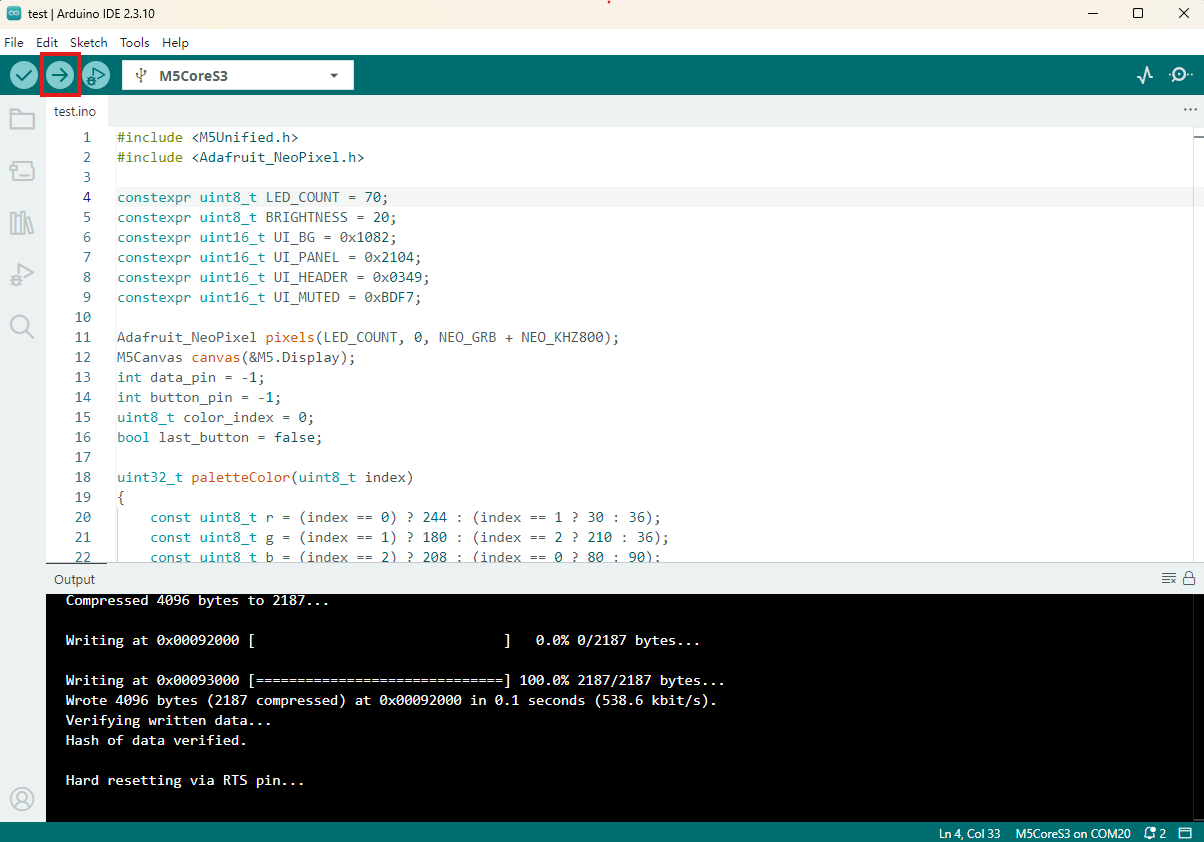
- 复制粘贴上述例程代码到项目代码区,选中设备端口(详情请参考 程序编译与烧录),点击 Arduino IDE 左上角编译上传按钮,等待程序完成编译并上传至设备。
5. RGB 灯效
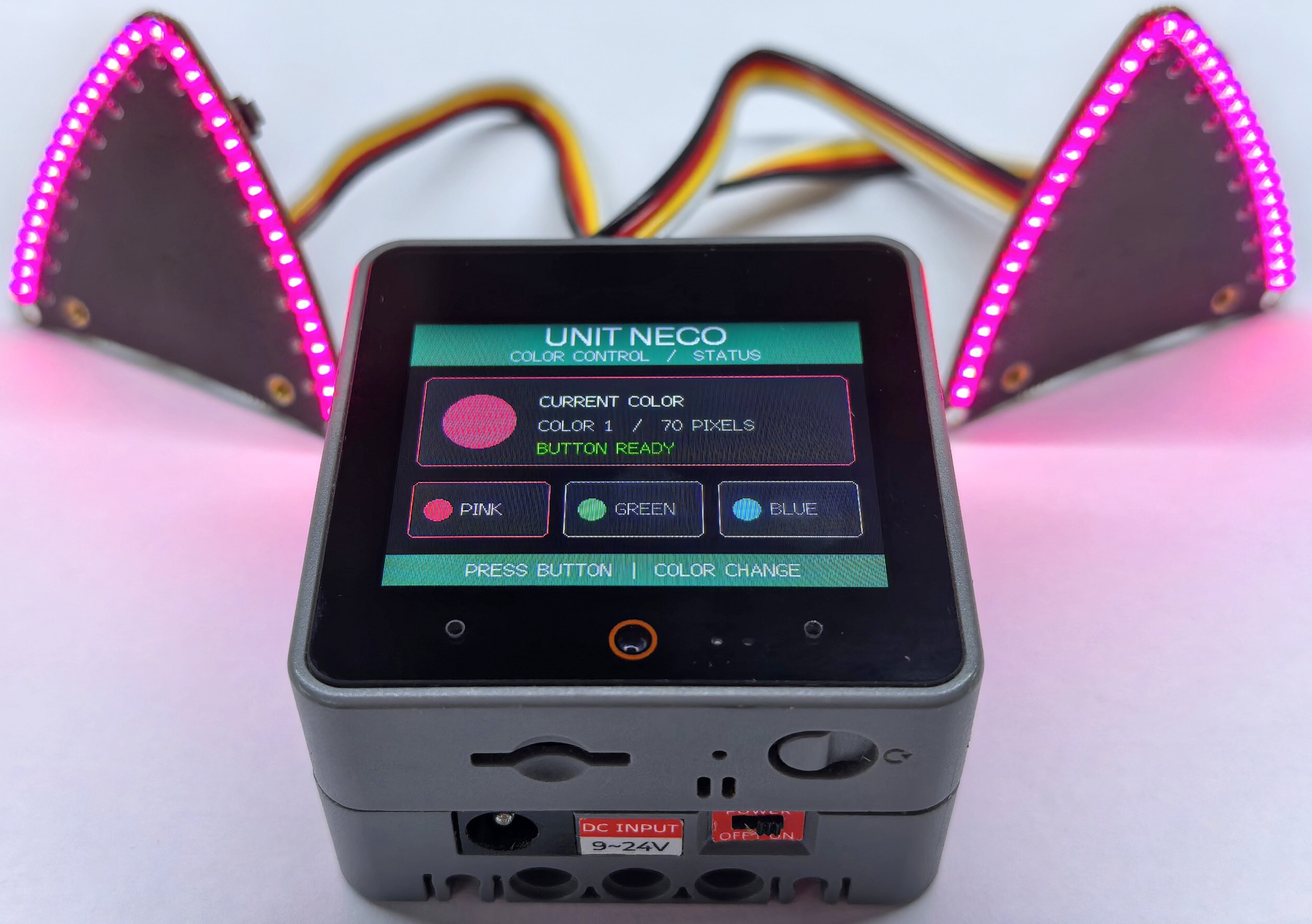
- 本例连接单个 Unit Neco,程序运行后会以低亮度点亮 35 颗灯珠。每按一次 Neco 的按钮,灯光颜色切换一次,主控屏幕同步显示按钮状态和颜色序号。若级联两个 Unit Neco,
LED_COUNT为 70;不要长时间使用全亮白光,以免灯珠过热。
Page Tools