

Arduino Quick Start
2. Devices & Examples
3. M5Unified
4. M5GFX
5. Extensions
Unit
Module
Atomic
Tab5
IoT
Accessories
CoreMatrix microSD Card
CoreMatrix microSD card APIs and example program.
Example Program
Compilation Requirements
- M5Stack Board Manager Version >=
3.3.10-a - Board Selection =
M5CoreMatrix - M5Unified Library Version >=
0.2.29 - M5GFX Library Version >=
0.2.36
The CoreMatrix microSD card uses SPI G25 (SCK), G26 (MISO), G27 (MOSI), and G28 (CS). Card-slot power is controlled by M5IOE1 IO1 / PYB_TF_EN, and card detection is read from IO10 / PYB_TFCARD_DET; a low level indicates a card is inserted. M5Unified enables the card-slot power by default during initialization. Prepare a microSD card formatted as FAT32.
#include <Arduino.h>
#include <SPI.h>
#include <SD.h>
#include <M5Unified.h>
#include <utility/M5IOE1_Class.hpp>

static constexpr uint8_t SD_CS_PIN = 28;
static constexpr uint8_t SD_SCK_PIN = 25;
static constexpr uint8_t SD_MISO_PIN = 26;
static constexpr uint8_t SD_MOSI_PIN = 27;

static constexpr auto TF_DET = m5::M5IOE1_Class::gpio10;

static void drawResult(bool ok)
{
  M5.Display.startWrite();
  M5.Display.fillScreen(TFT_BLACK);
  M5.Display.drawRect(0, 0, 16, 16, TFT_WHITE);

  if (ok) {
    M5.Display.drawLine(2, 7, 6, 11, TFT_WHITE);
    M5.Display.drawLine(7, 10, 13, 4, TFT_WHITE);
  } else {
    M5.Display.drawLine(3, 3, 12, 12, TFT_WHITE);
    M5.Display.drawLine(12, 3, 3, 12, TFT_WHITE);
  }

  M5.Display.endWrite();
  M5.Display.display();
}

static bool prepareTfCard()
{
  auto& ioe = M5.getIOExpander(0);

  // Card detect is active low: M5IOE1 IO10 -> PYB_TFCARD_DET
  ioe.setDirection(TF_DET, false);
  ioe.setPullMode(TF_DET, m5::IOExpander_Base::pull_up);
  delay(50);

  bool level = true;
  if (!ioe.getInputLevel(TF_DET, &level)) {
    Serial.println("TF card detect read failed");
    return false;
  }

  Serial.printf("TF card detect level: %s\n", level ? "HIGH" : "LOW");
  return !level;
}

void setup()
{
  auto cfg = M5.config();
  cfg.serial_baudrate = 115200;
  M5.begin(cfg);

  M5.Display.setColorDepth(8);
  M5.Display.setRotation(1);
  M5.Display.setBrightness(128);

  if (!prepareTfCard()) {
    Serial.println("TF card not inserted");
    drawResult(false);
    return;
  }

  SPI.begin(SD_SCK_PIN, SD_MISO_PIN, SD_MOSI_PIN, SD_CS_PIN);
  if (!SD.begin(SD_CS_PIN, SPI, 25000000)) {
    Serial.println("SD mount failed");
    drawResult(false);
    return;
  }

  File file = SD.open("/corematrix.txt", FILE_WRITE);
  if (!file) {
    Serial.println("File open for write failed");
    drawResult(false);
    return;
  }

  file.println("Hello CoreMatrix");
  file.close();

  file = SD.open("/corematrix.txt", FILE_READ);
  if (!file) {
    Serial.println("File open for read failed");
    drawResult(false);
    return;
  }

  const String line = file.readStringUntil('\n');
  file.close();

  Serial.printf("Read back: %s\n", line.c_str());
  drawResult(true);
}

void loop()
{
  delay(1000);
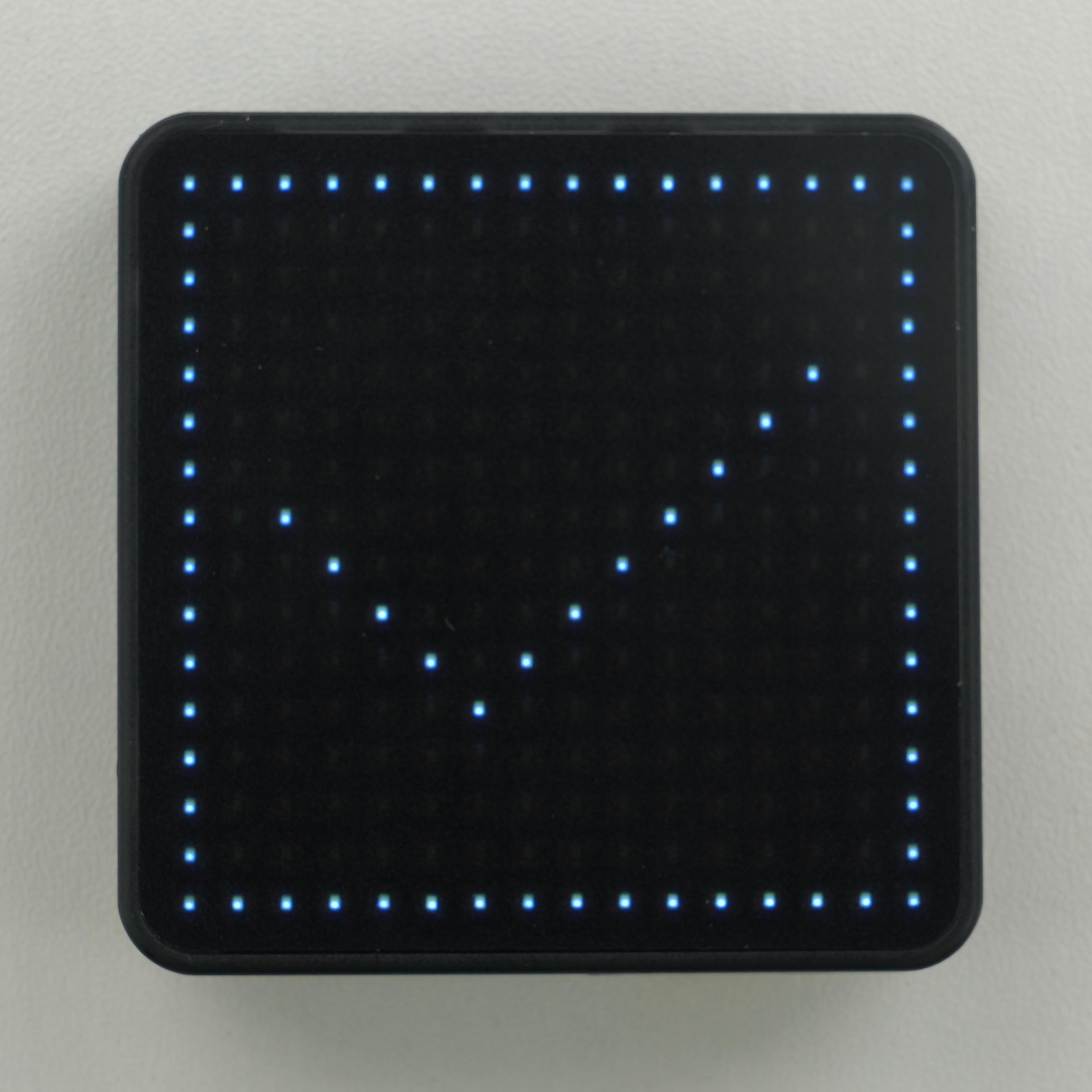
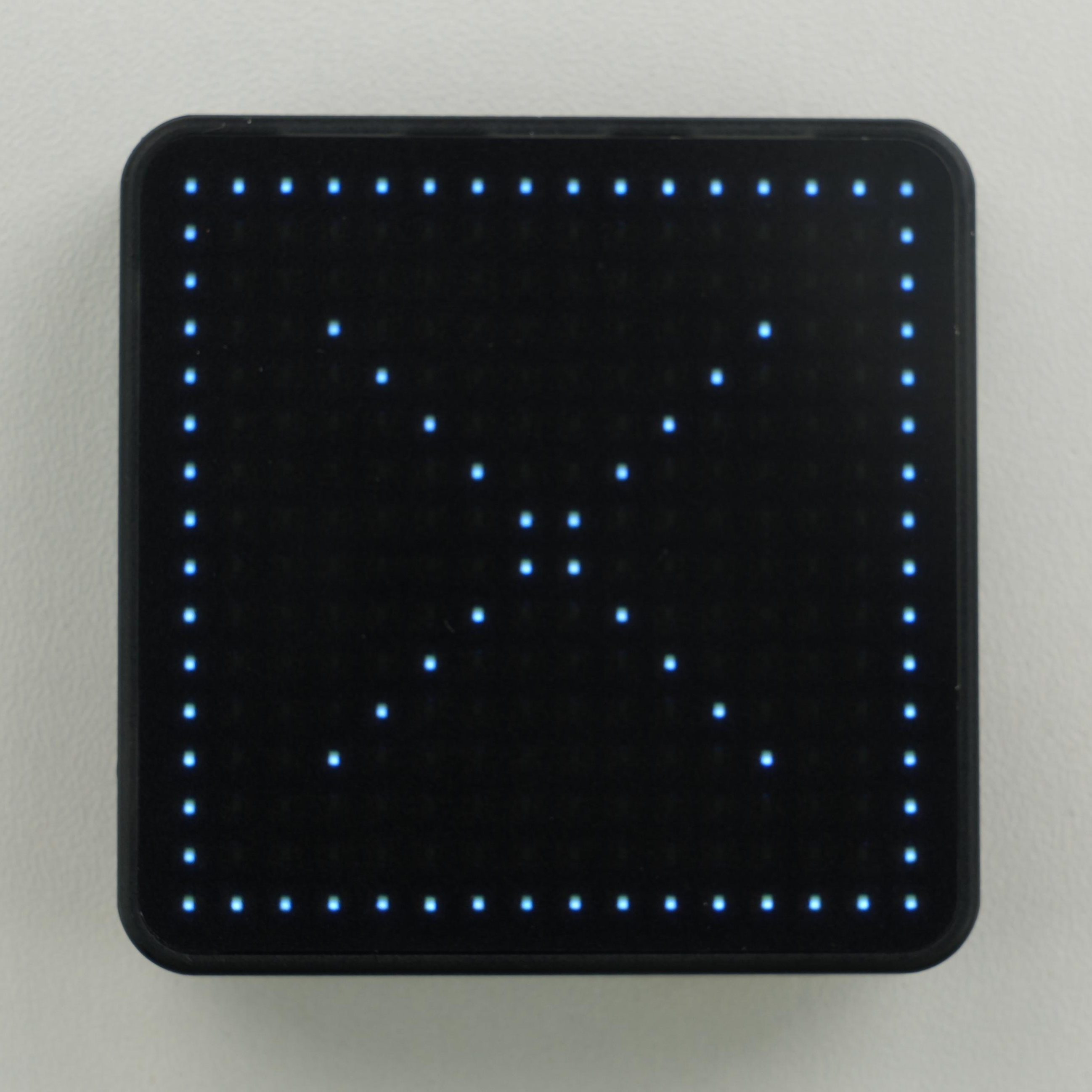
} The program detects the card, mounts the file system, creates /corematrix.txt, and reads it back. A check mark is shown on the matrix on success, and a cross on failure. Detailed results are output on the serial port at 115200 baud. If no card is inserted at startup, insert one and reset the device to detect it again.
API
The CoreMatrix microSD card section uses Arduino's standard SD library. For more related APIs, refer to the following documentation: