

Arduino Quick Start
2. Devices & Examples
Demo Board-SHT30
3. M5Unified
4. M5GFX
5. Extensions
Unit
Module
Atomic
Tab5
IoT
Accessories
Module Air Quality Arduino Tutorial
1. Preparations
- Environment Setup: Refer to Arduino IDE Getting Started Guide to complete IDE installation, and install the corresponding board manager and drivers based on the controller actually used.
- Required Driver Libraries:
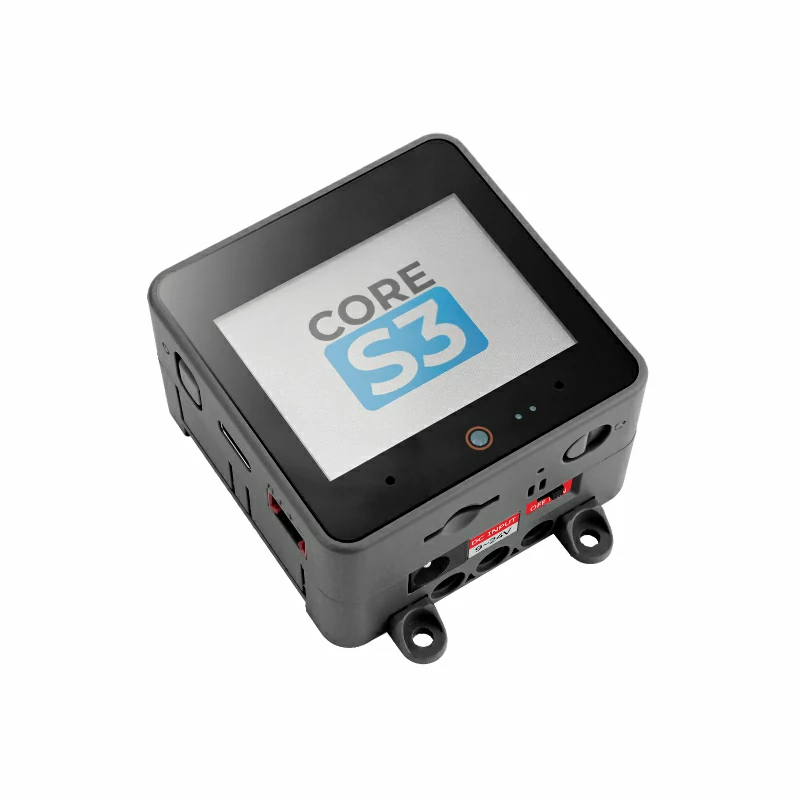
- Required Hardware Products:

2. Precautions
Pin Compatibility
Since each host has a different pin configuration, refer to the pin compatibility table in the product documentation before use, and modify the example program according to the actual pin connections.
3. Sample Program
- This tutorial uses CoreS3 with Module Air Quality to read the PMSA003 ambient particulate matter PM2.5, PM1.0, and PM10 concentrations.
cpp
1 2 3 4 5 6 7 8 9 10 11 12 13 14 15 16 17 18 19 20 21 22 23 24 25 26 27 28 29 30 31 32 33 34 35 36 37 38 39 40 41 42 43 44 45 46 47 48 49 50 51 52 53 54 55 56 57 58 59 60 61 62 63 64 65 66 67 68 69 70 71 72 73 74 75 76 77 78 79 80 81 82 83 84 85 86 87 88 89 90 91 92 93 94 95 96 97 98 99 100 101 102 103 104 105 106 107 108 109 110 111 112 113 114 115 116 117 118 119 120 121 122 123 124 125 126 127 128 129 130 131 132 133 134 135 136 137 138 139 140 141 142 143 144 145 146 147 148 149 150 151 152 153
#include <M5Unified.h>
#include <cstdint>
#include <cstdio>

namespace {

constexpr int SCREEN_W = 320, SCREEN_H = 240;
constexpr int GAUGE_CX = SCREEN_W / 2, GAUGE_CY = 104;
constexpr int GAUGE_R_IN = 58, GAUGE_R_OUT = 70;
constexpr float GAUGE_START = 135.0f, GAUGE_SWEEP = 270.0f;

constexpr uint32_t PMS_BAUD = 9600, UI_REFRESH_MS = 1000, SENSOR_STALE_MS = 5000;
constexpr uint16_t UI_BG = 0x0862, UI_CARD = 0x18E3, UI_TRACK = 0x3186, UI_MUTED = 0xAD55;

M5Canvas canvas(&M5.Display);
HardwareSerial pmsSerial(1);

struct PmsData {
    uint16_t pm1_0{};
    uint16_t pm2_5{};
    uint16_t pm10{};
};

PmsData pmsData{};
uint8_t frame[32]{};
uint32_t lastPmsMs{}, lastDrawMs{};

template <typename Font>
void drawText(const char* text, int x, int y, const Font* font, uint16_t color,
              textdatum_t datum, uint16_t bg = UI_BG)
{
    canvas.setTextDatum(datum);
    canvas.setFont(font);
    canvas.setTextColor(color, bg);
    canvas.drawString(text, x, y);
}

void readPmsSerial()
{
    while (pmsSerial.available() >= static_cast<int>(sizeof(frame))) {
        if (pmsSerial.read() != 0x42) continue;
        if (pmsSerial.peek() != 0x4D) continue;

        frame[0] = 0x42;
        pmsSerial.readBytes(frame + 1, sizeof(frame) - 1);

        uint16_t sum = 0;
        for (size_t i = 0; i < sizeof(frame) - 2; ++i) {
            sum += frame[i];
        }
        if (frame[2] != 0x00 || frame[3] != 0x1C ||
            sum != ((frame[30] << 8) | frame[31])) {
            continue;
        }

        // Atmospheric values are stored at bytes 10-15.
        pmsData.pm1_0 = (frame[10] << 8) | frame[11];
        pmsData.pm2_5 = (frame[12] << 8) | frame[13];
        pmsData.pm10 = (frame[14] << 8) | frame[15];
        lastPmsMs = millis();
    }
}

void drawStatus(const char* text, uint16_t color)
{
    constexpr int x = 236, y = 8, w = 68, h = 24, dot = 3, gap = 6;
    canvas.fillRoundRect(x, y, w, h, 12, UI_CARD);
    canvas.setFont(&fonts::FreeSans9pt7b);

    const int startX = x + (w - (dot * 2 + gap + canvas.textWidth(text))) / 2;
    const int centerY = y + h / 2;
    canvas.fillCircle(startX + dot, centerY, dot, color);
    drawText(text, startX + dot * 2 + gap, centerY, &fonts::FreeSans9pt7b,
             color, textdatum_t::middle_left, UI_CARD);
}

void drawCard(int x, const char* label, const char* value)
{
    canvas.fillRoundRect(x, 178, 144, 52, 10, UI_CARD);
    drawText(label, x + 12, 186, &fonts::FreeSans9pt7b, UI_MUTED,
             textdatum_t::top_left, UI_CARD);
    drawText(value, x + 132, 222, &fonts::FreeSansBold18pt7b, TFT_WHITE,
             textdatum_t::bottom_right, UI_CARD);
}

void drawUi()
{
    const bool fresh = lastPmsMs && millis() - lastPmsMs < SENSOR_STALE_MS;
    char pm1[8] = "--", pm25[8] = "--", pm10[8] = "--";
    if (fresh) {
        snprintf(pm1, sizeof(pm1), "%u", static_cast<unsigned>(pmsData.pm1_0));
        snprintf(pm25, sizeof(pm25), "%u", static_cast<unsigned>(pmsData.pm2_5));
        snprintf(pm10, sizeof(pm10), "%u", static_cast<unsigned>(pmsData.pm10));
    }

    const float gauge = fresh ? (pmsData.pm2_5 > 150 ? 1.0f : pmsData.pm2_5 / 150.0f) : 0.0f;
    canvas.fillScreen(UI_BG);
    drawText("AIR QUALITY", 16, 20, &fonts::FreeSansBold9pt7b, TFT_WHITE,
             textdatum_t::middle_left);
    drawStatus(fresh ? "LIVE" : "WAIT", fresh ? TFT_GREEN : TFT_ORANGE);

    canvas.fillArc(GAUGE_CX, GAUGE_CY, GAUGE_R_IN, GAUGE_R_OUT,
                   GAUGE_START, GAUGE_START + GAUGE_SWEEP, UI_TRACK);
    if (gauge > 0.0f) {
        canvas.fillArc(GAUGE_CX, GAUGE_CY, GAUGE_R_IN, GAUGE_R_OUT,
                       GAUGE_START, GAUGE_START + GAUGE_SWEEP * gauge, TFT_CYAN);
    }

    drawText("PM2.5", GAUGE_CX, 68, &fonts::FreeSansBold9pt7b, UI_MUTED,
             textdatum_t::middle_center);
    drawText(pm25, GAUGE_CX, GAUGE_CY, &fonts::FreeSansBold24pt7b, TFT_WHITE,
             textdatum_t::middle_center);
    drawText("ug/m3", GAUGE_CX, 136, &fonts::FreeSans9pt7b, UI_MUTED,
             textdatum_t::middle_center);
    drawText("0", GAUGE_CX - 54, 167, &fonts::FreeSans9pt7b, UI_MUTED,
             textdatum_t::middle_center);
    drawText("150", GAUGE_CX + 54, 167, &fonts::FreeSans9pt7b, UI_MUTED,
             textdatum_t::middle_center);

    drawCard(12, "PM1.0", pm1);
    drawCard(164, "PM10", pm10);
    canvas.pushSprite(0, 0);
}

}  // namespace

void setup()
{
    M5.begin();
    Serial.begin(115200);

    canvas.setColorDepth(16);
    canvas.createSprite(SCREEN_W, SCREEN_H);
    pmsSerial.begin(PMS_BAUD, SERIAL_8N1,
                    M5.getPin(m5::pin_name_t::mbus_pin15),
                    M5.getPin(m5::pin_name_t::mbus_pin16));

    // Keep PMSA003 in active measurement mode.
    pinMode(M5.getPin(m5::pin_name_t::mbus_pin22), OUTPUT);
    digitalWrite(M5.getPin(m5::pin_name_t::mbus_pin22), HIGH);

    drawUi();
    lastDrawMs = millis();
}

void loop()
{
    readPmsSerial();
    if (millis() - lastDrawMs >= UI_REFRESH_MS) {
        lastDrawMs = millis();
        drawUi();
    }
}4. Compile and Upload
- 1. Enter download mode: On CoreS3, press and hold the reset button (about 2 seconds) until the internal green LED lights up, then release the button. After release, the green LED turns off, indicating that the device has entered download mode and is waiting to be flashed.
Note
Different devices need to enter download mode before flashing, and this step may differ between controllers. For details, refer to the device download tutorial list at the bottom of the Arduino IDE Getting Started Guide page for the specific procedure.

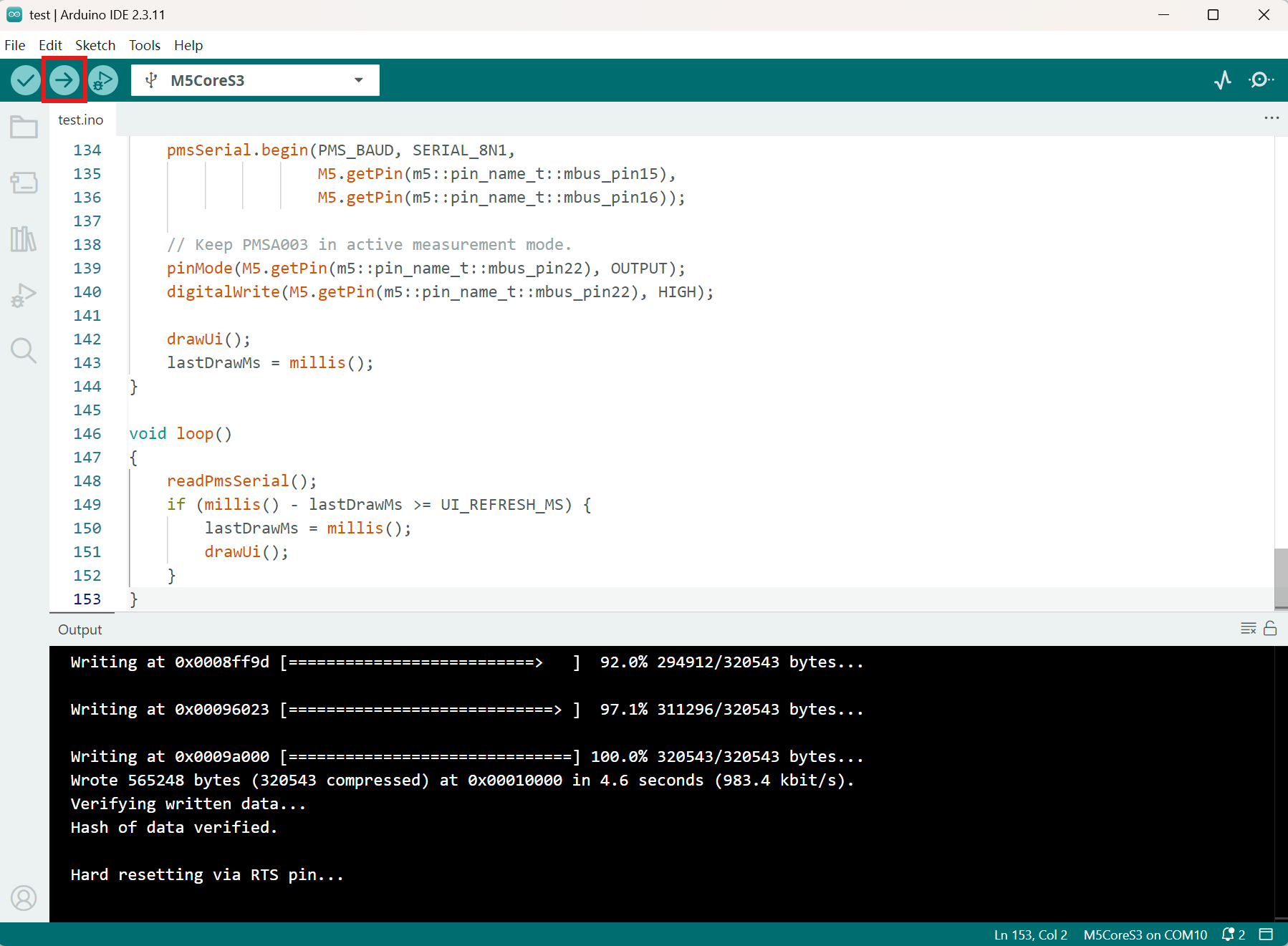
- 2. Select the device port, click the compile and upload button in the upper-left corner of Arduino IDE, and wait for the program to compile and upload to the device.
5. Function Verification
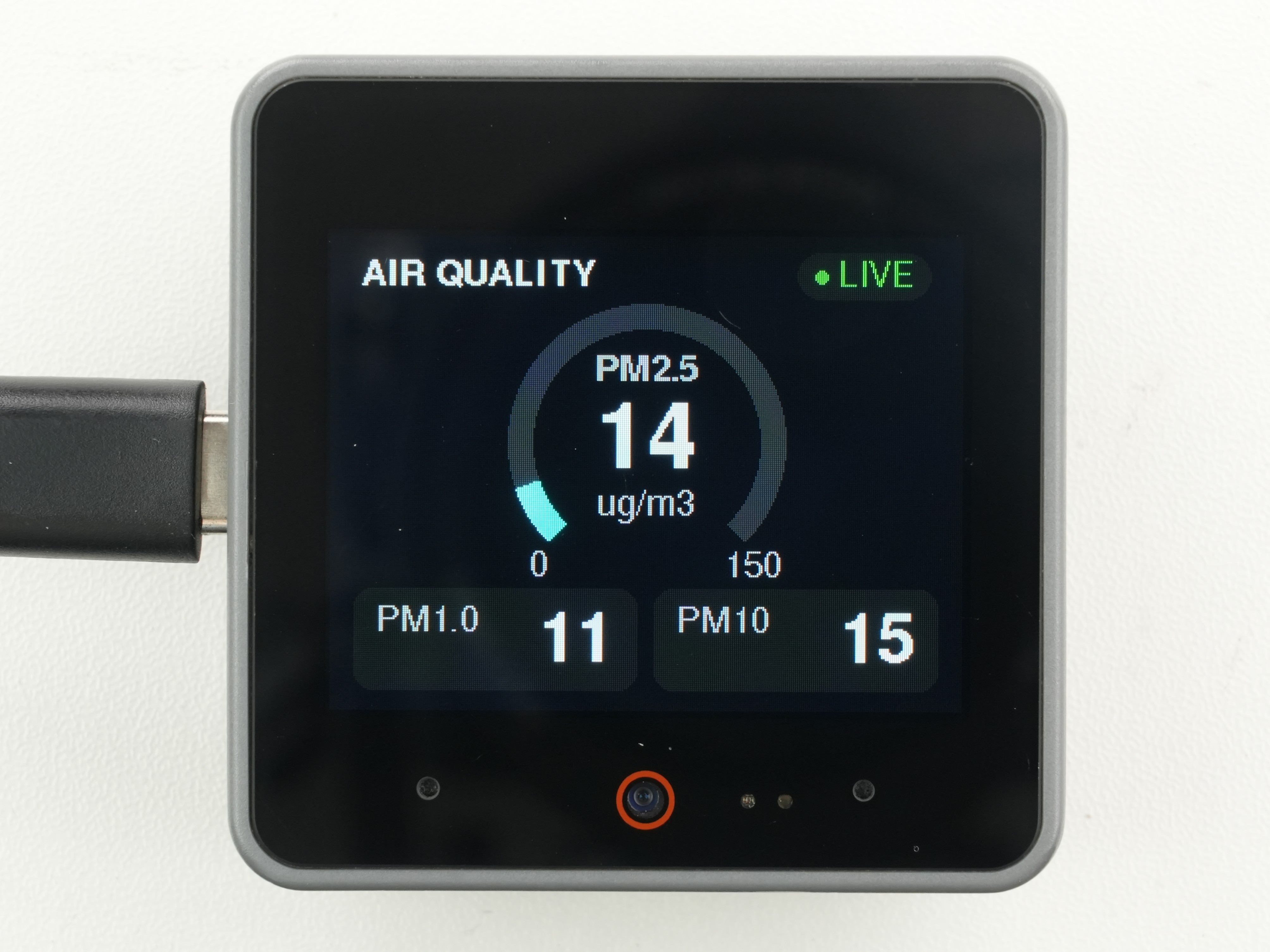
- After power-on, the screen displays the PM2.5 gauge, PM1.0, and PM10. The status pill shows
LIVEwhen valid data has been received, andWAITwhen no data has been received yet or the data has timed out.
Note
The PMSA003 requires a short warm-up after power-on, and the initial readings may fluctuate.
Page Tools