

Arduino Quick Start
2. Devices & Examples
Demo Board-SHT30
3. M5Unified
4. M5GFX
5. Extensions
Unit
Module
Atomic
Tab5
IoT
Accessories
Unit Earth Arduino Tutorial
1. Preparations
- Environment Setup: Refer to Arduino IDE Getting Started Guide to complete IDE installation, and install the corresponding board manager and required driver libraries based on the development board used.
- Required Driver Libraries:
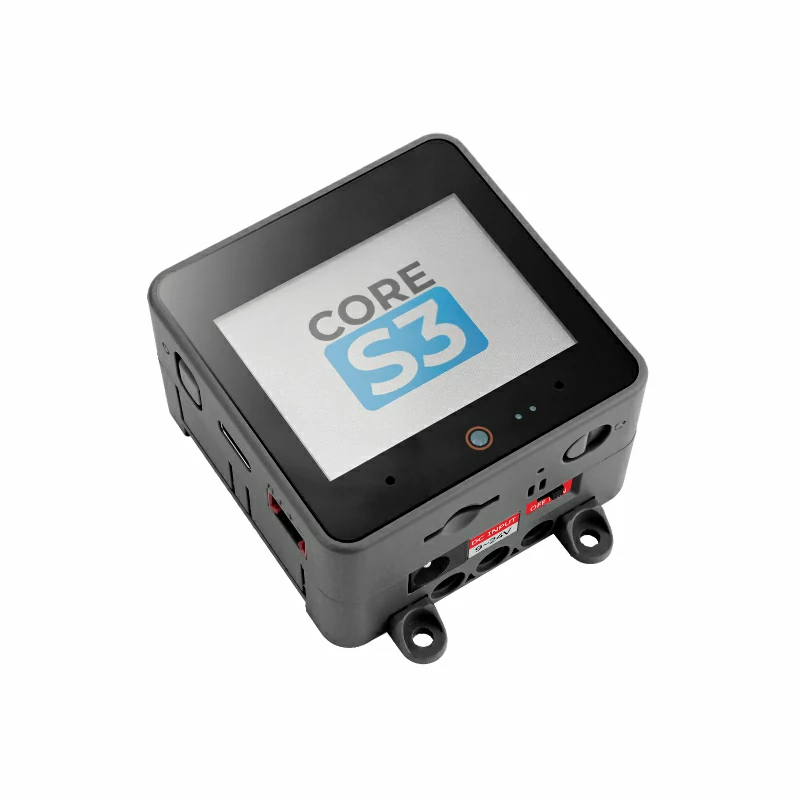
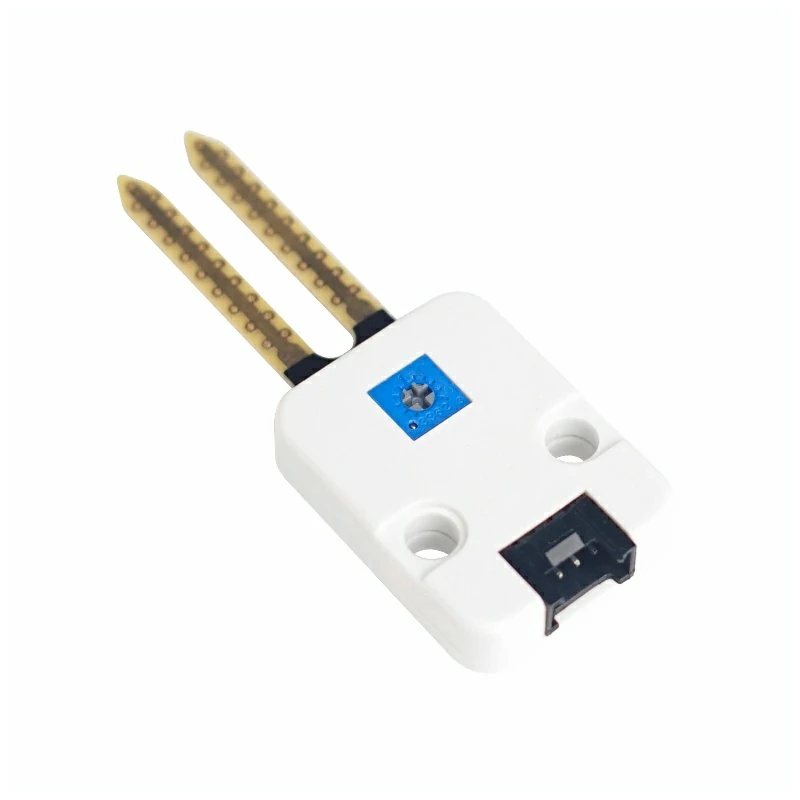
- Required Hardware Products:
2. Precautions
Note
The digital threshold of Unit Earth is set by the onboard 10K potentiometer, and the raw ADC value cannot be used directly as an absolute moisture content. The probe is not treated for corrosion or water resistance, so do not leave it powered and buried in soil for long periods, and do not immerse the circuit board in water.
3. Sample Program
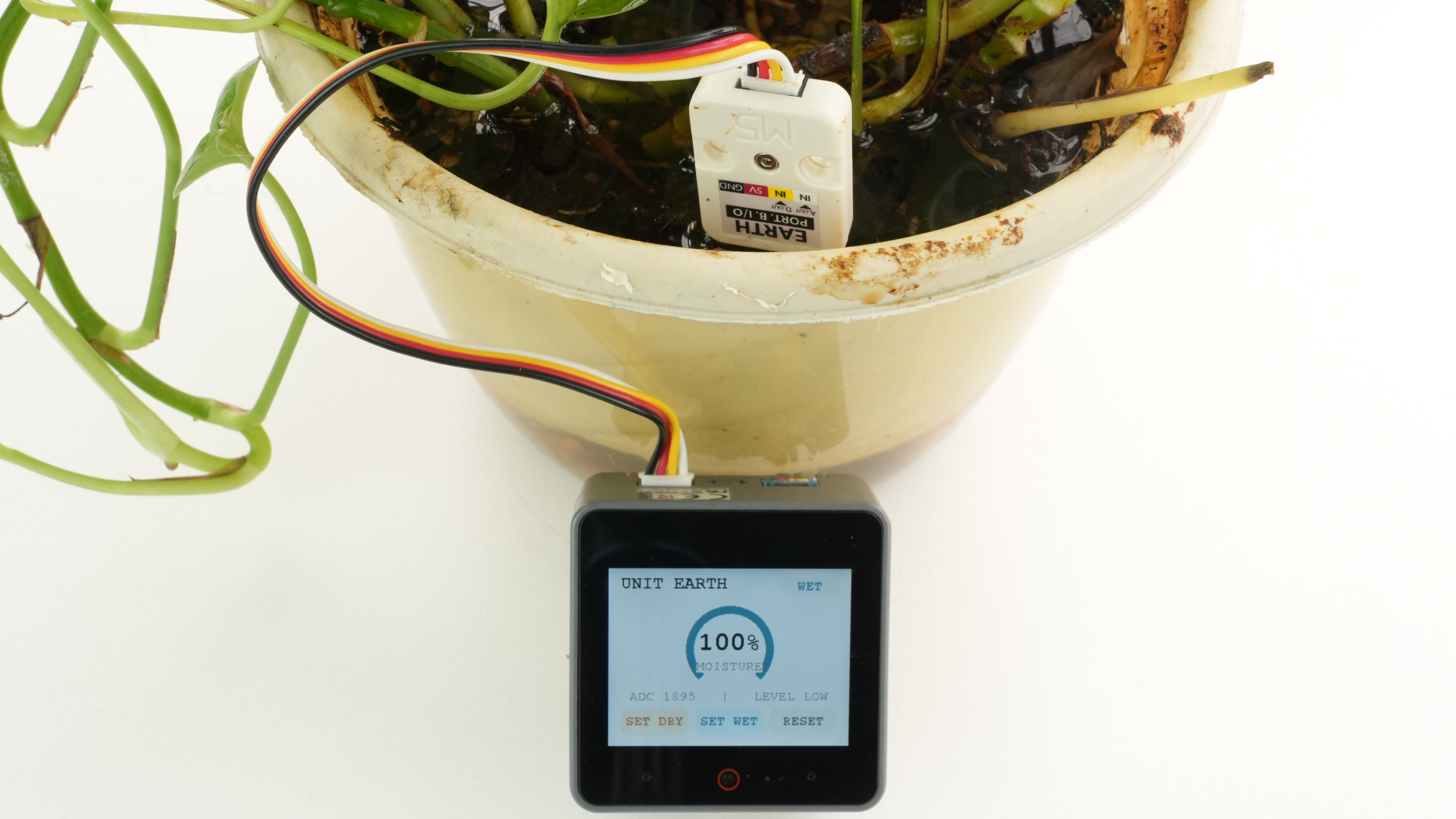
- This tutorial uses CoreS3 with Unit Earth. The analog output is connected to PORT.B
G8, and the digital output toG9. The interface records dry-soil and wet-soil calibration points through touch buttons, and the calibration results are saved to NVS.
cpp
1 2 3 4 5 6 7 8 9 10 11 12 13 14 15 16 17 18 19 20 21 22 23 24 25 26 27 28 29 30 31 32 33 34 35 36 37 38 39 40 41 42 43 44 45 46 47 48 49 50 51 52 53 54 55 56 57 58 59 60 61 62 63 64 65 66 67 68 69 70 71 72 73 74 75 76 77 78 79 80 81 82 83 84 85 86 87 88 89 90 91 92 93 94 95 96 97 98 99 100 101 102 103 104 105 106 107 108 109 110 111 112 113 114 115 116 117 118 119 120 121 122 123 124 125 126 127 128 129 130 131 132 133 134 135 136 137 138 139 140 141 142 143 144 145 146 147 148 149 150 151 152 153 154 155 156 157 158 159
#include <M5Unified.h>
#include <Preferences.h>

M5Canvas canvas(&M5.Display);
Preferences prefs;

constexpr int SCREEN_W = 320, MARGIN = 16;
constexpr int BUTTON_Y = 188, BUTTON_H = 38, BUTTON_GAP = 9;
constexpr int BUTTON_W = (SCREEN_W - MARGIN * 2 - BUTTON_GAP * 2) / 3;
constexpr int GAUGE_X = 160, GAUGE_Y = 108;
constexpr int GAUGE_INNER = 48, GAUGE_OUTER = 58;
constexpr uint32_t SAMPLE_MS = 250;

// Warm light palette: cream, ink, soil amber, water teal.
constexpr uint16_t C_BG = 0xF79D, C_SURFACE = 0xEF5C, C_TRACK = 0xD6DA;
constexpr uint16_t C_INK = 0x1944, C_MUTED = 0x6BAD;
constexpr uint16_t C_DRY = 0xCC27, C_DRY_SOFT = 0xF75A;
constexpr uint16_t C_WET = 0x3432, C_WET_SOFT = 0xDF7D, C_OK = 0x344C;

int analogPin = -1, digitalPin = -1;
int dryRaw = -1, wetRaw = -1;
uint32_t lastSampleMs = 0;

int readRaw()
{
    int sum = 0;
    for (uint8_t i = 0; i < 8; ++i) {
        sum += analogRead(analogPin);
        delay(2);
    }
    return sum / 8;
}

int moisturePercent(int raw)
{
    if (dryRaw < 0 || wetRaw < 0 || abs(dryRaw - wetRaw) < 200) return -1;
    return constrain(map(raw, dryRaw, wetRaw, 0, 100), 0, 100);
}

void drawUi(int raw)
{
    const int percent = moisturePercent(raw);
    const bool hasTwoPoints = dryRaw >= 0 && wetRaw >= 0;
    const uint16_t accent = percent < 0 ? C_MUTED :
                            percent < 35 ? C_DRY :
                            percent < 70 ? C_OK : C_WET;
    const char* state = percent < 0 ? (hasTwoPoints ? "CHECK" : "SETUP") :
                        percent < 35 ? "DRY" :
                        percent < 70 ? "MOIST" : "WET";
    const char* caption = percent < 0 ?
                          (hasTwoPoints ? "CHECK" : "SET POINTS") :
                          "MOISTURE";
    char value[8], telemetry[40];

    if (percent < 0) snprintf(value, sizeof(value), "--");
    else snprintf(value, sizeof(value), "%d%%", percent);
    snprintf(telemetry, sizeof(telemetry), "ADC %d   |   LEVEL %s",
             raw, digitalRead(digitalPin) == HIGH ? "HIGH" : "LOW");

    canvas.fillSprite(C_BG);
    canvas.setTextDatum(textdatum_t::top_left);
    canvas.setFont(&fonts::FreeMonoBold12pt7b);
    canvas.setTextColor(C_INK, C_BG);
    canvas.drawString("UNIT EARTH", MARGIN, 10);
    canvas.fillRoundRect(226, 12, 78, 24, 12, C_SURFACE);
    canvas.setTextDatum(textdatum_t::middle_center);
    canvas.setFont(&fonts::FreeMonoBold9pt7b);
    canvas.setTextColor(accent, C_SURFACE);
    canvas.drawString(state, 265, 24);

    canvas.fillArc(GAUGE_X, GAUGE_Y, GAUGE_INNER, GAUGE_OUTER, 135, 405, C_TRACK);
    if (percent > 0) {
        canvas.fillArc(GAUGE_X, GAUGE_Y, GAUGE_INNER, GAUGE_OUTER,
                       135, 135.0f + 270.0f * percent / 100.0f, accent);
    }
    canvas.fillCircle(GAUGE_X, GAUGE_Y, GAUGE_INNER - 1, C_BG);
    canvas.setFont(&fonts::FreeMonoBold18pt7b);
    canvas.setTextColor(C_INK, C_BG);
    canvas.drawString(value, GAUGE_X, 101);
    canvas.setFont(&fonts::FreeMono9pt7b);
    canvas.setTextColor(C_MUTED, C_BG);
    canvas.drawString(caption, GAUGE_X, 132);
    canvas.drawString(telemetry, SCREEN_W / 2, 173);

    const char* labels[] = {"SET DRY", "SET WET", "RESET"};
    const uint16_t fills[] = {C_DRY_SOFT, C_WET_SOFT, C_SURFACE};
    const uint16_t colors[] = {C_DRY, C_WET, C_MUTED};
    for (uint8_t i = 0; i < 3; ++i) {
        const int x = MARGIN + i * (BUTTON_W + BUTTON_GAP);
        canvas.fillRoundRect(x, BUTTON_Y, BUTTON_W, BUTTON_H, 12, fills[i]);
        canvas.setTextColor(colors[i], fills[i]);
        canvas.setFont(&fonts::FreeMonoBold9pt7b);
        canvas.drawString(labels[i], x + BUTTON_W / 2, BUTTON_Y + BUTTON_H / 2);
    }
    canvas.pushSprite(0, 0);
}

void handleTouch()
{
    const auto touch = M5.Touch.getDetail();
    if (!touch.wasClicked() ||
        touch.y < BUTTON_Y || touch.y >= BUTTON_Y + BUTTON_H) return;

    for (uint8_t i = 0; i < 3; ++i) {
        const int x = MARGIN + i * (BUTTON_W + BUTTON_GAP);
        if (touch.x < x || touch.x >= x + BUTTON_W) continue;

        if (i == 0) {
            dryRaw = readRaw();
            prefs.putInt("dry", dryRaw);
            Serial.printf("Dry point saved: %d\n", dryRaw);
        } else if (i == 1) {
            wetRaw = readRaw();
            prefs.putInt("wet", wetRaw);
            Serial.printf("Wet point saved: %d\n", wetRaw);
        } else {
            dryRaw = wetRaw = -1;
            prefs.clear();
            Serial.println("Calibration cleared");
        }
        lastSampleMs = millis() - SAMPLE_MS;
        return;
    }
}

void setup()
{
    M5.begin();
    Serial.begin(115200);
    M5.Display.setRotation(0);
    canvas.setColorDepth(16);
    canvas.createSprite(M5.Display.width(), M5.Display.height());

    // CoreS3 PORT.B: white/G8 analog, yellow/G9 digital.
    analogPin = M5.getPin(m5::pin_name_t::port_b_pin1);
    digitalPin = M5.getPin(m5::pin_name_t::port_b_pin2);
    pinMode(digitalPin, INPUT);
    analogReadResolution(12);
    analogSetPinAttenuation(analogPin, ADC_11db);

    prefs.begin("unit-earth", false);
    dryRaw = prefs.getInt("dry", -1);
    wetRaw = prefs.getInt("wet", -1);
    drawUi(readRaw());
    lastSampleMs = millis();
}

void loop()
{
    M5.update();
    handleTouch();
    if (millis() - lastSampleMs < SAMPLE_MS) return;

    lastSampleMs = millis();
    const int raw = readRaw();
    drawUi(raw);
    Serial.printf("RAW=%d, DRY=%d, WET=%d, LEVEL=%s\n", raw, dryRaw, wetRaw,
                  digitalRead(digitalPin) == HIGH ? "HIGH" : "LOW");
}4. Compile and Upload
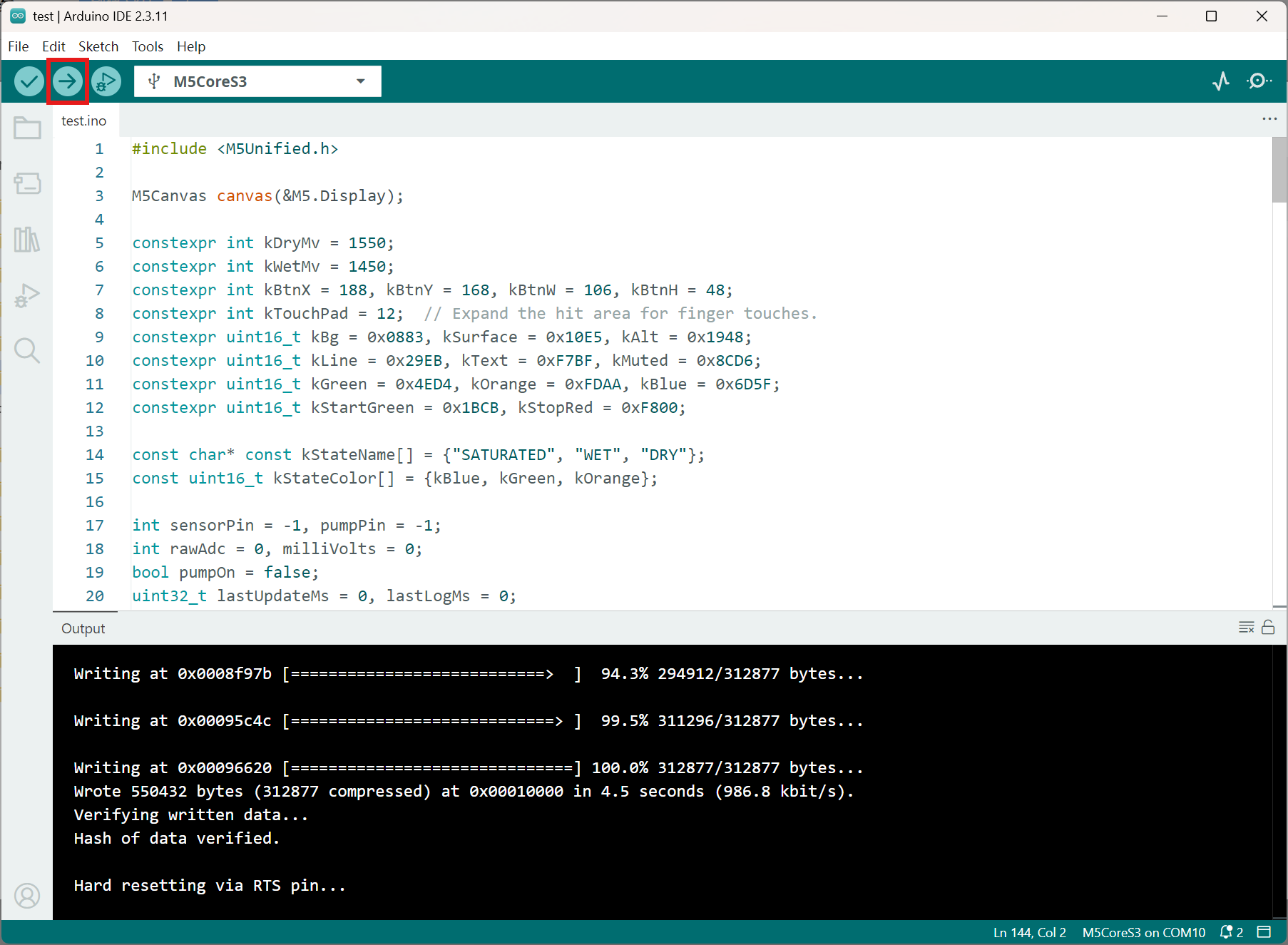
- Copy and paste the example code above into the project code area, select the device port (for details, refer to Program Compile & Upload), click the compile and upload button in the upper-left corner of Arduino IDE, and wait for the program to compile and upload to the device.
5. Operation and Touch Controls
- When uncalibrated or when the difference between the calibration points is less than
200, the ring displays--. TapSET DRY/SET WETto record the dry/wet baseline of the current soil respectively; tapRESETto clear the NVS calibration data. - The ring displays a relative moisture index from 0–100%, and
LEVEL HIGH/LOWindicates the digital threshold state of the onboard comparator. The threshold direction can be adjusted by rotating the potentiometer on Unit Earth and is independent of the software calibration. 35%and70%are only used as UI status hints and are not product specifications. For long-term monitoring, a capacitive soil moisture sensor is recommended.
Page Tools